10 Best Grammar Checker Tools: Features & Functions Available in 2026
reviewed by Laila A. Lico
Updated on March 6, 2026
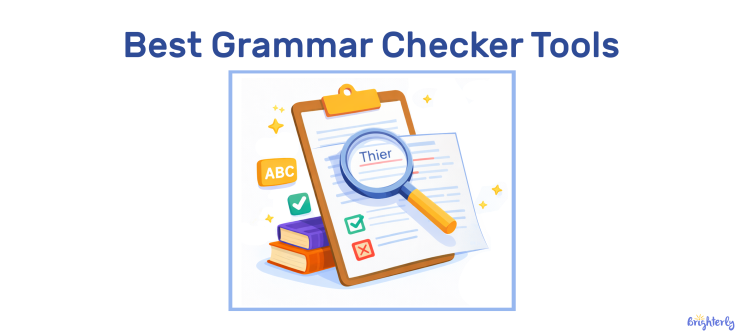
Collecting thoughts and making them sound coherent in writing can already be hard enough for a student. That’s why grammar usually becomes the least of concerns and the text may end up filled with errors. Luckily, now we have digital solutions that help detect and fix different types of mistakes in a few clicks. Check out this guide with the best grammar checker tools for young writers to use online.
Top recommendations
- Grammarly, ProWritingAid, and Scribbr are worth considering if you’re looking for high-level academic writing support, as they offer features like citation generators, plagiarism detectors, etc.
- QuillBot, Grammarly, Harper, and Google Docs are great choices if you’re looking for basic grammar checks, while each tool offers unique features and advantages.
- LanguageTool and Scribens are the best grammar checkers for multilingual writers, as they support the largest number of languages, while Ginger could be a good choice for ESL students.
- Hemingway Editor would be perfect for those looking for readability coaches/editors rather than basic grammar checkers, since it focuses on style, flow, and rhythm.
- Brighterly platform could add value to these tools by offering expert, personalized writing support to young struggling writers.
Exploring alternatives?

What is the best grammar checker?
The best online grammar checker is the one that can correctly identify errors, explain them, and help fix them immediately. In general, a good tool should be able to detect typos, issues in spelling, subject-verb agreement, word order, word form, punctuation, sentence structure, and even notice style inconsistency or unfit vocabulary.
Now, it also seems like most, if not all grammar checker tools are powered by AI to one extent or another to make sure the users get additional tools like paraphrasers, summarizers, and more, apart from just basic grammar checks. This kind of help with proofreading is almost a necessity for modern students, since finding and fixing every typo and other mistake manually would take too much time, which they usually don’t have.
Improving grammar with Brighterly
Even though a grammar checker is an excellent tool for catching typos and improving essays, if your child struggles with writing or reading in general, it could only frustrate them more. To make sure they are not afraid or ashamed of making and fixing mistakes, you can consider getting a tutor on Brighterly math and reading learning platform. Writing and reading tutors on Brighterly reading program provide kids with attention and support that software can’t offer.
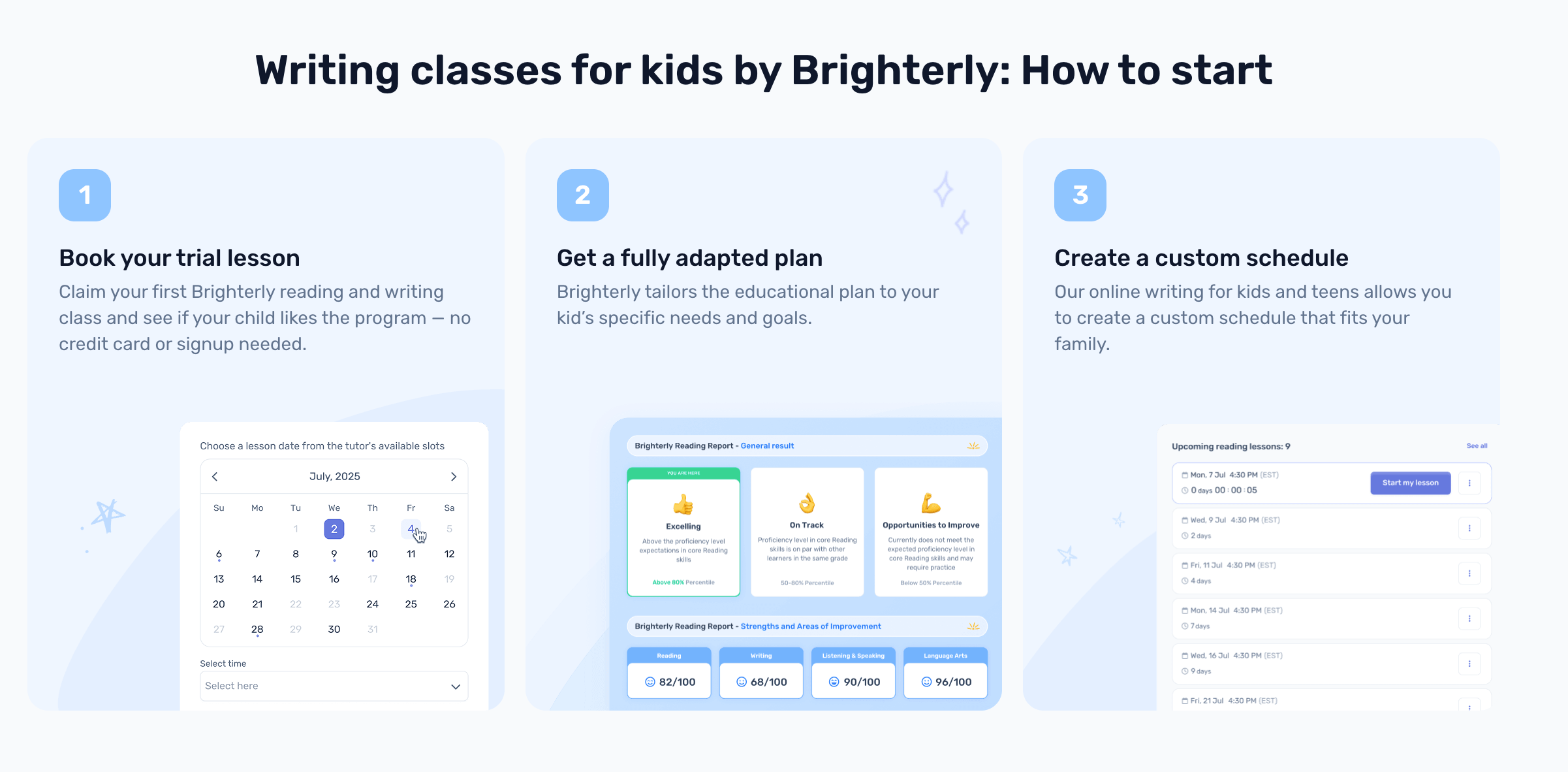
Also, if your kid starts using a grammar checker online tool and you want to check if they are getting better or need more practice with writing and reading, Brighterly also allows access to its reading worksheets and reading tests on its website for free.


Top 10 best online grammar checkers
- Grammarly
- ProWritingAid
- QuillBot
- Ginger
- Hemingway Editor
- LanguageTool
- Scribens
- Scribbr
- Harper
- Google Docs
Paid grammar checking tools: Comparison
| Best for | Languages supported | Monthly price (if paid monthly) | |
| Grammarly | Fast proofreading | English, Spanish, French, Italian, German, and Portuguese. | $12.00 / month |
| ProWritingAid | Advanced editing | English only | $12.00 / month |
| QuillBot | Paraphrasing | English, German, Spanish, French, Spanish, Dutch, and Portuguese | $4.17 / month (only yearly payments) |
| Ginger | Proofreading texts written by ESL students | English only | $9.90 / month (with 50% discount) |
| Hemingway Editor | Improving readability | English only | $10 -1 $15 / month |
| LanguageTool | Basic proofreading | 30+ languages | $12.45 / month (with 50% discount) |
| Scribens | Advanced editing | 40+ languages | $9.90 / month |
Best free grammar checker tools: Comparison
| Best for | Languages supported | |
| Scribbr | Writing/editing academic content | English, German, Dutch, French, Spanish, Italian, Danish, Norwegian, and Swedish |
| Harper | Offline grammar checks | English only |
| Google Docs | Writing/editing content when multiple people are involved | English, Spanish, French, German, Portuguese, and Italian. |
#1 Grammarly
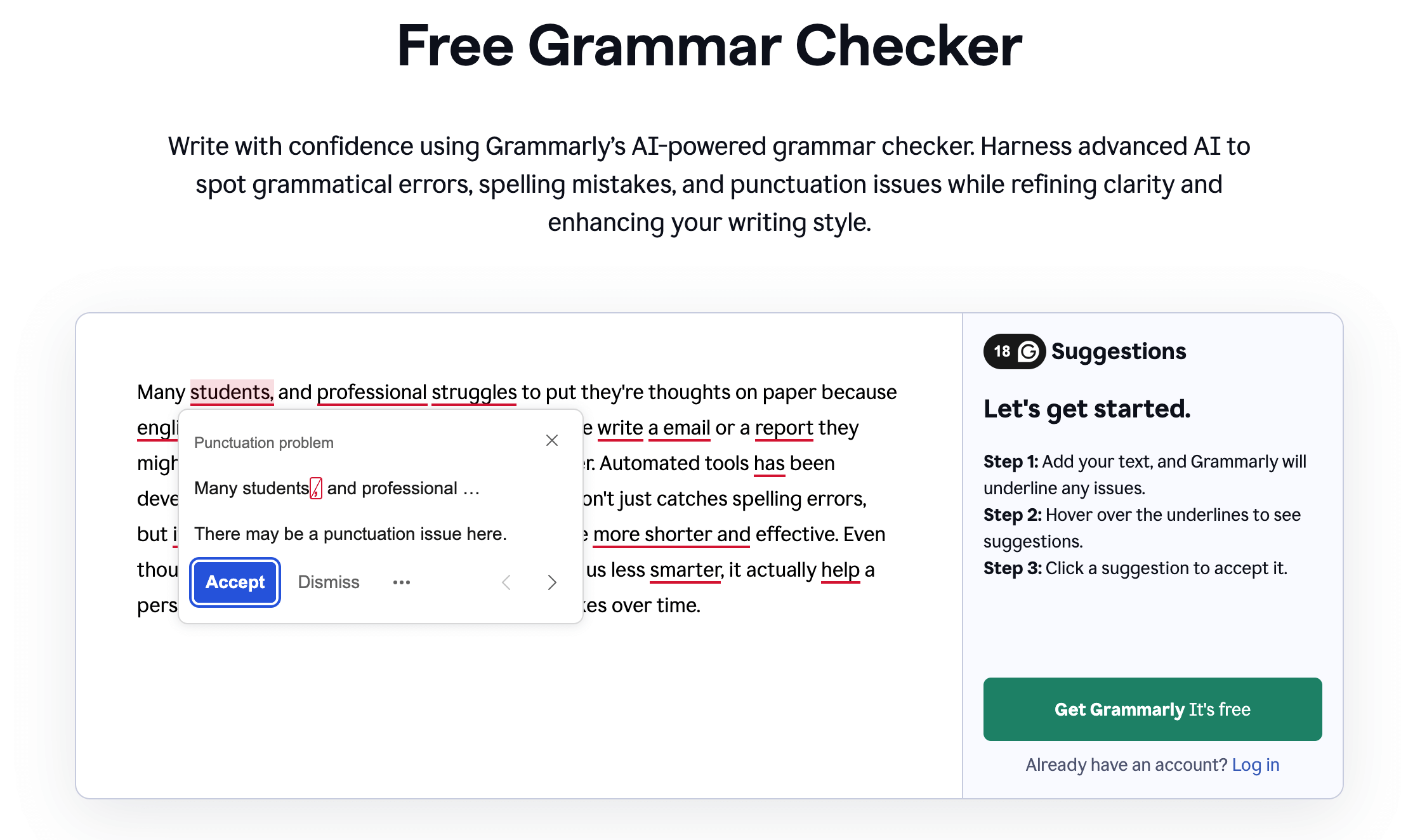
Grammarly is probably the most popular grammar checker tool, which is an easy-to-use and quick solution that offers plenty of features apart from grammar corrections for both students and professional writers.
Grammarly: Main features
- Grammar checker
- Rephraser
- Summarizer
- Plagiarism detector
- Citation generator
- AI humanizer
- AI-powered writing assistant for brainstorming and rewriting
- Browser extensions for Google Chrome, Safari, Firefox, and Microsoft Edge
- Integration with Gmail, Google Docs, Figma, Microsoft Word, and more.
Grammarly: Pricing
Detection of basic spelling, punctuation, and grammar issues is available for free. For advanced analysis, there are two paid options:
- Pro: $12.00 per month if paid annually
- Enterprise: Custom prices.
Also, mind that you can check up to 300 documents / 150,000 words per month or up to 100 documents / 50,000 words per day in both free and pro versions.
*The pricing info is taken from the official Grammarly website.
Grammarly: Pros and cons
Grammarly users on Reddit seem to find it a top grammar checker in terms of speed, convenience, and suggestions, but only if you’re looking for checking academic types of texts that don’t include much creativity, like informational writing, for example.
| Pros | Cons |
| Speed and convenience | May not be the best fit for creative writing |
| Good suggestions for academic texts |
#2 ProWritingAid
ProWritingAid is a tool that has a reputation of being the best grammar checker for academic writing due to offering all the necessary relevant features, plus even reports that help you see how your writing has improved over time.
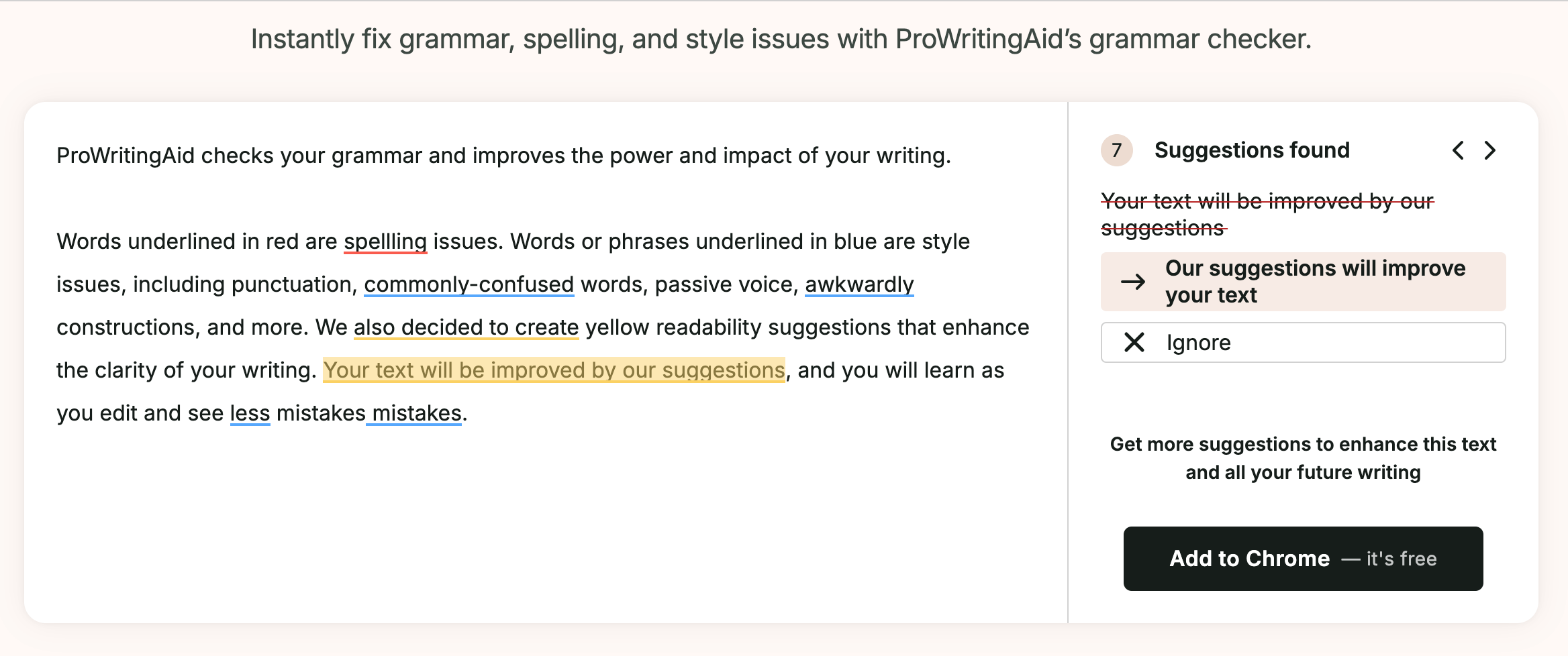
ProWritingAid: Main features
- Grammar checker
- Punctuation checker
- Citation generator
- Plagiarism checker
- Sparks AI feature that gives you instant examples of how to edit/rephrase your text
- 25+ detailed writing reports analyzing sentence length and variety
- Author Comparison to see how your writing style matches your favorite author’s
- Integration with Google Docs, Scrivener, Microsoft Word, and more
- Browser extensions for Google Chrome, Safari, Firefox, and Microsoft Edge.
ProWritingAid: Pricing
You can use ProWritingAid as a free grammar check program with the following limits:
- 500 words
- 2 runs per report per day
- 10 rephrases per day
- 3 Sparks per day.
To edit with no limits and access all features, you’ll have to choose a paid option:
- Premium: $10.00 per month if paid annually
- Premium Pro: $12.00 per month if paid monthly.
*The pricing info is taken from the official ProWritingAid website.
ProWritingAid: Pros and cons
Users on Reddit seem to agree that ProWritingAid is a very helpful writing companion, including for professional writers, offering quality suggestions and improving writing overall. In terms of complaints, several users on Trustpilot mention UI and say the pop-ups can sometimes be annoying, for example.
| Pros | Cons |
| Writing reports | Not very intuitive interface |
| Quality suggestions |
#3 QuillBot
Although it’s mostly known for its AI detector and humanizer, QuillBot could also be the best AI grammar checker and rephraser due to being heavily AI-powered and offering a very high-quality paraphrasing tool.
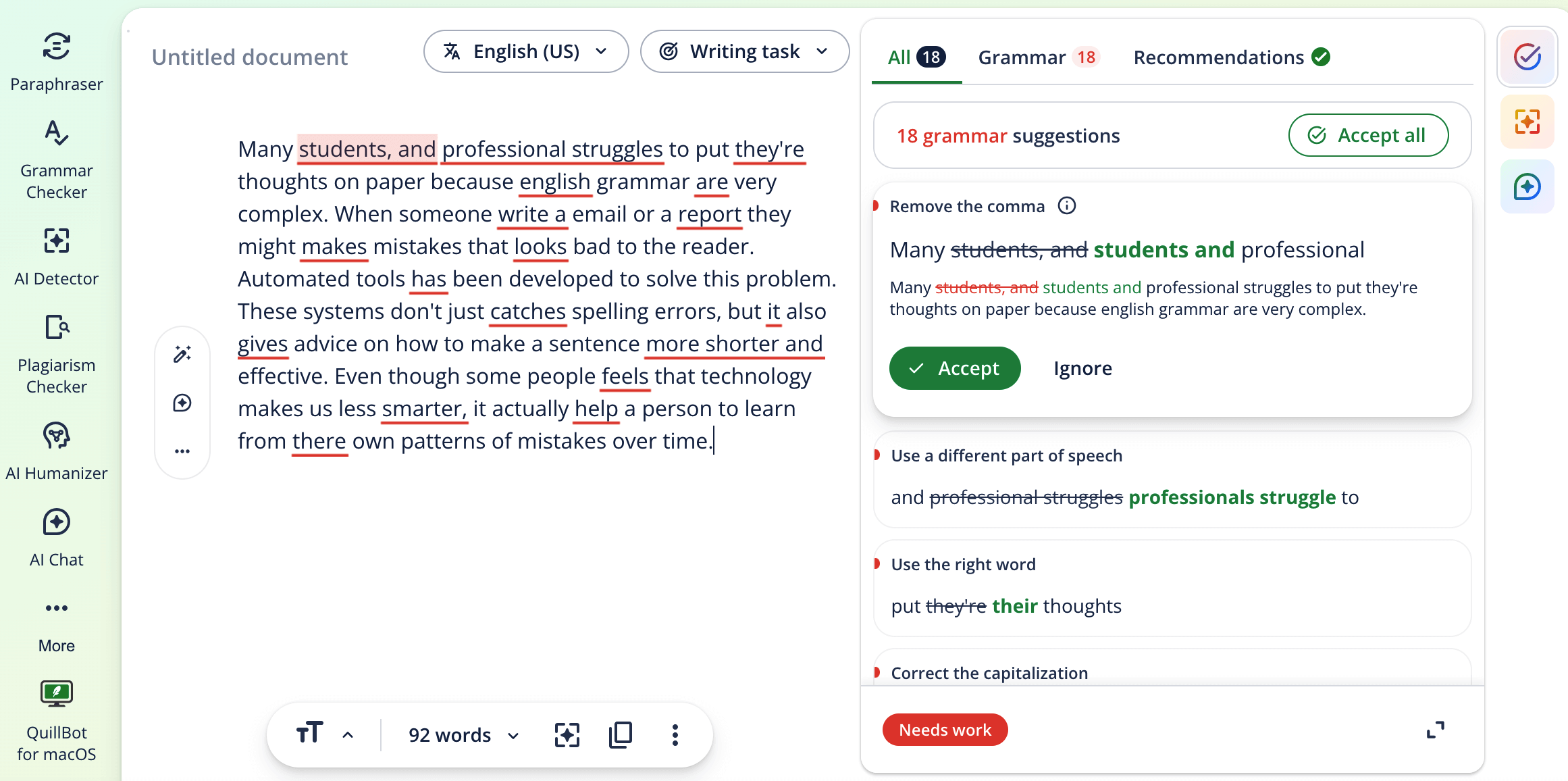
QuillBot: Main features
- Grammar checker
- Paraphraser
- Summarizer to help students condense long research articles
- Citation generator to help with bibliography creation
- Plagiarism checker
- AI detector and humanizer
- AI assistant for co-writing
- Browser extensions for Google Chrome, Safari, and Microsoft Edge.
- Integration with Google Docs, Microsoft Word, Notes, and more.
QuillBot: Pricing
You can use QuillBot as a free grammar checker AI tool with the following restrictions:
- Paraphrase 125 words in 2 modes
- Correct only basic grammar errors
- Humanize only in Basic mode
- Generate basic summaries
- Detect AI (limited)
To avoid limitations and access advanced features, you will need to pay for a subscription:
- Premium: $4.17 per month if paid annually
- Team plan: Custom prices.
*The pricing info is taken from the official QuillBot website.
QuillBot: Pros and cons
So, the QuillBot grammar checker AI tool has a pretty high Trustpilot score, where users praise it for being quite helpful and accurate, especially for paraphrasing and summarizing. Users on Reddit also agree it’s a good writing aid overall. Although a few users mention that some grammar suggestions can be unnecessary or wrong.
| Pros | Cons |
| Good paraphrasing tool | The grammar engine may not be as advanced as in other options |
| Quality summarizer |
#4 Ginger
Ginger is a grammar checker tool used online ESL students could benefit from, since it automatically detects mistakes like a native speaker would, and analyzes them to provide personalized practice sessions.
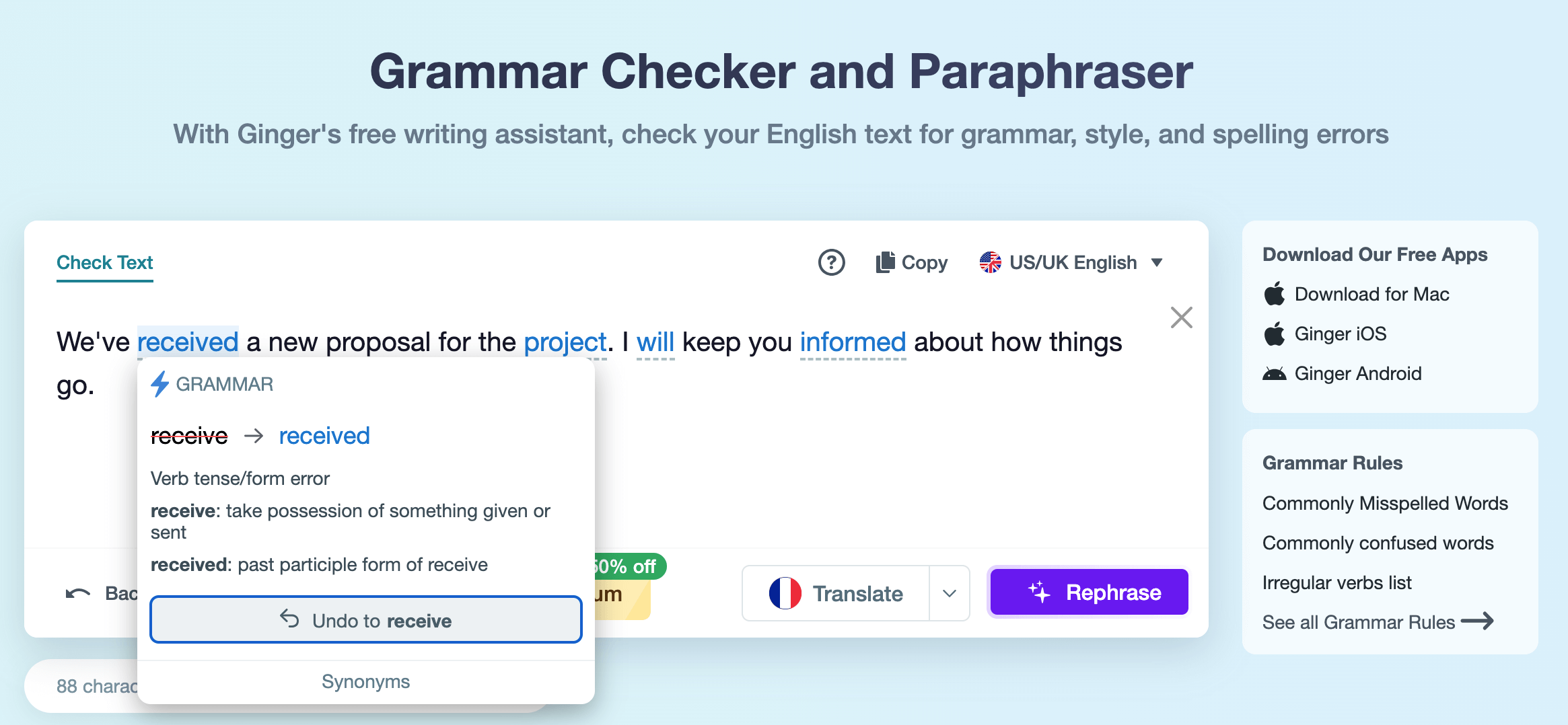
Ginger: Main features
- Grammar checker
- Rephraser
- Personal trainer that creates customized grammar practicing lessons based on the errors you make
- Integration with Microsoft Office, Gmail, and more
- Browser extensions for Google Chrome and Microsoft Edge.
Ginger: Pricing
Ginger offers a free version with essential functionality to let users get familiar with the tool, but for a full experience, there are paid subscription options:
- Monthly Premium: $9.90
- Yearly Premium: $59.88
- Quarterly Premium: $6.60
- 2 years Premium: $95.76.
Mind that all the prices are listed with an applied 50% off the current promo offer. Also, there is always a 70% discount for students and teachers.
*The pricing info is taken from the official Ginger website.
Ginger: Pros and cons
There are not many reviews on Ginger grammar check software, but those that I found, like in a discussion on Reddit, mention the tool being quite good for those who want to also understand grammar while checking their writing. As for disadvantages, several people on Trustpilot mention the customer service being slow and not very helpful.
| Pros | Cons |
| Personal trainer tool | Custom service might not be as good as with more popular options |
| Quality grammar checker |
#5 Hemingway Editor
Next on the list is Hemingway, a writing software that acts like an editor and focuses on the rhythm and readability of a text rather than just grammar, which could make it the best online grammar checker for students who tend to write too long and complex sentences.
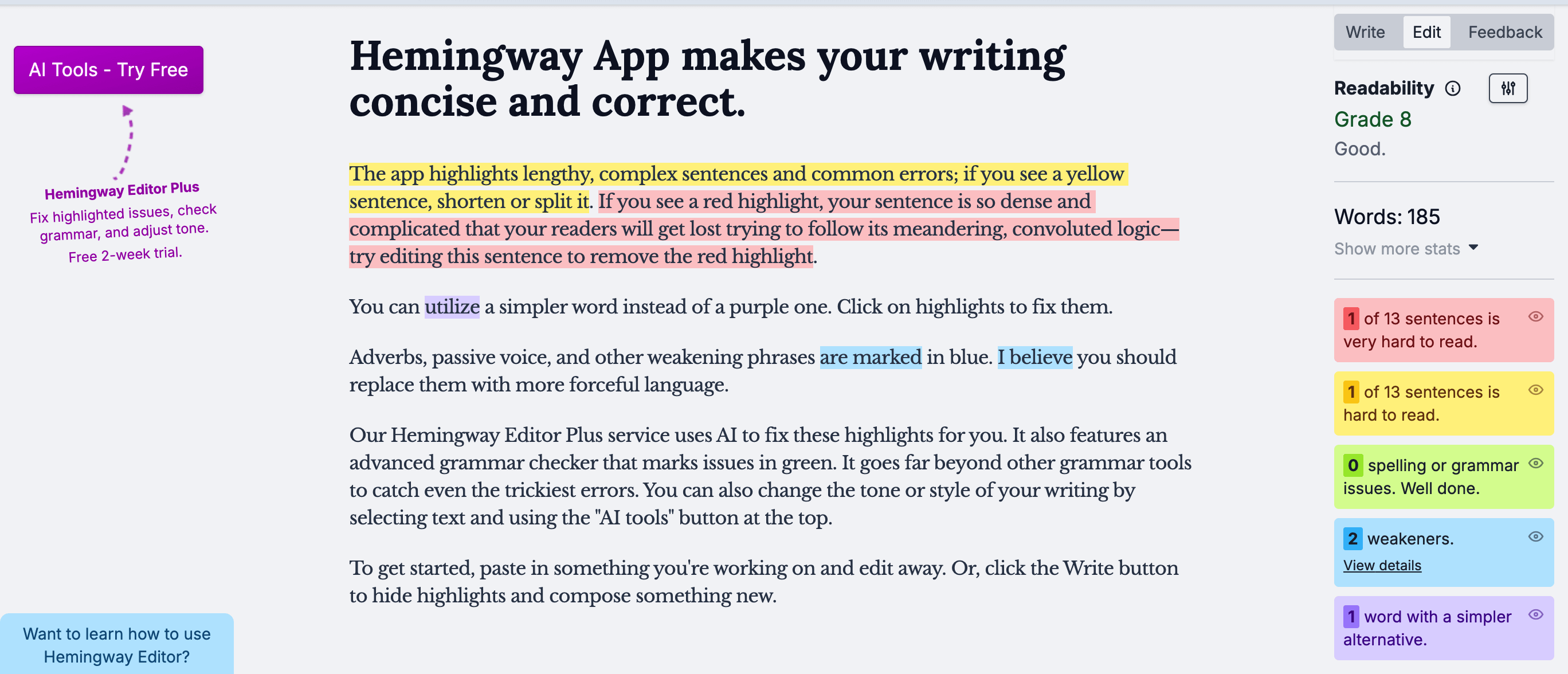
Hemingway Editor: Main features
- Color-coded highlights for passive voice, adverbs, and complex syntax
- Readability score, including the Grade level of writing
- AI-powered Fix grammar and Rewrite buttons for instant sentence improvement
- Direct export options to WordPress and Medium.
Hemingway Editor: Pricing
Hemingway offers free checks but with limitations, so to get the best of the tool, there are several paid subscriptions:
- Hemingway Plus (if paid monthly): $10 – $15 per month
- Hemingway Plus (if paid annually): $8.33 – $12.50 per month
- Desktop app: $19.99 (one-time purchase, but no AI features).
*The pricing info is taken from the official Hemingway Editor website.
Hemingway Editor: Pros and cons
Hemingway grammar checker reviews on Reddit mostly praise it for being easy to use, features working well, and having a great UI. The drawback could be that the tool acts more like a clarity coach, so it might not be suitable if you need just a basic text check for common spelling and punctuation errors.
| Pros | Cons |
| Improves text’s readability | Not a deep grammar or punctuation tool |
| Great UI |
#6 LanguageTool
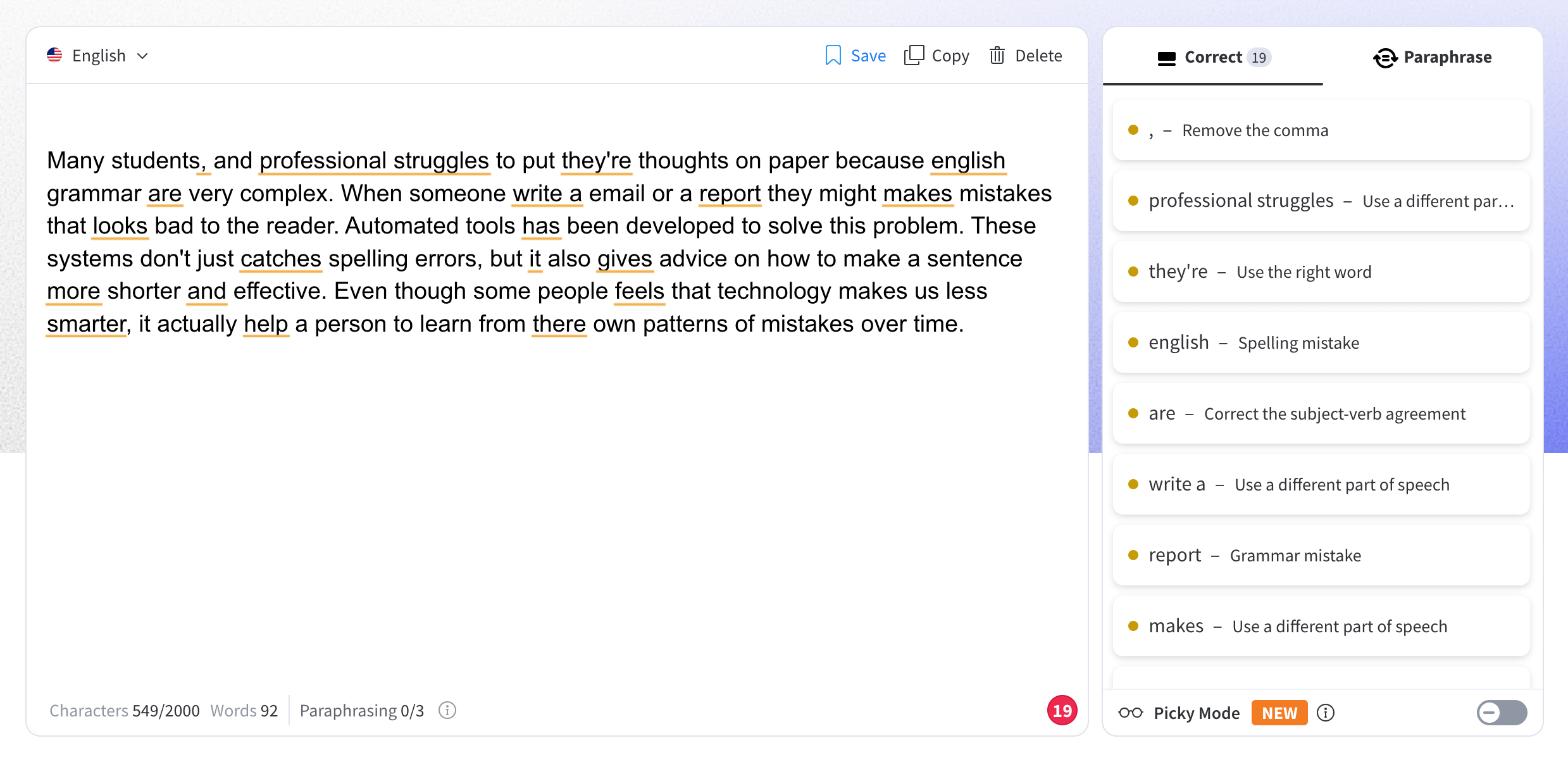
This language tool grammar checker is very close to Grammarly in terms of popularity, but unlike Grammarly, it works for over 25 languages, which could be very helpful for multilingual students, and offers a Picky mode feature designed to provide stricter, deeper checks if needed.
LanguageTool: Main features
- Support for grammar checks in 25+ languages
- Grammar checker
- Rephraser
- Picky mode for catching subtle stylistic and punctuation errors
- Text statistics
- Browser extensions for Google Chrome, Firefox, Safari, Microsoft Edge, and Opera.
LanguageTool: Pricing
The free version of the tool has strict limits, like up to 2000 characters per check, 3 sentences rephrased per day, and more. All features are unlocked through a Premium subscription:
- $2.91 per month if paid yearly
- $12.45 per month if paid monthly
- $8.32 per month if paid quarterly
- $2.50 per month if paid every 2 years
- $6.64 per month for a team account (2 users)
Mind that all the prices are listed with an applied 50% current discount.
*The pricing info is taken from the official LanguageTool website.
LanguageTool: Pros and cons
When people discuss different checkers, LanguageTool AI grammar checker usually comes up as a great option for those looking to edit their text in different languages. For example, a reviewer on Reddit shares that it can be a top tool for multilingual writers. However, it may not always be as advanced in detecting errors.
| Pros | Cons |
| Support for many languages | Sometimes may not be as advanced in detecting specific errors compared to other options |
| Fast and easy checks |
#7 Scribens
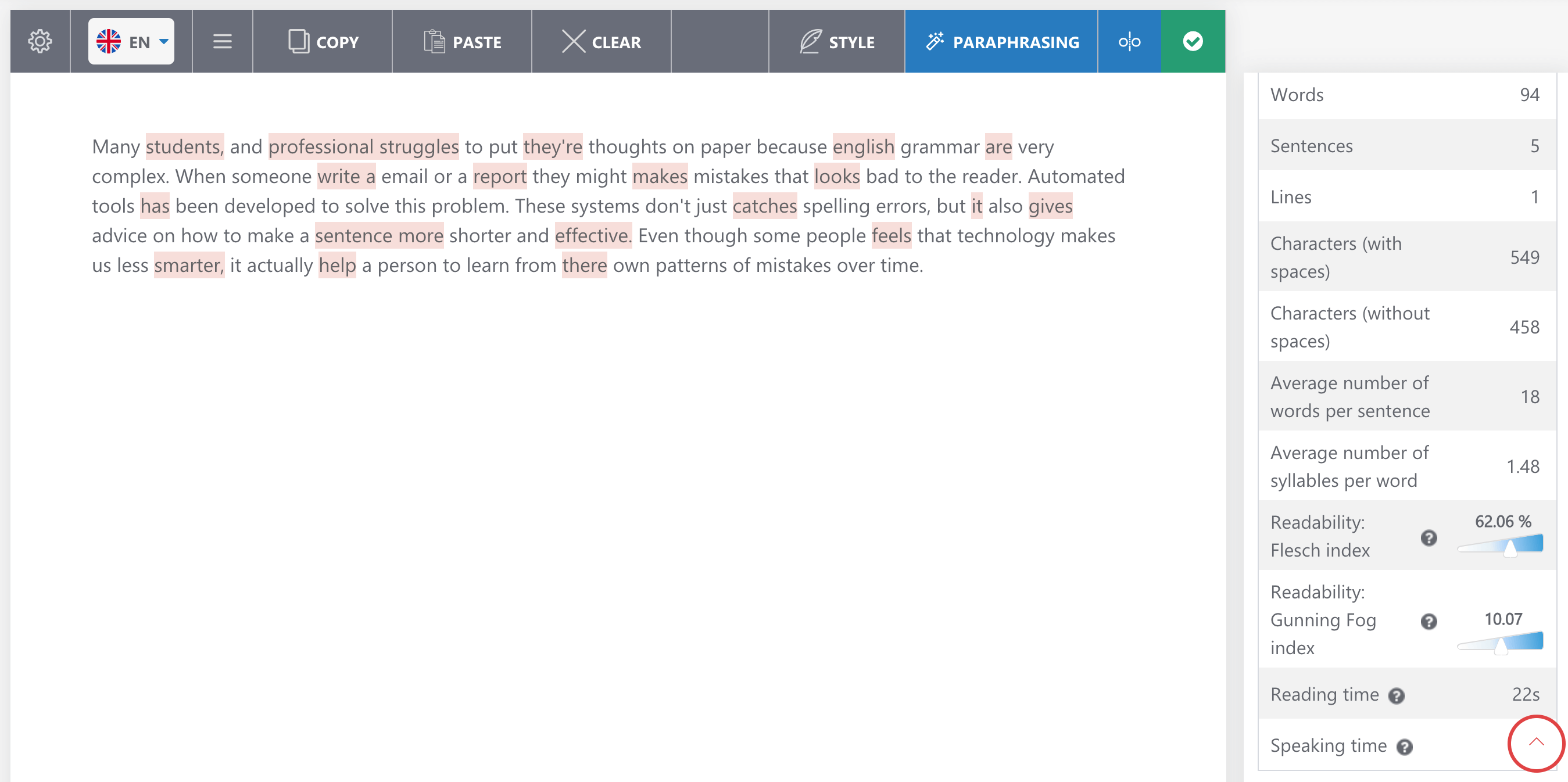
Scribens is a great grammar check software that offers statistical data on your written piece aside from grammar corrections, including even the reading and speaking time.
Scribens: Main features
- Supports 40+ languages
- Statistical data (number of words, sentences, lines, repetitions, reading time, etc)
- Paraphrasing tool
- Integration with Microsoft Word, PowerPoint, Excel, Google Docs and Google Sheets
- Browser extensions for Google Chrome, Safari, Firefox, and Microsoft Edge.
Scribens: Pricing
Basic grammar checks are free but limited. For advanced checks, there are following Premium options:
- $9.90 per month
- $59.90 per year
- $24.90 per 3 months
- Business pack (custom prices).
*The pricing info is taken from the official Scribens website.
Scribens: Pros and cons
In a Reddit discussion about the best online grammar checkers, one user mentions Scribens as a solid option. However, the tool has a very simple interface compared to alternatives, which might make it not as attractive for smaller kids.
| Pros | Cons |
| Quality error detection | UI may seem outdated and not interesting enough for kids |
| Statistical data |
#8 Scribbr
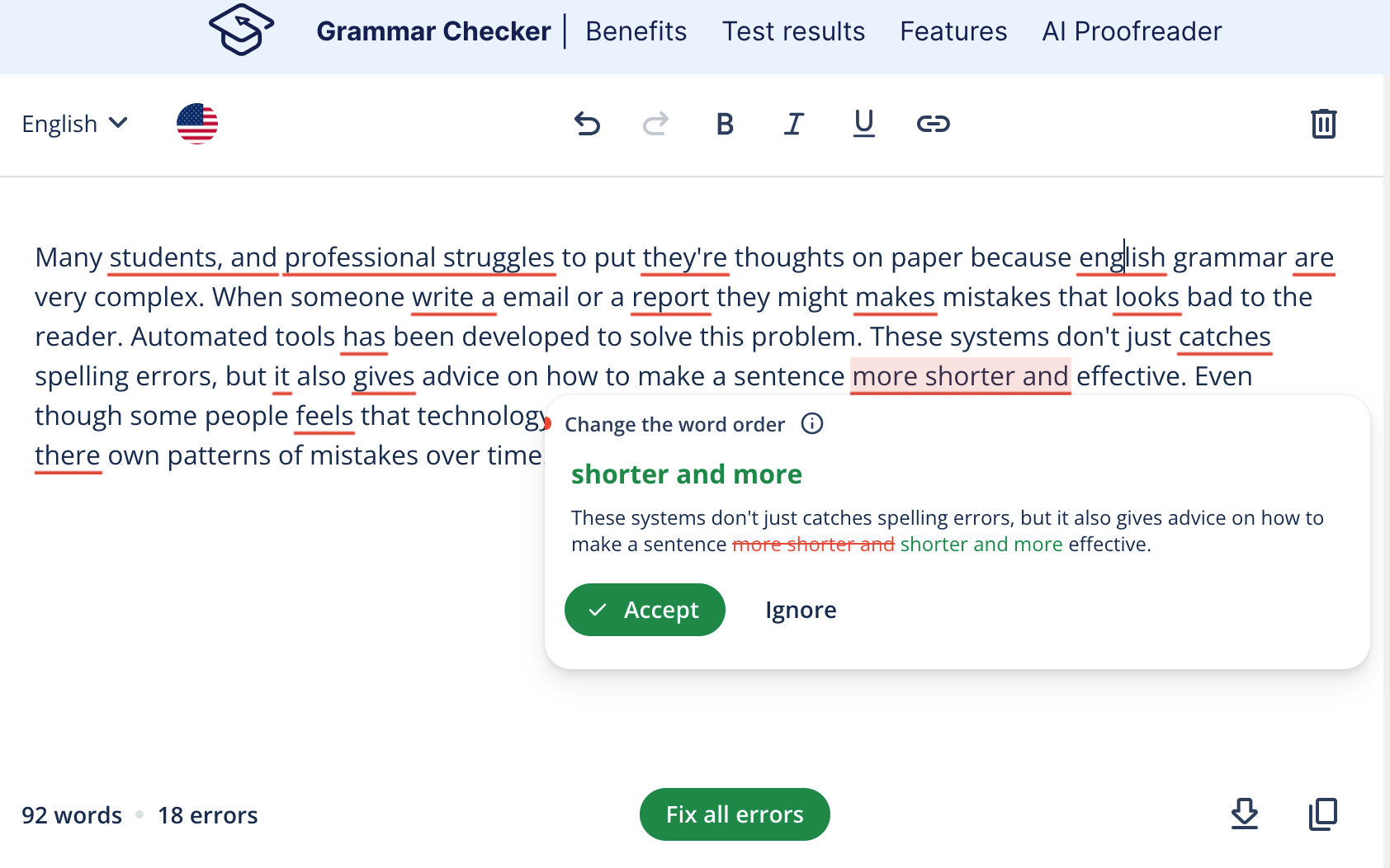
Scribbr is the first free option on the list, and another one of academic writing grammar checker tools that offers all features a student might need, including even professional human proofreading services.
Scribbr: Main features
- Grammar checker trained specifically on academic papers
- Plagiarism checker
- Citation Generator
- Free knowledge base with thousands of writing guides
- Human proofreading services.
Scribbr: Pricing
The grammar checker is completely free, but additional features require payment:
- Plagiarism checker: $19.95+ per document.
- Proofreading: Can be calculated on a website based on word count and return time.
*The pricing info is taken from the official Scribbr website.
Scribbr: Pros and cons
Scribbr has a very high rating on Trustpilot, where lots of users agree that it might be the best free grammar checker for improving academic writing, although some users comment on issues with citation feature accuracy.
| Pros | Cons |
| Academic writing focus | Citation generator might not be as accurate as in other options |
| High-accuracy grammar checks |
#9 Harper
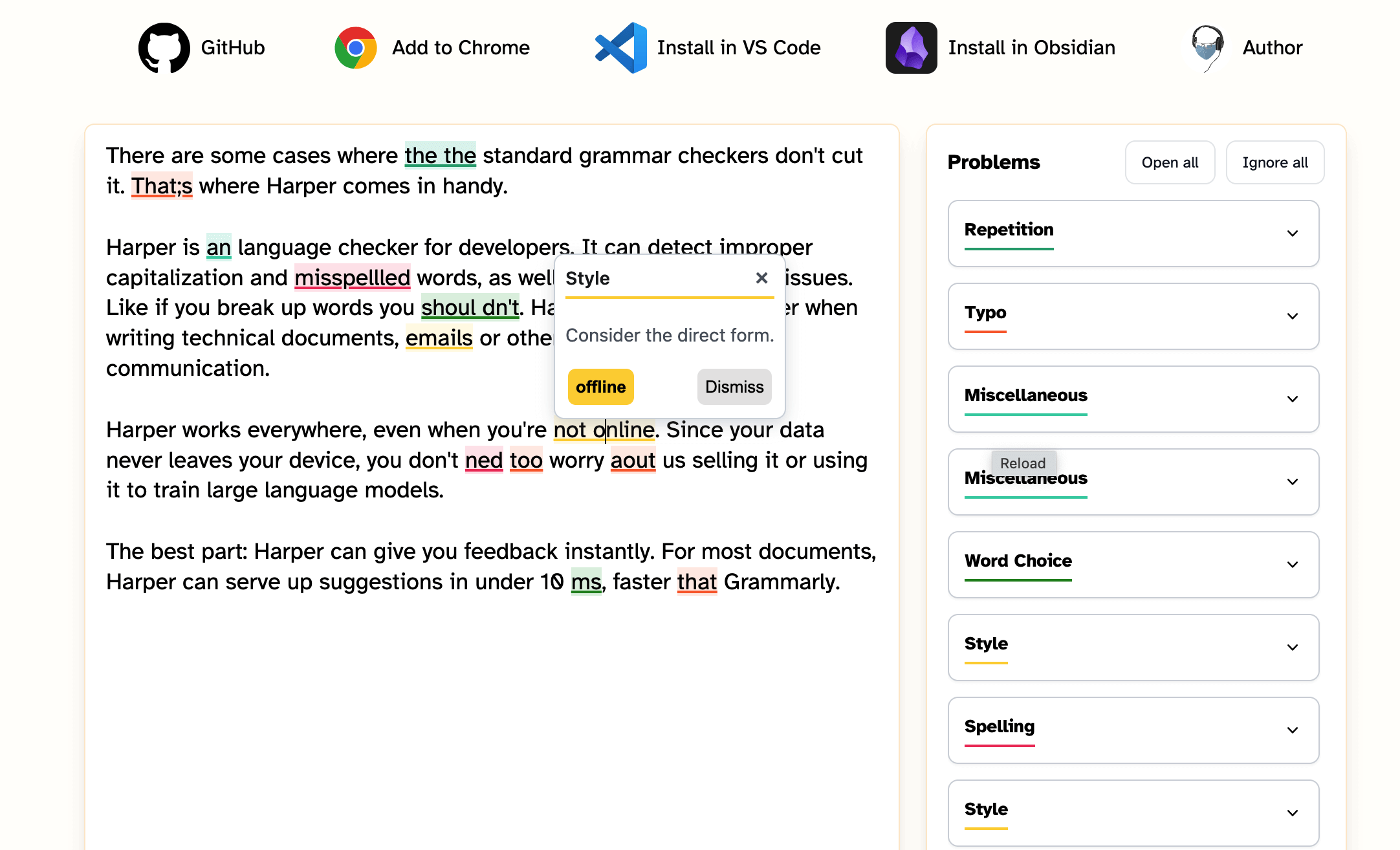
Next free grammar checker is Harper, which positions itself as very privacy-oriented as it claims to avoid including any kind of generative AI when working with texts.
Harper: Main features
- Grammar checker
- Browser Extension for Google Chrome and Firefox
- Integrations with Obsidian, VS Code, Neovim, and WordPress.
Harper: Pricing
The tool is completely free to use. No subscriptions.
*The pricing info is taken from the official Harper website.
Harper: Pros and cons
Based on Reddit reviews, Harper is considered the best free grammar checker that works offline, ensures privacy, and delivers high-quality grammar checks. Despite that, it could not be enough for those who are looking for more than just grammar corrections or require multi-language support like a user mentions in another Reddit thread.
| Pros | Cons |
| Quality checks offline | Doesn’t offer as many features as other checkers |
| Privacy |
#10 Google Docs
Google Docs is primarily a writing software that can also be one of the best grammar checker tools for free use, since it’s very convenient to use while working on a writing piece.
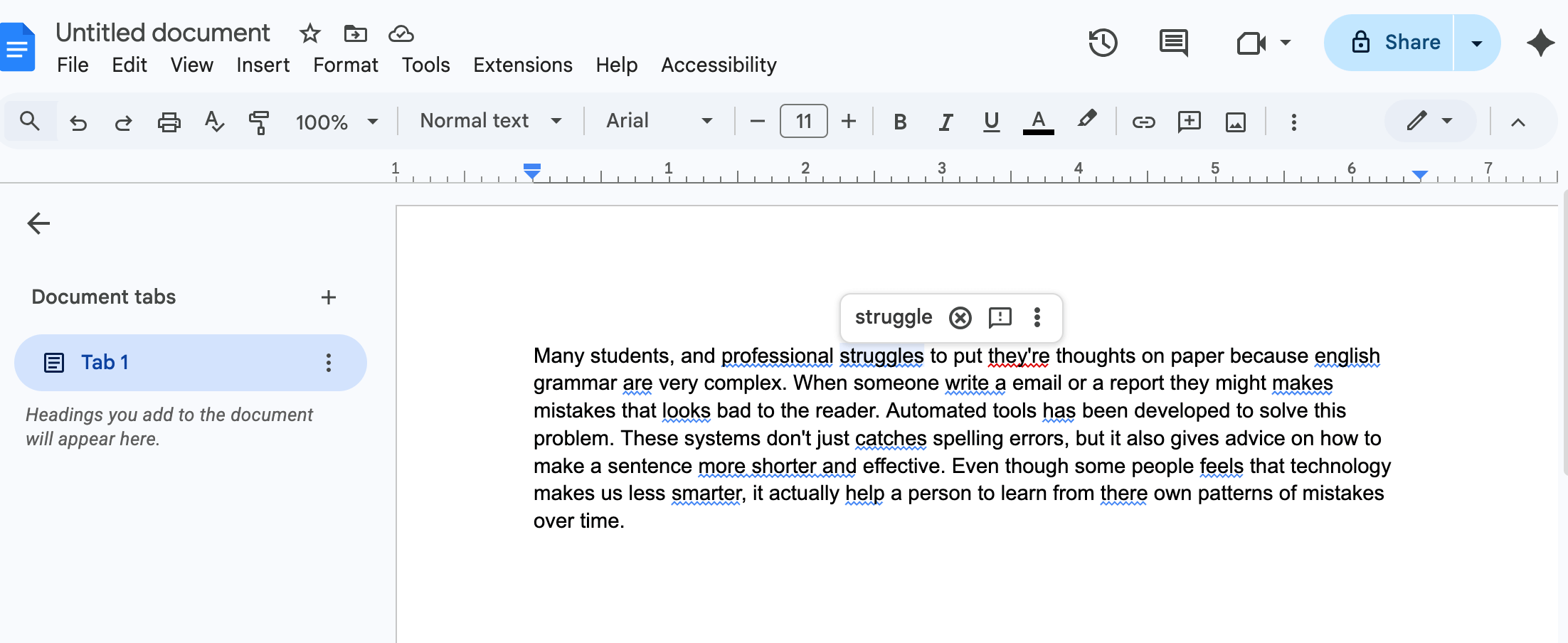
Google Docs: Main features
- Real-time grammar check
- AI-powered Help me write tool
- Simultaneous editing with other users
- Voice typing
Google Docs: Pricing
The checker is built-in and completely free to use. No limitations.
*The pricing info is taken from the official Google Workspace website.
Google Docs: Pros and cons
People on Reddit praise Google Docs as being a top grammar checker for autocorrecting the text on the go. However, other writers mention that it’s not as advanced as other options and won’t be enough for a deeper check, especially in style and flow.
| Pros | Cons |
| Completely free and cloud-based | Might require double proofreading with a more advanced checker |
| Great for group work |
Best grammar checker tools on Reddit: What do users say?
There are plenty of discussions on Reddit about all kinds of grammar checkers. Most of them mention Grammarly as one of the best options. For example, one user in such a discussion shares it has been very helpful and catches all mistakes it should.

Another writer in the same discussion suggests using QuillBot as a great and useful alternative, claiming that it’s less formal and more fit for persuasive writing.

In another thread about a good grammar checker, Ginger is mentioned as not only a solid tool but as one that offers discounts specifically for students, which might make it a more cost-effective choice than other paid tools.

One user also started a topic about grammar checkers that can handle French aside from English. Among the proposed options, one user suggested trying the multilingual LanguageTool.

Selecting the best grammar checker: Conclusion
To choose the best checker, take into account what your primary requirements are. Some need just simple spelling and punctuation checks, some require advanced text analysis, some look for multiple language support, or tools for academic writing like citation generators, plagiarism checkers, etc.
However, even the best online grammar checkers are not perfect, and the best way to check if the suggestions they offer are correct is to have grammar knowledge yourself. If you want your child to be confident in their writing and editing, try Brighterly.
Book free reading lesson and help your kid master the language.

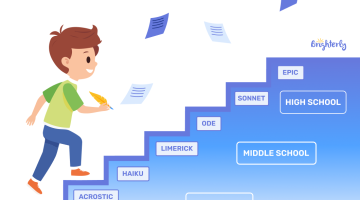
Although there are more than 150 poetic forms, most school programs introduce only a small selection, leaving parents and students confused about which types actually matter. Find out simple definitions of the most common 15 types of poetry for kids used in schools today, some home-practice tips and the most illustrative examples below. Key points […]

Mar 06, 2026
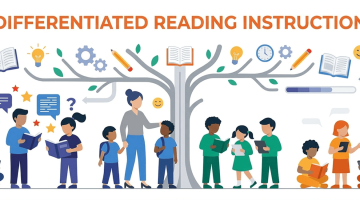
You don’t know much about differentiated instruction, but want to understand it and help your child improve their reading skills? Check out this easy guide to differentiated reading instruction to learn more about this approach and how to use it. Key points Differentiated reading instruction helps children develop skills at their own pace, focusing on […]

Mar 06, 2026
Math & reading from 1st to 9th grade
Exploring alternatives?
Take a short quiz!
Choose kid's grade