11 Best Grammar Checker Tools: Features & Functions Available in 2026
reviewed by Laila A. Lico
Updated on October 8, 2026
Top Grammar Checkers:
- Grammarly, ProWritingAid, and Scribbr deliver the strongest academic writing support, combining citation generators and plagiarism detectors that basic checkers don’t offer.
- QuillBot, Grammarly, Harper, and Google Docs all handle basic grammar checks reliably, each with a different strength — from AI paraphrasing to offline privacy to free cloud collaboration.
- LanguageTool and Scribens support the widest range of languages, making them the top grammar checkers for multilingual writers, while Ginger’s built-in practice sessions make it the better fit for ESL students.
- Hemingway Editor prioritizes style, flow, and rhythm over basic grammar, making it the best pick for readability coaching rather than error-catching.
- Brighterly’s learning platform adds what no software can — expert, personalized writing support from a real tutor for young struggling writers.
Collecting thoughts and making them sound coherent in writing can already be hard enough for a student. That’s why grammar usually becomes the least of concerns and the text may end up filled with common writing mistakes. Luckily, now we have digital solutions that help detect and fix different types of mistakes in a few clicks. Check out this guide with the best grammar checker tools for young writers to use online.
Grammar checker tools: Comparison
| Best for | Plagiarism checker |
AI paraphraser rewriter |
Starting price | |
| Grammarly | Fast proofreading | ✅ | ✅ | Free; $12.00/month (annual) |
| ProWritingAid | Advanced editing | ✅ | ✅ | Free; $10.00/month (annual) |
| QuillBot | Paraphrasing | ✅ | ✅ | Free; $8.33/month (annual) |
| Ginger | Proofreading for ESL students | ❌ | ✅ | Free; from ~$9.90/month (promo) |
| Hemingway Editor | Improving readability | ❌ | ✅ | Free; $8.33–$12.50/month (annual) |
| LanguageTool | Multilingual proofreading | ❌ | ✅ | Free; €4.90/month (annual) |
| Scribens | Statistical writing insights | ❌ | ✅ | Free; $9.90/month |
| Scribbr | Academic writing/editing | ✅ (pay-per-document) | ❌ | Free checker; $19.95+/document |
| Harper | Offline, privacy-first checks | ❌ | ❌ | Free |
| Google Docs | Writing/editing with multiple people | ❌ | ✅ (Help me write) | Free |
| WPS Office | Free all-in-one (draft + check) | ✅ | ✅ (WPS AI proofreading) | Free; $5.83/month (Annual) |
Improving grammar with Brighterly Even though a grammar checker is an excellent tool for catching typos and improving essays, if your child struggles with writing or reading in general, it could only frustrate them more. To make sure they are not afraid or ashamed of making and fixing mistakes, you can consider getting a tutor on Brighterly math and reading learning platform. Writing and reading tutors on Brighterly reading program provide kids with attention and support that software can’t offer. Also, if your kid starts using a grammar checker online tool and you want to check if they are getting better or need more practice with writing and reading, Brighterly also allows access to its reading worksheets and reading tests on its website for free. 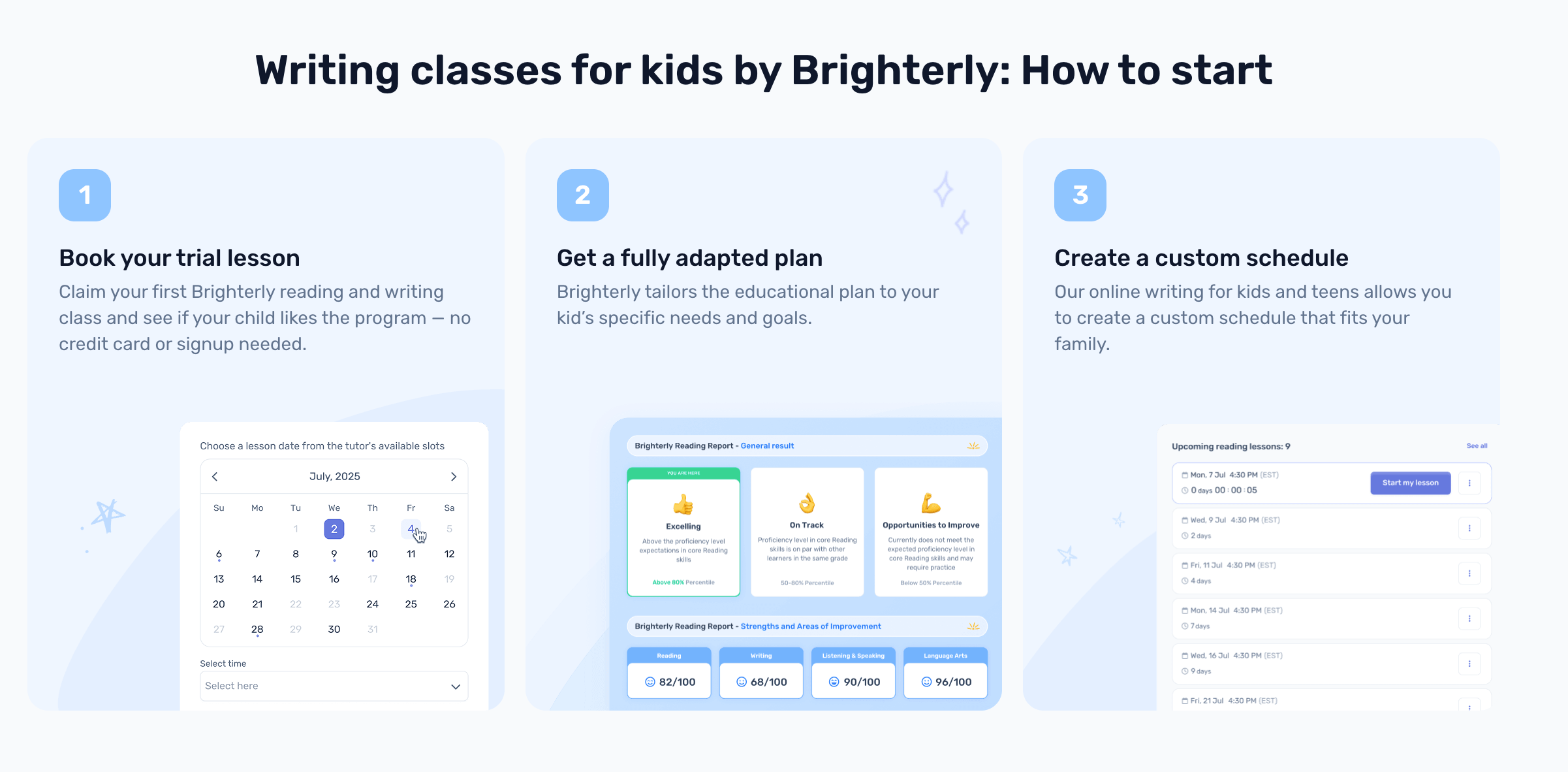

Want your child to improve grammar?
Brighterly tutors make sure students learn writing in a fun and interactive way.
Explore Brighterly Learning Experience
Learn exactly how Brighterly helps students thrive through expert sessions, online tools, and proven feedback from thousands of satisfied parents
Grammarly
Grammarly is probably the most popular grammar checker tool, which is an easy-to-use and quick solution that offers plenty of features apart from grammar corrections for both students and professional writers.
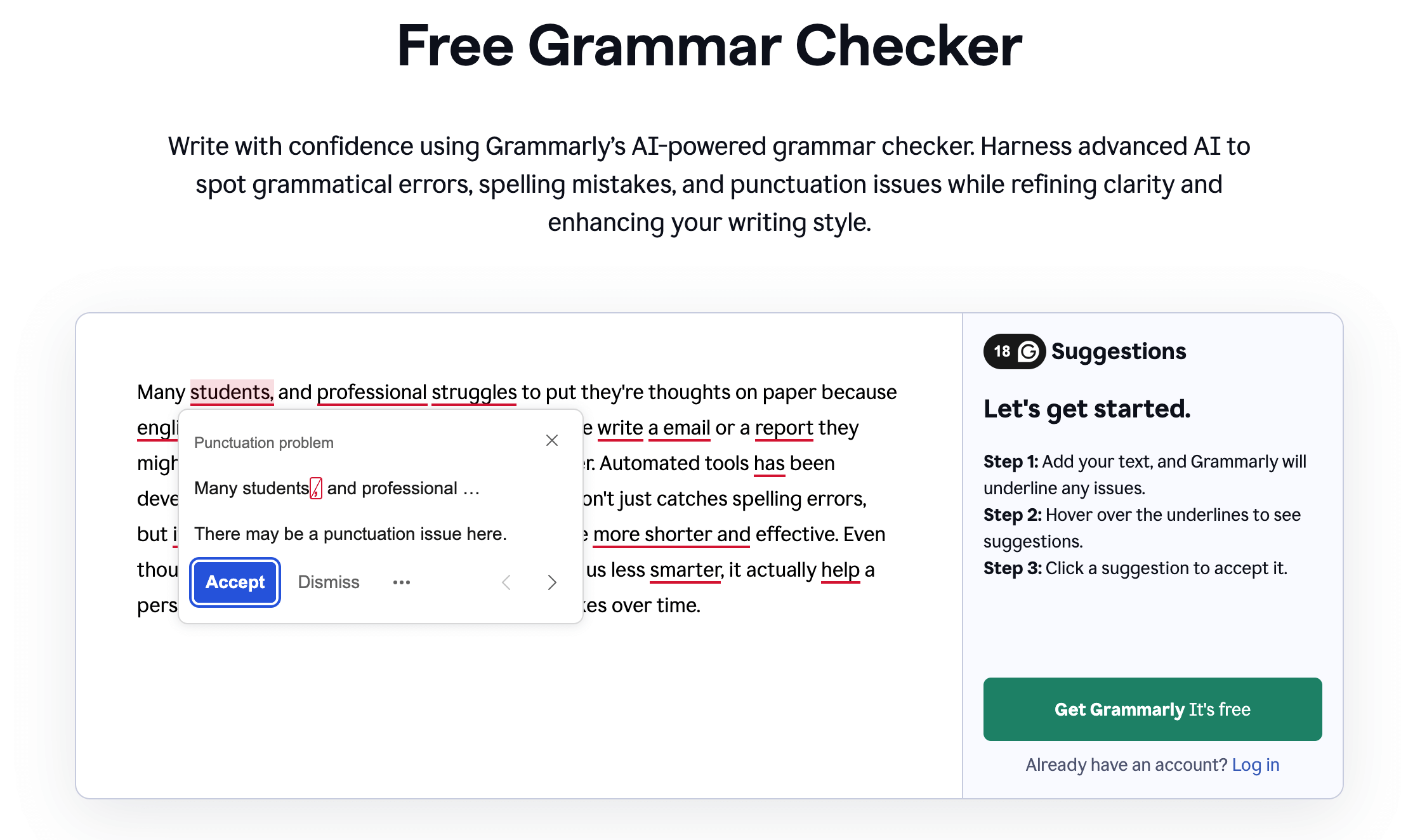
Grammarly: Main features
- Grammar checker
- Rephraser
- Summarizer
- Plagiarism detector
- Citation generator
- AI humanizer
- AI-powered writing assistant for brainstorming and rewriting
- Browser extensions for Google Chrome, Safari, Firefox, and Microsoft Edge
- Integration with Gmail, Google Docs, Figma, Microsoft Word, and more.
Pricing
Detection of basic spelling, punctuation, and grammar issues is available for free. For advanced analysis, there are two paid options:
- Pro: $12.00 per month if paid annually, or $30.00 per month if paid monthly
- Enterprise: Custom prices.
Also, mind that you can check up to 300 documents / 150,000 words per month or up to 100 documents / 50,000 words per day in both free and pro versions.
*The pricing info is taken from the official Grammarly website, verified August 2026.
Pros and cons
Grammarly users on Reddit seem to find it a top grammar checker in terms of speed, convenience, and suggestions, but it may fall short if you’re focused on improving creative writing skills rather than academic types of texts like informational writing.
| Pros | Cons |
| Speed and convenience | May not be the best fit for creative writing |
| Good suggestions for academic texts |
ProWritingAid
ProWritingAid is a tool that has a reputation of being the best grammar checker for academic writing due to offering all the necessary relevant features, plus even reports that help you see how your writing has improved over time.
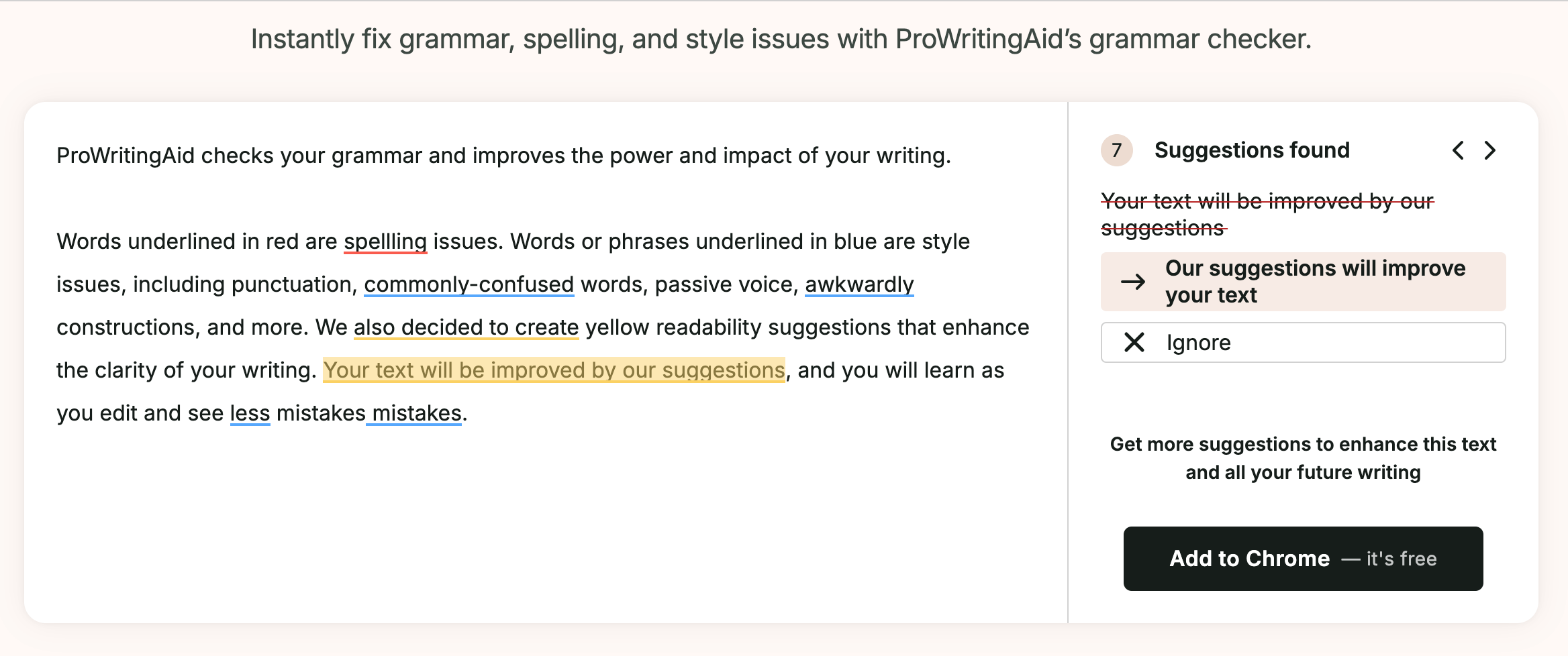
ProWritingAid: Main features
- Grammar checker
- Punctuation checker
- Citation generator
- Plagiarism checker
- Sparks AI feature that gives you instant examples of how to edit/rephrase your text
- 25+ detailed writing reports analyzing sentence length and variety
- Author Comparison to see how your writing style matches your favorite author’s
- Integration with Google Docs, Scrivener, Microsoft Word, and more
- Browser extensions for Google Chrome, Safari, Firefox, and Microsoft Edge.
Pricing
You can use ProWritingAid as a free grammar check program with the following limits:
- 500 words
- 2 runs per report per day
- 10 rephrases per day
- 3 Sparks per day.
To edit with no limits and access all features, you’ll have to choose a paid option:
- Premium: $30.00 per month if paid monthly, or $10.00 per month if paid annually ($120/year)
- Premium Pro: $36.00 per month if paid monthly, or $12.00 per month if paid annually ($144/year)
*The pricing info is taken from the official ProWritingAid website, verified August 2026.
Help your kid with writing
Brighterly online classes offer personalized grammar learning in addition to grammar checking.
Pros and cons
Users on Reddit seem to agree that ProWritingAid is a very helpful writing companion, including for professional writers, offering quality suggestions and improving writing overall. In terms of complaints, several users on Trustpilot mention UI and say the pop-ups can sometimes be annoying, for example.
| Pros | Cons |
| Writing reports | Not very intuitive interface |
| Quality suggestions |
QuillBot
Although it’s mostly known for its AI detector and humanizer, QuillBot could also be the best AI grammar checker and rephraser due to being heavily AI-powered and offering a very high-quality paraphrasing tool.
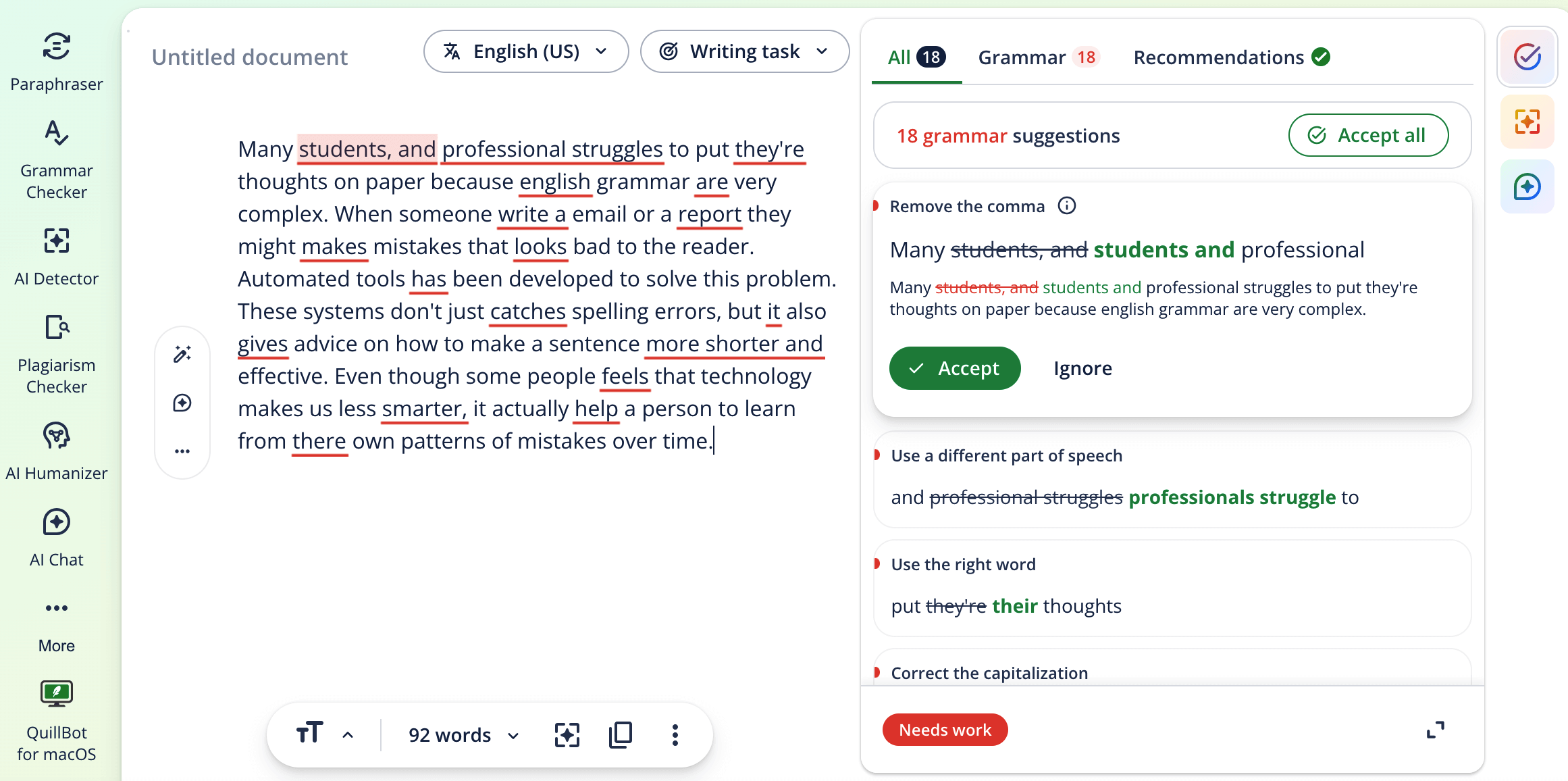
QuillBot: Main features
- Grammar checker
- Paraphraser
- Summarizer to help students condense long research articles
- Citation generator to help with bibliography creation
- Plagiarism checker
- AI detector and humanizer
- AI assistant for co-writing
- Browser extensions for Google Chrome, Safari, and Microsoft Edge.
- Integration with Google Docs, Microsoft Word, Notes, and more.
Pricing
You can use QuillBot as a free grammar checker AI tool with the following restrictions:
- Paraphrase 125 words in 2 modes
- Correct only basic grammar errors
- Humanize only in Basic mode
- Generate basic summaries
- Detect AI (limited)
To avoid limitations and access advanced features, you will need to pay for a subscription:
- Premium: $8.33 per month if paid annually ($99.95/year), or $19.95 per month if paid monthly
- Team plan: Custom prices.
*The pricing info is taken from the official QuillBot website.
Pros and cons
So, the QuillBot grammar checker AI tool has a pretty high Trustpilot score, where users praise it for being quite helpful and accurate, especially for paraphrasing and summarizing. Users on Reddit also agree it’s a good writing aid overall. Although a few users mention that some grammar suggestions can be unnecessary or wrong.
| Pros | Cons |
| Good paraphrasing tool | The grammar engine may not be as advanced as in other options |
| Quality summarizer |
Ginger
Ginger is a grammar checker tool used online ESL students could benefit from, since it automatically detects mistakes like a native speaker would, and analyzes them to provide personalized practice sessions.
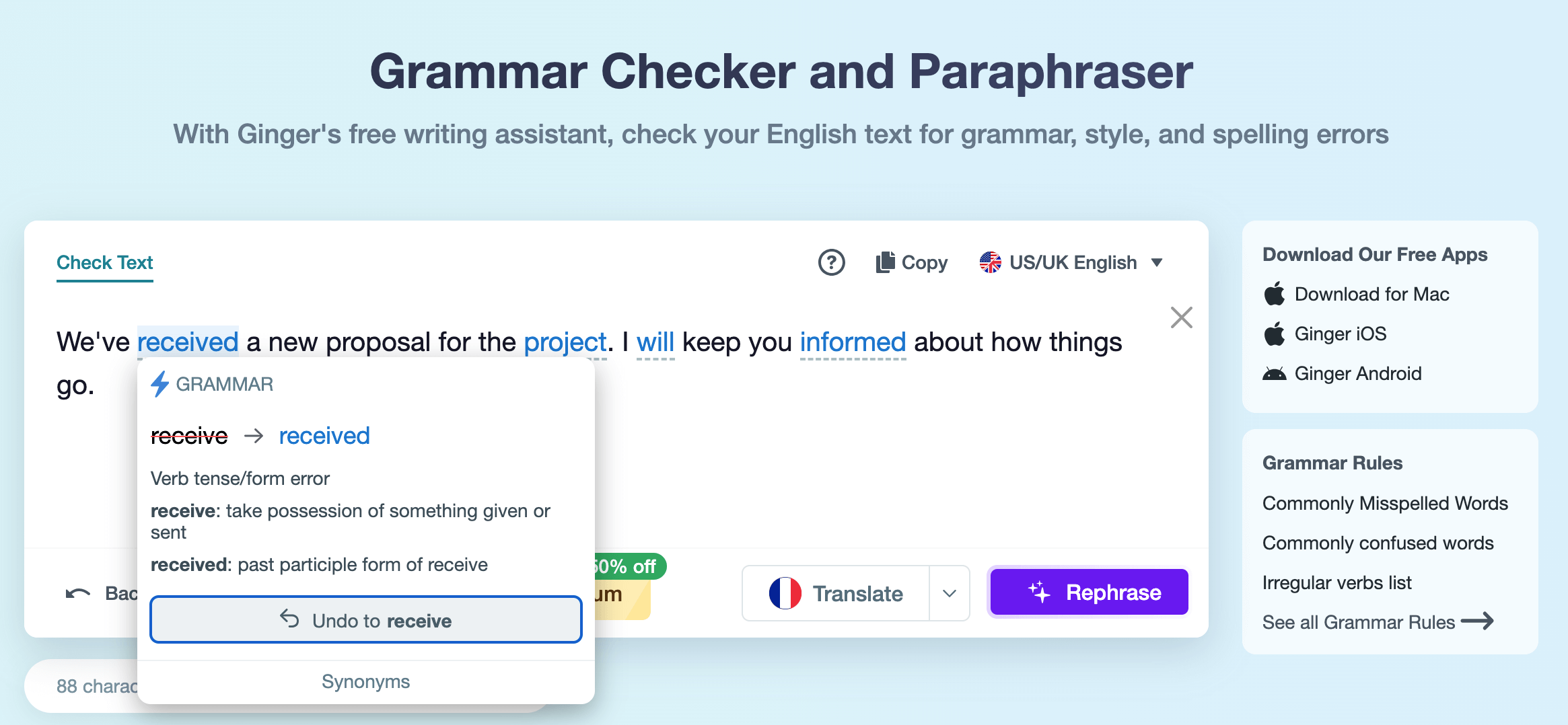
Ginger: Main features
- Grammar checker
- Rephraser
- Personal trainer that creates customized grammar practicing lessons based on the errors you make
- Integration with Microsoft Office, Gmail, and more
- Browser extensions for Google Chrome and Microsoft Edge.
Pricing
Ginger offers a free version with essential functionality to let users get familiar with the tool, but for a full experience, there are paid subscription options:
- Monthly Premium: $9.90
- Yearly Premium: $59.88
- Quarterly Premium: $6.60
- 2 years Premium: $95.76.
Mind that all the prices are listed with an applied 50% off the current promo offer. Also, there is always a 70% discount for students and teachers.
*The pricing info is taken from the official Ginger website.
Pros and cons
There are not many reviews on Ginger grammar check software, but those that I found, like in a discussion on Reddit, mention the tool being quite good for those who want to also understand grammar while checking their writing. As for disadvantages, several people on Trustpilot mention the customer service being slow and not very helpful.
| Pros | Cons |
| Personal trainer tool | Custom service might not be as good as with more popular options |
| Quality grammar checker |
Hemingway Editor
Next on the list is Hemingway, a writing software that acts like an editor and focuses on the rhythm and readability of a text rather than just grammar, which could make it the best online grammar checker for students who tend to write too long and complex sentences.
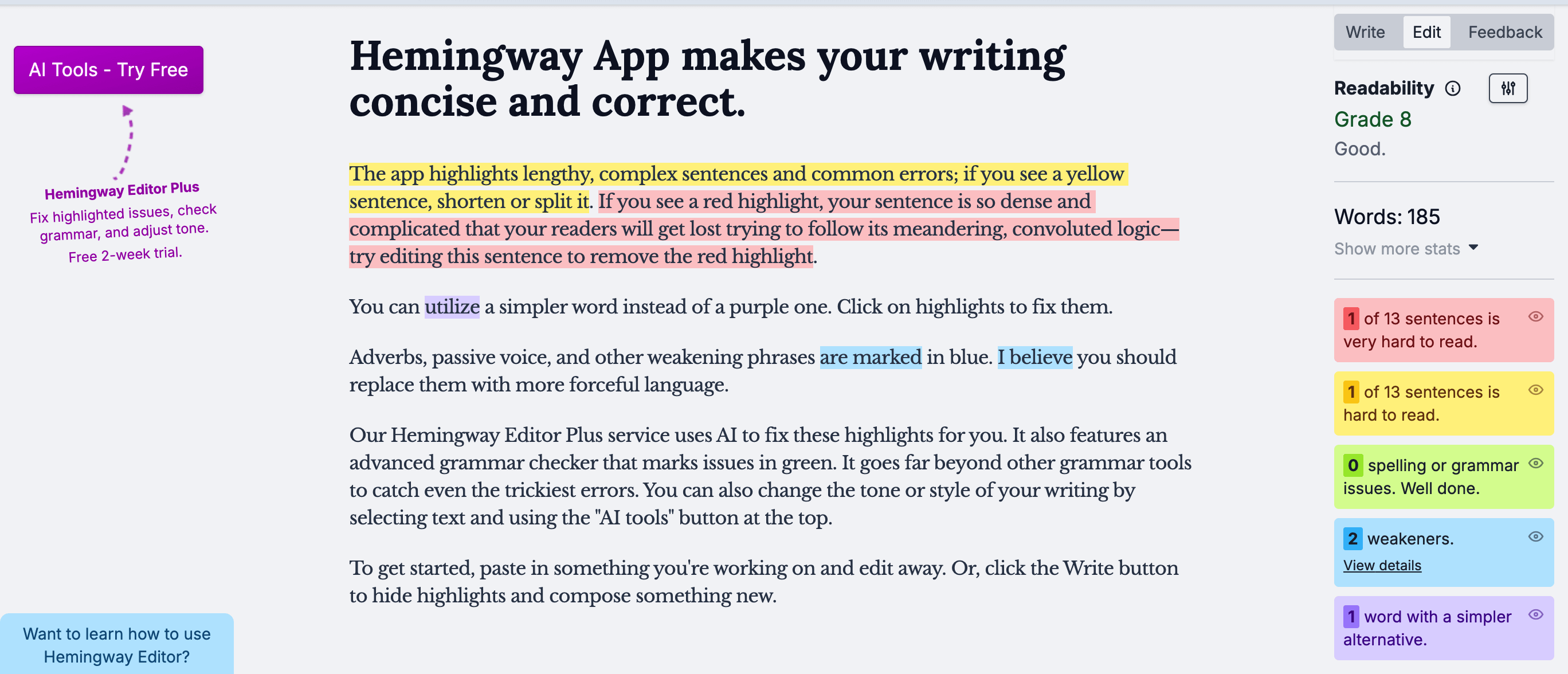
Hemingway Editor: Main features
- Color-coded highlights for passive voice, adverbs, and complex syntax
- Readability score, including the Grade level of writing
- AI-powered Fix grammar and Rewrite buttons for instant sentence improvement
- Direct export options to WordPress and Medium.
Pricing
Hemingway offers free checks but with limitations, so to get the best of the tool, there are several paid subscriptions:
- Hemingway Editor Plus (Individual 5K):** $10/month if paid monthly, or $8.33/month if paid annually ($100/year)
- Hemingway Editor Plus (Individual 10K):** $15/month if paid monthly, or $12.50/month if paid annually
- Desktop app:** $19.99 (one-time purchase, but no AI features).
*The pricing info is taken from the official Hemingway Editor website.
Pros and cons
Hemingway grammar checker reviews on Reddit mostly praise it for being easy to use, features working well, and having a great UI. The drawback could be that the tool acts more like a clarity coach, so it might not be suitable if you need just a basic text check for common spelling and punctuation errors.
| Pros | Cons |
| Improves text’s readability | Not a deep grammar or punctuation tool |
| Great UI |
LanguageTool
This language tool grammar checker is very close to Grammarly in terms of popularity, but unlike Grammarly, it works for over 25 languages, which could be very helpful for multilingual students, and offers a Picky mode feature designed to provide stricter, deeper checks if needed.
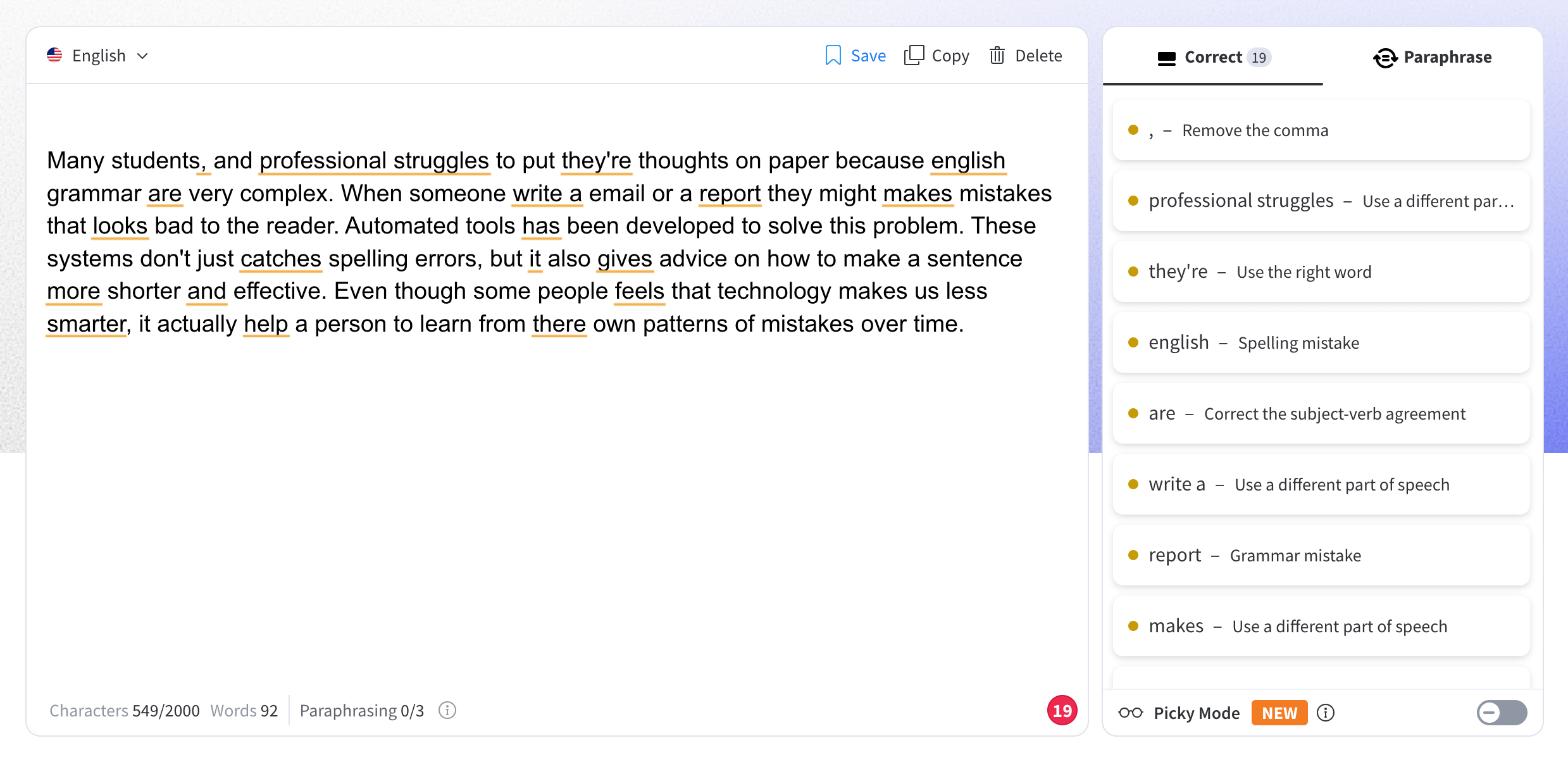
LanguageTool: Main features
- Support for grammar checks in 25+ languages
- Grammar checker
- Rephraser
- Picky mode for catching subtle stylistic and punctuation errors
- Text statistics
- Browser extensions for Google Chrome, Firefox, Safari, Microsoft Edge, and Opera.
Pricing
The free version of the tool has strict limits, like up to 10,000 characters per check and limited daily rephrasing. All features are unlocked through a Premium subscription:
- €19.90 per month if paid monthly
- €13.30 per month if paid quarterly (€39.90 billed every 3 months)
- €4.90 per month if paid yearly (€59.89 billed annually)
- €4.16 per month if paid every 2 years (€99.90 billed every 2 years)
- €4.74 per month per user for a team account, billed annually (€56.90/user/year, up to 20 users)
Students, teachers, and professors can get up to 20% off a Premium subscription with LanguageTool’s educational discount.
*The pricing info is taken from the official LanguageTool support site, verified August 2026.
Pros and cons
When people discuss different checkers, LanguageTool AI grammar checker usually comes up as a great option for those looking to edit their text in different languages. For example, a reviewer on Reddit shares that it can be a top tool for multilingual writers. However, it may not always be as advanced in detecting errors.
| Pros | Cons |
| Support for many languages | Sometimes may not be as advanced in detecting specific errors compared to other options |
| Fast and easy checks |
Scribens
Scribens is a great grammar check software that offers statistical data on your written piece aside from grammar corrections, including even the reading and speaking time.
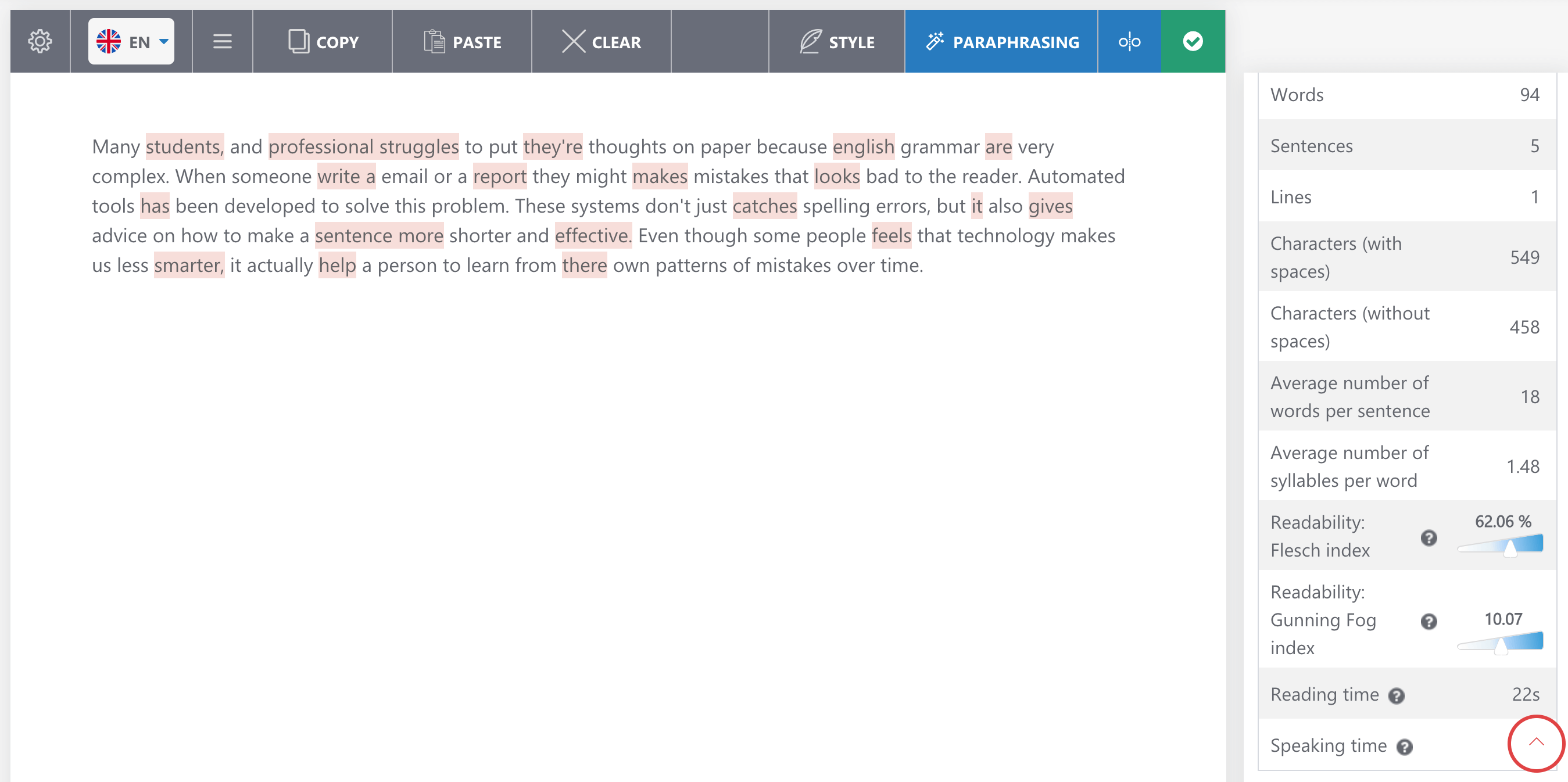
Scribens: Main features
- Supports 40+ languages
- Statistical data (number of words, sentences, lines, repetitions, reading time, etc)
- Paraphrasing tool
- Integration with Microsoft Word, PowerPoint, Excel, Google Docs and Google Sheets
- Browser extensions for Google Chrome, Safari, Firefox, and Microsoft Edge.
Pricing
Basic grammar checks are free but limited. For advanced checks, there are following Premium options:
- $9.90 per month
- $59.90 per year (~$4.99/month)
- $24.90 per 3 months (~$8.30/month)
- Business pack (custom prices).
*The pricing info matches the official Scribens website as of August 2026.
Pros and cons
In a Reddit discussion about the best online grammar checkers, one user mentions Scribens as a solid option. However, the tool has a very simple interface compared to alternatives, which might make it not as attractive for smaller kids.
| Pros | Cons |
| Quality error detection | UI may seem outdated and not interesting enough for kids |
| Statistical data |
Scribbr
Scribbr is the first free option on the list, and another one of academic writing grammar checker tools that offers all features a student might need, including even professional human proofreading services.
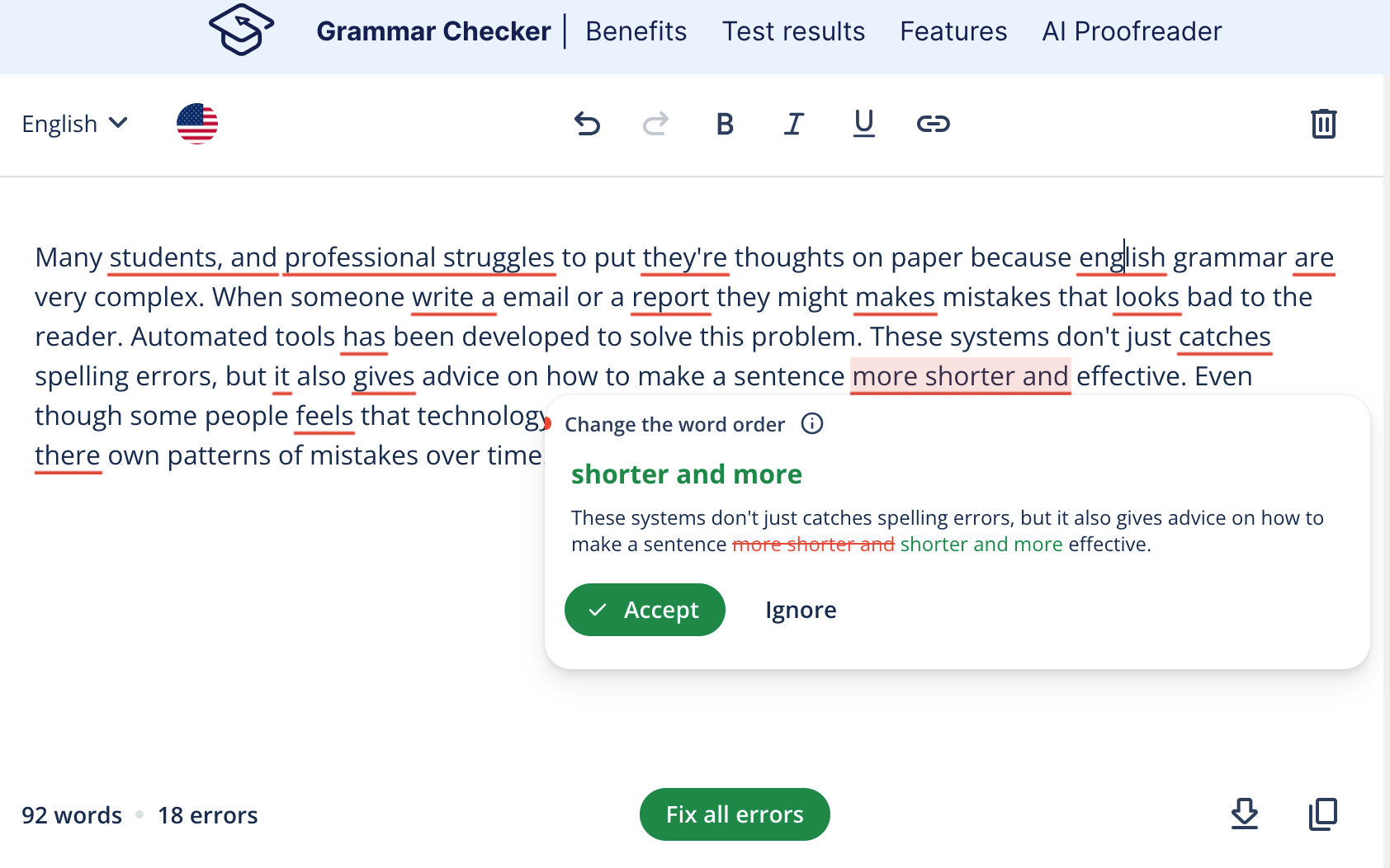
Scribbr: Main features
- Grammar checker trained specifically on academic papers
- Plagiarism checker
- Citation Generator
- Free knowledge base with thousands of writing guides
- Human proofreading services.
Pricing
The grammar checker is completely free, but additional features require payment:
- Plagiarism checker: $19.95+ per document.
- Proofreading: Can be calculated on a website based on word count and return time.
*The pricing info is taken from the official Scribbr website.
Pros and cons
Scribbr has a very high rating on Trustpilot, where lots of users agree that it might be the best free grammar checker for improving academic writing, although some users comment on issues with citation feature accuracy.
| Pros | Cons |
| Academic writing focus | Citation generator might not be as accurate as in other options |
| High-accuracy grammar checks |
Harper
Next free grammar checker is Harper, which positions itself as very privacy-oriented as it claims to avoid including any kind of generative AI when working with texts.
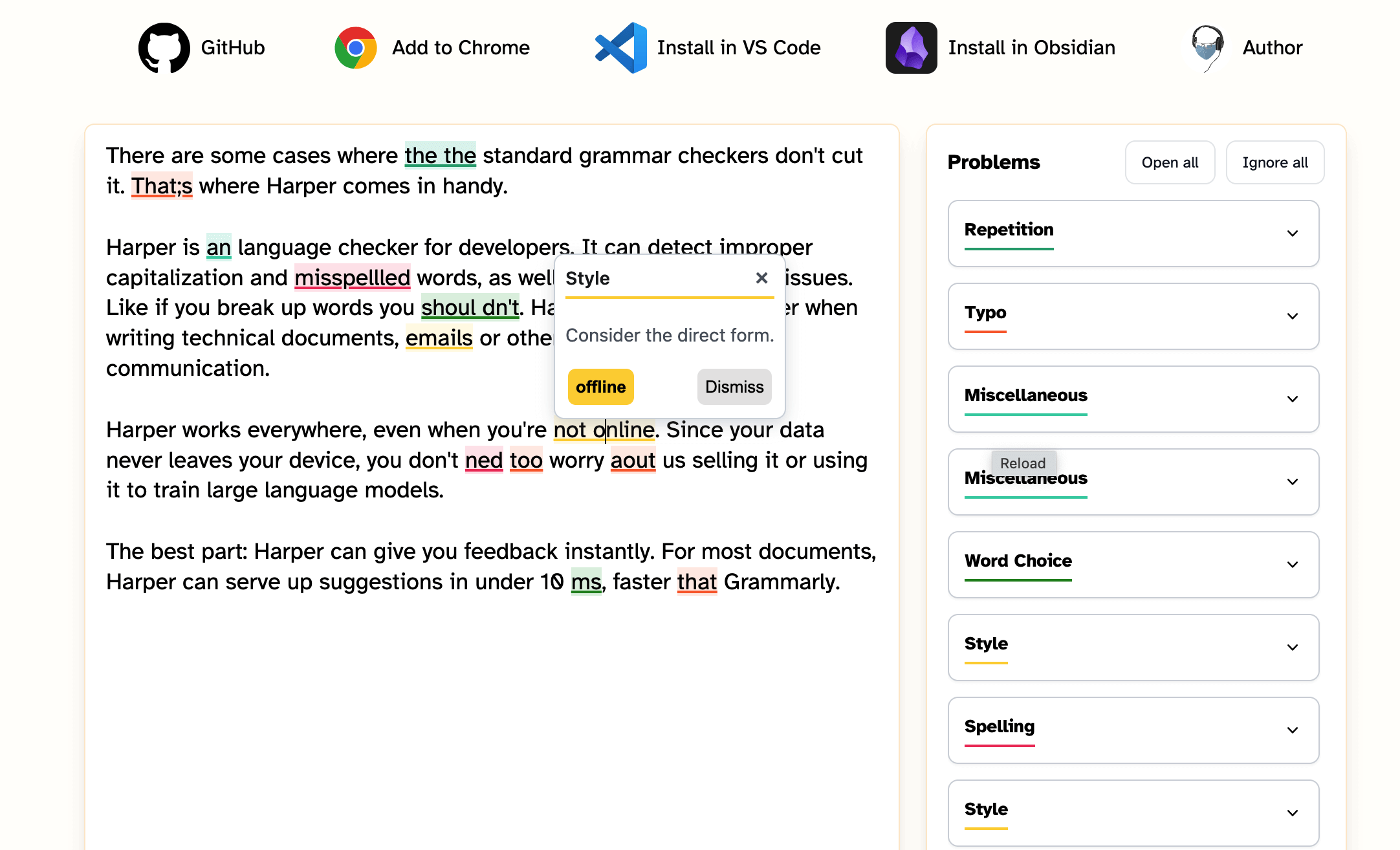
Harper: Main features
- Grammar checker
- Browser Extension for Google Chrome and Firefox
- Integrations with Obsidian, VS Code, Neovim, and WordPress.
Pricing
The tool is completely free to use. No subscriptions.
*The pricing info is taken from the official Harper website.
Pros and cons
Based on Reddit reviews, Harper is considered the best free grammar checker that works offline, ensures privacy, and delivers high-quality grammar checks. Despite that, it could not be enough for those who are looking for more than just grammar corrections or require multi-language support like a user mentions in another Reddit thread.
| Pros | Cons |
| Quality checks offline | Doesn’t offer as many features as other checkers |
| Privacy |
Google Docs
Google Docs is primarily a writing software that can also be one of the best grammar checker tools for free use, since it’s very convenient to use while working on a writing piece.
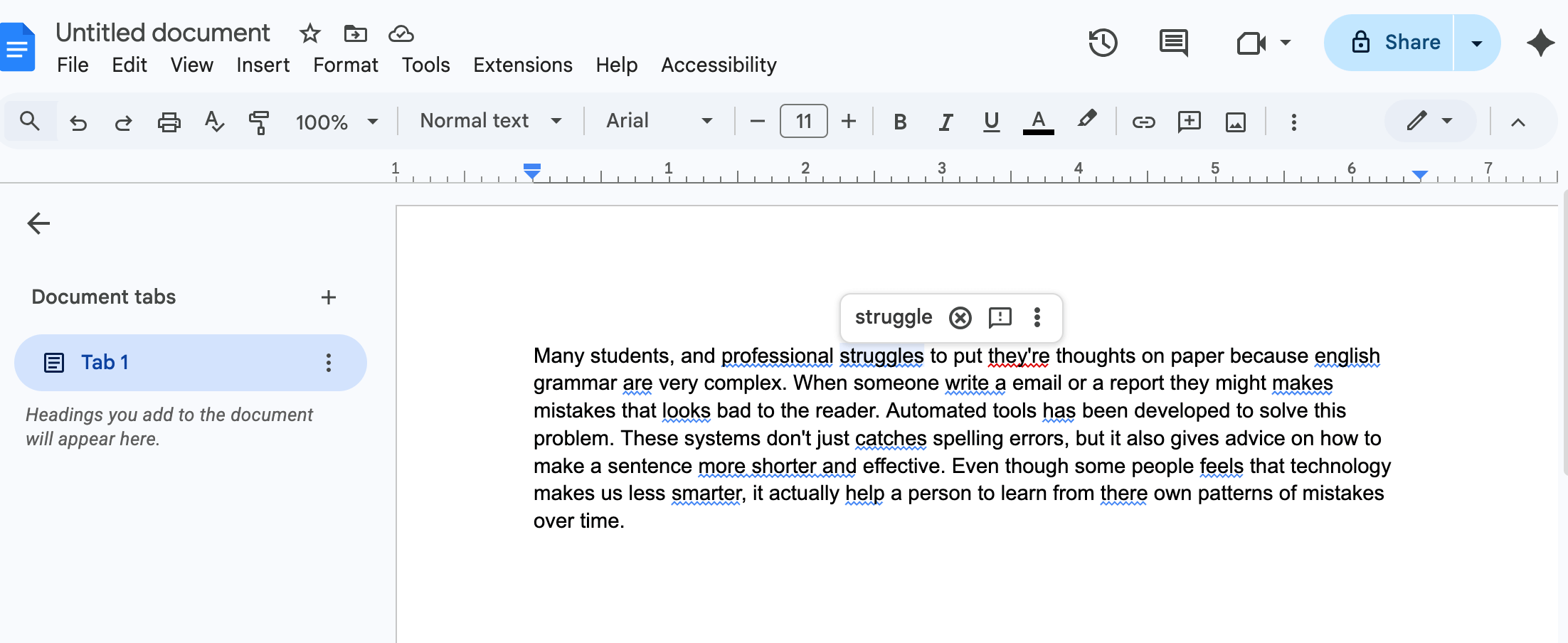
Google Docs: Main features
- Real-time grammar check
- AI-powered Help me write tool
- Simultaneous editing with other users
- Voice typing
Pricing
The checker is built-in and completely free to use. No limitations.
*The pricing info is taken from the official Google Workspace website.
Pros and cons
People on Reddit praise Google Docs as being a top grammar checker for autocorrecting the text on the go. However, other writers mention that it’s not as advanced as other options and won’t be enough for a deeper check, especially in style and flow.
| Pros | Cons |
| Completely free and cloud-based | Might require double proofreading with a more advanced checker |
| Great for group work |
WPS Office
WPS Office pairs a free word processor, spreadsheets, and presentations with a built-in spell and grammar checker that catches typos as you write. For a quick check without opening a full app, WPS also offers a dedicated free online grammar checker that fixes errors and suggests clearer rewording, and WPS AI adds proofreading right inside your document. Students can draft, edit, and polish an entire essay in one place, which is why it earns a top spot here.
WPS Office: Main features
- Free WPS Office suite: Writer, Spreadsheet, Presentation, and PDF tools
- Built-in spell and grammar checker that catches errors as you type
- Dedicated online grammar checker for quick, browser-based fixes
- WPS AI proofreading with clearer rewording suggestions
- Cross-platform: Windows, macOS, Linux, iOS, and Android
- Resume templates and study document templates built in
Pricing
WPS Office is free to download and use (WPS Standard) with no credit card required — this includes basic PDF features, a free PDF reader, limited template downloads, 1GB of cloud storage, and support for 47 file formats and 46 languages. For advanced tools, there are two paid options:
WPS Pro+: $5.83 per month if paid annually ($69.99/year), or $6.99 per month if paid quarterly ($20.99 every 3 months). Adds full PDF editing and conversion, unlimited template downloads, advanced OCR, full e-signature, 20GB of cloud storage, and an ad-free experience.
WPS Sharing Plan: $2.49 per month per user if paid annually ($29.99/year per user), or $3.99 per month per user. Best for 2+ users, with each member getting full Pro+ benefits.
Pros and cons
Students and professionals appreciate WPS for combining full document creation with grammar checking at no cost, though it is better suited to practical editing than to advanced academic writing analysis.
| Pros | Cons |
| Free all-in-one (draft + grammar check) | Not a specialist academic-writing tool |
| Cross-platform, works offline and online | Some advanced features need premium |
| Includes templates and PDF tools |
Best grammar checker tools on Reddit: What do users say?
There are plenty of discussions on Reddit about all kinds of grammar checkers. Most of them mention Grammarly as one of the best options. For example, one user in such a discussion shares it has been very helpful and catches all mistakes it should.

Another writer in the same discussion suggests using QuillBot as a great and useful alternative, claiming that it’s less formal and more fit for persuasive writing.

In another thread about a good grammar checker, Ginger is mentioned as not only a solid tool but as one that offers discounts specifically for students, which might make it a more cost-effective choice than other paid tools.

One user also started a topic about grammar checkers that can handle French aside from English. Among the proposed options, one user suggested trying the multilingual LanguageTool.

Conclusion
To choose the best checker, take into account what your primary requirements are. Some need just simple spelling and punctuation checks, some require advanced text analysis, some look for multiple language support, or tools for academic writing like citation generators, plagiarism checkers, etc.
However, even the best online grammar checkers are not perfect, and the best way to check if the suggestions they offer are correct is to have grammar knowledge yourself. If you want your child to be confident in their writing and editing, try Brighterly.
Book free reading lesson and help your kid master the language.
Frequently Asked Questions
What are the best grammar checker tools available?
Grammarly, ProWritingAid, and Scribbr are strong for academic writing with citation and plagiarism tools; QuillBot, Grammarly, Harper, and Google Docs cover basic grammar checks; LanguageTool and Scribens support the widest range of languages; and Hemingway Editor is best for readability and style rather than strict grammar rules.
Which grammar checker is better than Grammarly for advanced editing or multilingual writing?
ProWritingAid offers deeper editing reports and style analysis than Grammarly, while LanguageTool and Scribens support far more languages (30+ and 40+ respectively) for multilingual writers.
What is the best academic grammar checker?
Grammarly, ProWritingAid, and Scribbr are the top picks for academic writing, since all three include citation generators and plagiarism detectors that basic checkers don’t offer.
What is the best free grammar checker?
Scribbr, Harper, and Google Docs all offer strong free grammar checking. Harper works fully offline and doesn’t use generative AI, while Google Docs is built for real-time collaborative editing.
Can a grammar checker fully replace grammar learning for a struggling student?
No — a grammar checker catches surface-level errors but can’t explain why a mistake happened or offer the encouragement a struggling writer needs. A Brighterly writing or reading tutor provides that deeper, personalized support instead.

Although there are more than 150 poetic forms, most school programs introduce only a small selection, leaving parents and students confused about which types actually matter. Find out simple definitions of the most common 15 types of poetry for kids used in schools today, some home-practice tips and the most illustrative examples below. Key points […]

Mar 06, 2026
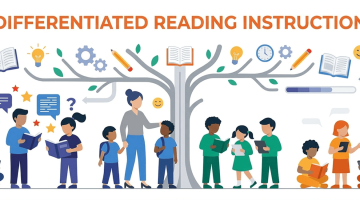
You don’t know much about differentiated instruction, but want to understand it and help your child improve their reading skills? Check out this easy guide to differentiated reading instruction to learn more about this approach and how to use it. Key points Differentiated reading instruction helps children develop skills at their own pace, focusing on […]

Mar 06, 2026
Math & reading from 1st to 12th grade
Exploring alternatives?
Take a short quiz!
Choose kid's grade