How to Сancel ABCmouse in 2026
reviewed by Rachelle Bencio Yu
Updated on August 10, 2026
Key points
- The ABC mouse subscription cancel process can be completed via the website or app if purchased directly, or through the app store you used if the subscription was made via a third-party provider.
- After you stop your membership, you can continue using ABCmouse until the end of the billing cycle.
- Based on its refund policies, ABCmouse does not offer refunds on amounts that have already been paid.
- The most frequent reasons why families choose to cancel ABCmouse is due to lack of deep learning, too much emphasis on gaming, and repetitive content.
To cancel your ABCmouse subscription, sign in through the app or website, navigate to the Parent Section (or Settings), open “Manage My Account” (or “My Account”), and select “Cancel Membership.” If you originally signed up through a third-party platform like Apple or Google Play, you’ll need to cancel through that device’s subscription settings instead. This article will show you step by step how to cancel ABCmouse, no matter how you purchased it, to avoid future charges.
Exploring alternatives?
Can You Cancel ABCmouse Membership?
Yes, you can cancel your ABCmouse subscription at any time. How to do this depends on the version you’re using (ABCmouse vs ABCmouse Classic) and your subscription and payment method (direct billing vs a third-party billing).
If you purchased your subscription from ABCmouse directly, you will need to cancel through the ABCmouse app or website. If you signed up via a third party, such as the Apple App Store or the Google Play Store, you’ll need to cancel through this third-party app. In all cases, you retain access to the paid version of the online learning platform until the end of your last billing period.
Some parents may need to pause their subscription temporarily, whether for financial reasons or for a break. You cannot pause your ABCmouse account or put it on hold. You will need to cancel your ABCmouse membership, but once you resubscribe, your child will be able to continue their learning from the point they stopped, which operates similarly to a pause.
Note: Unlike some ABCmouse alternatives, the platform won’t automatically delete your account when you cancel. To do this, after cancellation, you will need to fill in a request form on the contact page to delete your account and data on the ABCmouse website. Your information cannot be retrieved afterwards.
Explore Brighterly Learning Experience
Learn exactly how Brighterly helps students thrive through expert sessions, online tools, and proven feedback from thousands of satisfied parents
How to Cancel ABCmouse Subscription? App and Website Guidelines
Log in to the ABCmouse App or Website
ABCmouse cancel membership options can be found on the ABCmouse app if you are using a mobile or tablet, or on the website if you are using a desktop or laptop PC. The first step is to log in to your account.
Navigate to Your Profile
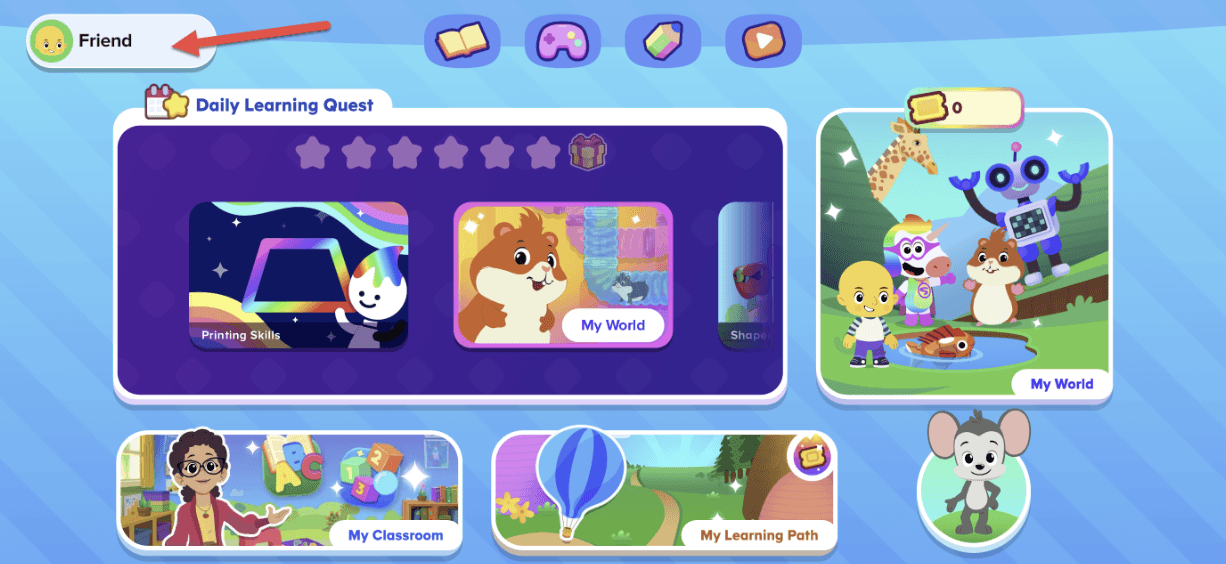
Once logged in, click on the Avatar icon for the account that you want to cancel (in case you have multiple accounts) in the top left-hand corner of the website or app. Go to Settings, after which choose Manage My Account.
Follow the Steps to Cancel
When you end up on the Membership Details page, click Cancel Membership. The app will ask you to specify the reason for your ABCmouse subscription cancel from a few available options. After that, you have to choose Continue to Cancel. Next, you’ll be offered a discounted membership plan, so you have to click “Yes, Cancel My Membership” to move forward.
Note: Cancelling your ABCmouse subscription doesn’t cancel your Assessment Center subscription. If you have the Assessment Center add-on, you can choose to cancel it at this stage.
Confirm Your Cancellation
Once you’ve gone through all the necessary steps, you’ll get a notification on screen “Your ABCmouse Membership Has Been Successfully Cancelled”. This is important to be sure that your cancellation request has gone through. You will also see the exact data until which you will have full access to the reading app before your subscription ends.
How to Cancel ABCmouse Classic
If you have an ABCmouse Classic account – which is the most traditional version of the homeschool program before the recent update – you will need to follow slightly different steps to cancel your subscription. Here is what to do step by step in this case, with direct billing:
- Log in to your ABCmouse Classic account via the website using a computer or the app using your phone or tablet.
- Click on the Gear icon in the upper right-hand corner of the screen.
- Choose the Parent Section icon.
- Select the My Account panel.
- Click on Cancellation.
- Choose which subscriptions to cancel: ABCmouse subscription, Assessment subscription, or both.
- Press Continue.
- Click End Membership.
- You might be offered a discounted price to prevent your from the ABCmouse unsubscribe and remain an ABCmouse customer. If you’re determined to cancel, just confirm End Membership.
- Make sure you see a message “Your ABCmouse subscription has been cancelled” to know you’ve gone through the process successfully.
Switch to Reading Help You Control
Brighterly has no long contracts — pause or cancel your reading plan anytime 

How to Cancel ABC mouse for Third-Party Users
If you got your ABCmouse subscription through a third-party service, you will have to go through a different process to unsubscribe. Below, you can find the main steps to cancel ABC mouse through the main providers:
Apple Cancellation
- Open Settings and iTunes & App Store if you’re using an iPhone, iPad or iPod touch, or open the Apple App Store if you’re using a desktop.
- Tap View Apple ID.
- Choose Subscriptions
- Select ABCmouse.
- Press Cancel Subscription.
- Confirm.
Google Cancellation
- Open the Google Play app.
- Tap your profile icon in the top right-hand corner.
- Choose Payment & Subscriptions.
- Celect Subscriptions.
- Click on ABCmouse subscription.
- Click Cancel.
Amazon Cancellation
- If you’re using the Amazon website, head to Your Account. If you’re using the app, open it on your device.
- On the website, click Your Apps. In the Amazon App Store, go to My Apps.
- On the Amazon website, tap Your Subscriptions, which will lead you to an ABCmouse account cancellation option. On the Amazon App Store, navigate to Subscriptions for the same option.
Verizon Cancellation
- In your My Verizon account, go to Account. Then, select Apps & add-ons, and click on Apps & add-ons overview.
- Scroll down until you find ABCmouse in your list, then click the More button.
- Click the Cancel subscription button. Finally, confirm your choice by clicking on Remove ABCmouse Classic.
Keep in mind that it might take up to 24 hours for your request to be properly processed.
Why You Might Want to Cancel ABCmouse Subscription
According to ABCmouse reviews on Reddit and Common Sense Media, the most common reasons why users decide to cancel ABC mouse include little actual learning, too much playing, and monotonous, tedious activities. Eventually, these factors make parents feel the ABCmouse pricing is not worth it.
ABC mouse Cancellation User Reviews
No Focus On Long-Term Learning
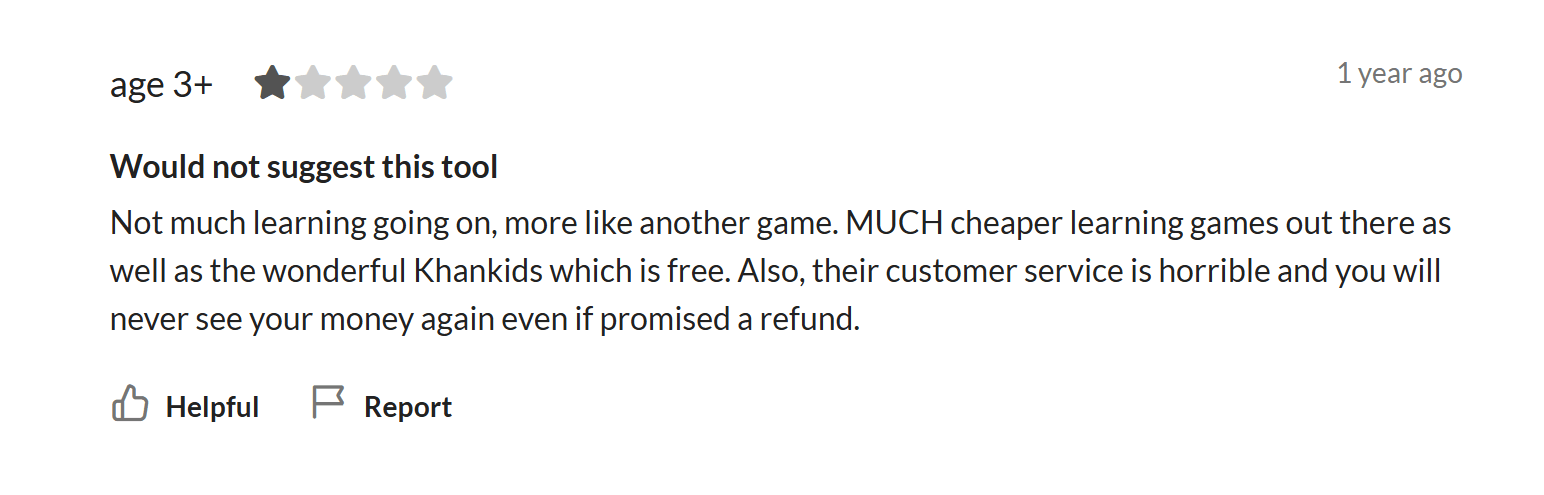
In the ABCmouse review complaints on Common Sense Media, a number of parents mention that the platform feels more like a game for entertaining and passing the time rather than a tool for gaining knowledge in the long run:
“Not much learning going on, more like another game.”
When explaining why they stopped using ABCmouse, some Reddit users describe the strong focus on gamified features, such as taking care of pets and decorating virtual spaces, which negatively impacts the ability of kids to concentrate on studying:
“My daughter only liked abc mouse for the pets and decorating stuff. She wasn’t learning anything that stuck. We tried for years and it was a waste of money for learning. It was just a game lol.”

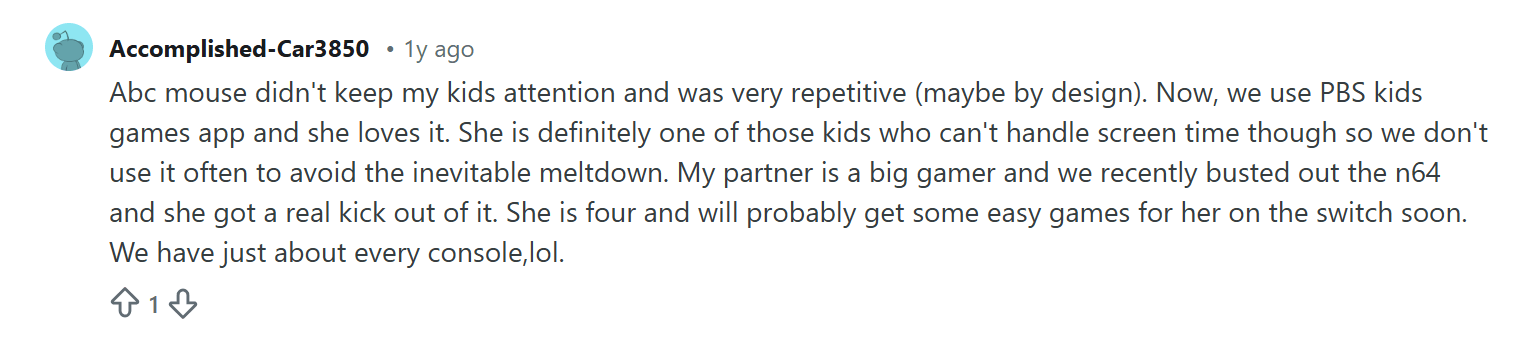
Yet another reason why some parents decide to discontinue using ABCmouse is the lack of engagement as the activities get too repetitive over time, as emphasized on this Reddit:
“Abc mouse didn’t keep my kids attention and was very repetitive (maybe by design).”
Note: Brighterly offers 1:1, online reading and writing tutoring (as well as private math lessons) by professional teachers. We provide a combination between instructor-led learning and gamified practice to boost knowledge and confidence simultaneously
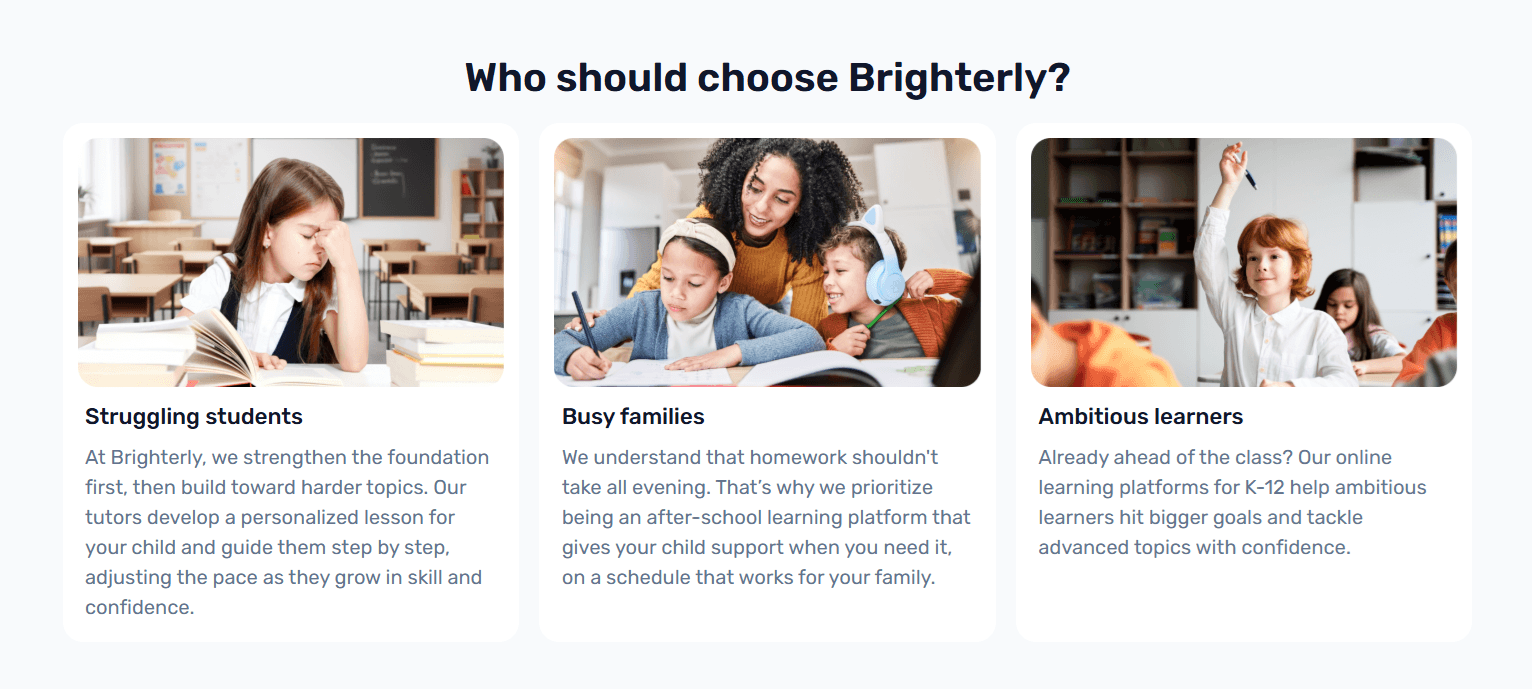
The main benefit of Brighterly as an ABCmouse alternative is the entirely personalized learning experience that’s delivered in real time by real human tutors. According to the Education Endowment Foundation, 1:1 tutoring brings important advantages including improved student results due to targeted support.
After an initial assessment conducted during a free trial lesson, the Brighterly tutor assigned to your child develops a customized plan to address the specific needs of your kid. During classes, the tutor adjusts their teaching style and incorporates fun elements, such as phonics games and vocabulary games.
Meanwhile, you receive continuous progress reports to know how much your child has advanced and what other areas you might need to pay attention to.
Before getting started, you can assign your children one of the free, grade-appropriate knowledge-check reading tests to evaluate their current level and decide if they need help. You can also see pricing options to choose the most appropriate plan for your family. The Brighterly price starts at $17.70/lesson with a 12-month subscription for 2 lessons/week and a 20% discount.
Whether you decide to use Brighterly or not, you can take advantage of the free reading worksheets to practice basic and advanced skills.
Try Reading Tutoring With No Strings
Brighterly offers a free first reading lesson — see if 1:1 tutoring fits your child
What Is ABCmouse Cancellation Customer Service?
The ABC mouse customer service can help users if they experience difficulties cancelling. According to the documentation provided by the platform, you can use the Chat function to get assistance from the customer team during cancellation. However, you should keep in mind that you’ll get to communicate with an AI chatbot, not a real human. Additionally, you can try mailing to the email address provided on the website if nothing else works out.
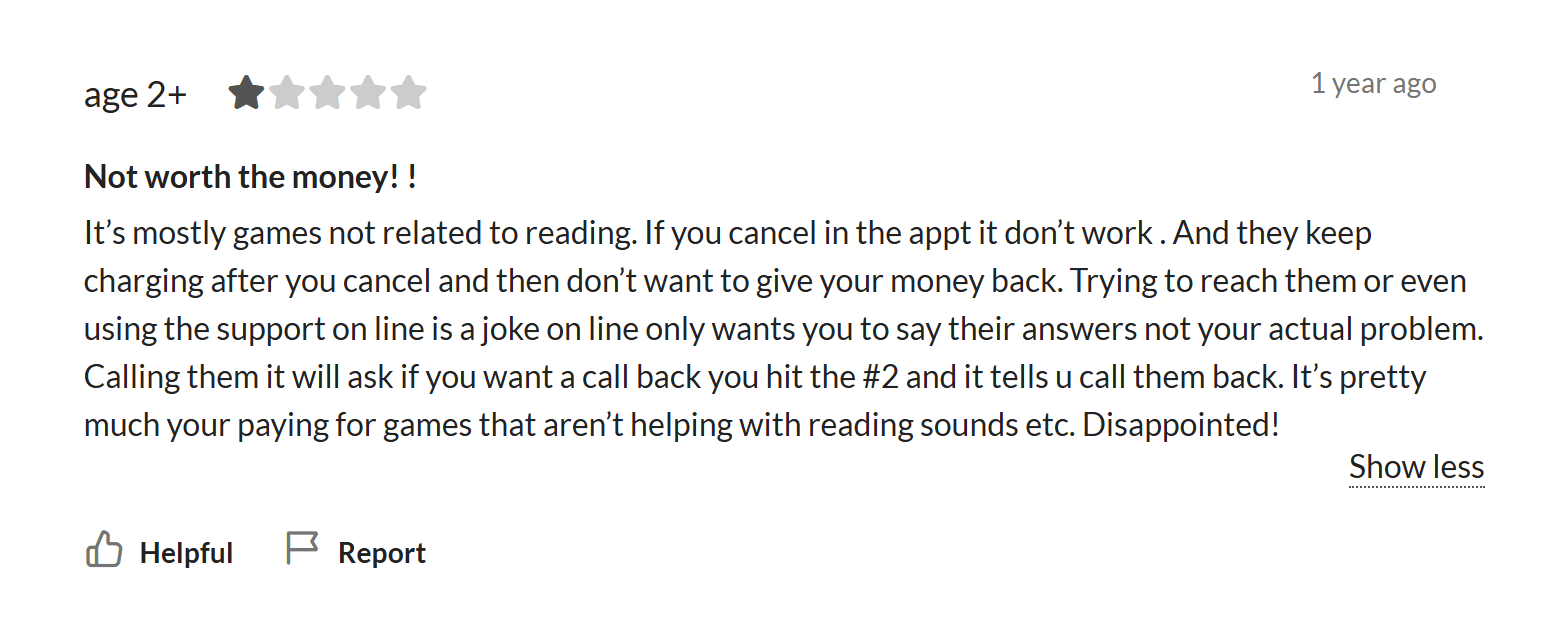
It’s important to mention that several ABCmouse customers comment on how hard it is to get real help from customer service when you want to cancel your subscription. This parent explains the hardships they went through in review on Common Sense Media:
ABCmouse Cancel Subscription: Does It Cost To Cancel?
ABCmouse does not charge a fee to users who cancel their subscriptions. However, it’s important to know how to cancel ABC mouse subscription and avoid further charges, depending on when in your billing cycle you cancel.
You must cancel ahead of your next billing date, or you will be charged for the following month or year, depending on whether you have a monthly or annual subscription. If you cancel your account midway through your billing cycle, you will be able to access the ABCmouse learning resources until the end of that cycle.
To be on the safe side, it’s best to cancel your ABCmouse subscription as soon as you decide that you no longer want to use the app. You don’t have to wait for the last day of your billing period.
ABCmouse Cancellation Refund Policy
ABCmouse’s refund policies state clearly that all subscriptions are non-refundable. The company does not offer refunds, either in full or on a pro-rata basis, for any charges taken out from parents. That’s why it’s important to read all policies before signing up. This means if you want to cancel your ABC mouse subscription at the beginning of a billing cycle, you will not receive a refund for the amount you have paid, but you can continue to use the service for the time for which you have paid.
How To Cancel ABCmouse Membership: Conclusion
Now you know the exact steps you need to follow to cancel ABC mouse, regardless of how you purchased the app. If you got ABCmouse straight from the company, you can discontinue your membership from the website or the app. If you paid via a third-party provider, you have to visit your account there to cancel your subscription. In any case, make sure to start on time, well before your next billing date, to allow enough time for any unexpected hinders.
And if you’re looking for a different learning experience once you discontinue using ABCmouse, you can check out Brighterly tutoring.
With the Brighterly tutoring platform, you benefit from:
✅Personalized, engaging lessons suited to your child’s needs and preferences
✅Learning from professional K-12 teachers and their real-time support
✅Free worksheets and tests to supplement studying
Ready to try the power of 1:1 tutoring? Book your first free lesson with no commitment whatsoever.
Related articles
Your decision on how to continue augmenting your child’s education once you cancel ABC mouse should be based on solid research and multiple options. The following articles compare a range of different learning platforms to help you make the most informed decision:
- ABCmouse vs Kiddopia: All-In-One 2026 Comparison
- IXL vs ABCmouse vs Brighterly: Which Online Learning Platform Is the Best?
- Homer vs ABCmouse: Which Program Works Better for Early Learning
- ABCmouse vs Starfall vs Brighterly: Pros, Cons, and Key Differences
Frequently Asked Questions
How Do I Immediately Cancel a Subscription?
To cancel your ABC mouse subscription immediately, you have to log in to your account, choose the right profile, and go through the cancellation steps. It’s a good idea to follow up with an email to the ABCmouse customer support team to make sure that your request has been received and will be handled in a timely manner.
How to Cancel Subscriptions Without Using the Website?
You can cancel your ABCmouse membership right from the app on your mobile if you bought it directly or from the Apple App Store, Google Play Store, Amazon Appstore, or your Verizon account if you used a third party for the purchase. In this way, you don’t have to use the ABCmouse website.
Why Does My ABCmouse Keep Charging Me?
If ABCmouse keeps charging you, it can be because you forgot to cancel your subscription before the renewal date or because you have multiple accounts with different emails and have canceled only one of them. To solve the issue, you can log into your ABCmouse account and confirm whether you have canceled or contact the ABC mouse customer service.


English Language Arts, or ELA, is a crucially important academic subject that students learn throughout school. Therefore, you need to figure out what is ELA (below – in simple terms), the common benefits of this class your child can get, and why it’s worth putting effort into helping your kid master ELA. What Is ELA […]

Aug 13, 2025

Seeing your child struggling with reading is heartbreaking. Whether it’s the ache in deciphering letters or frustration with overall reading comprehension, most parents are searching for the right approach to help their kids. As an experienced reading tutor in Brighterly, I’m here to show some top reading strategies for struggling readers. Key points You can […]

Aug 14, 2025
Math & reading from 1st to 12th grade
Exploring alternatives?
Take a short quiz!
Choose kid's grade