Before checking the best college comparison sites, make sure you know your academic level and whether it needs improvement.
For preliminary research, you can use BigFuture, Niche, or Sallie Mae, as they allow you to quickly compare colleges side by side.
U.S. News and World Report, College Navigator, and College Scorecard offer great data depth for fact-based comparison.
College Vine and Appily bring a more intuitive, guided experience, while Unigo and CampusReel focus on scholarship search and real campus insights rather than side-by-side comparison.
When you look for the right college to get into, the best college comparison websites are your closest allies. That’s where you check general information, admission rates, and tuition costs. Alongside comparing schools, it’s worth strengthening your academic profile early — for instance, through structured math courses that build the skills colleges look for. Read on to analyze the main sites that allow exploring and comparing colleges and making the admission process easier.
College Comparison Tools: Differences And Similarities
Best for
Features
Built-in Side-by-Side Comparison
Price
College Vine
Selective college strategy
Advanced filters, chance calculator, personalization, AI helper
❌
Free, additional services are paid
U.S. News and World Report
Deep comparison based on research
Side-by-side tables, rankings, advanced filters, College Compass
✅
free
Big Future
Preliminary comparison
Basic table for comparison, match quiz, scholarship search
Video tours and student interviews, notes inside an app
❌
free
Sallie Mae
Simple financial comparison
Side-by-side comparison up to 3 schools, PDF export, and financial aid resources.
✅
free
The best college comparison sites split into two groups: broad, free tools like BigFuture, Niche, and College Navigator that cover general admissions data, and more specialized options like College Scorecard for ROI or Sallie Mae for financial comparisons. The table breaks down what each tool is best for, its core features, and its price.
Use these virtual portals to research colleges and compare them; it’s a good idea to combine and explore the same colleges on different college comparison sites, as they focus on various things.
Math & reading from 1st to 12th grade
Exploring alternatives?
Take our quick quiz to discover the perfect learning solution based on your child’s needs.
Sure, the analysis of college options will help you to see your chances and priorities. But, before any exploration or admission, you may want to understand your current academic level, right? Not knowing it, in particular, your GPA, ACT, and SAT scores, can lead to unrealistic expectations.
That’s why it’s high time to consider a target SAT score and develop your strategy based on it.
Brighterly As A Platform For Academic Preparation
Brighterly is one of the options for students to improve academic skills before exams and admission. Via personalized reading and online math classes, everyone can target SAT math skills and answer specific learning needs.
The benefits of learning with Brighterly include:
Personalized learning plans. Our tutors put learning needs and goals at the center of each program, keeping the learning structured and helping students build confidence.
Consistent feedback and support. We provide feedback to students and listen to their preferences. That way, we can underline the issues they need to work on, whether it’s a reading piece or a math after school activity.
We charge from $17.70/lesson (12-month plan with 2 lessons per week. All pricing plans check here). However, the first lesson is free, and we provide free resources, including diagnostic tests 👇
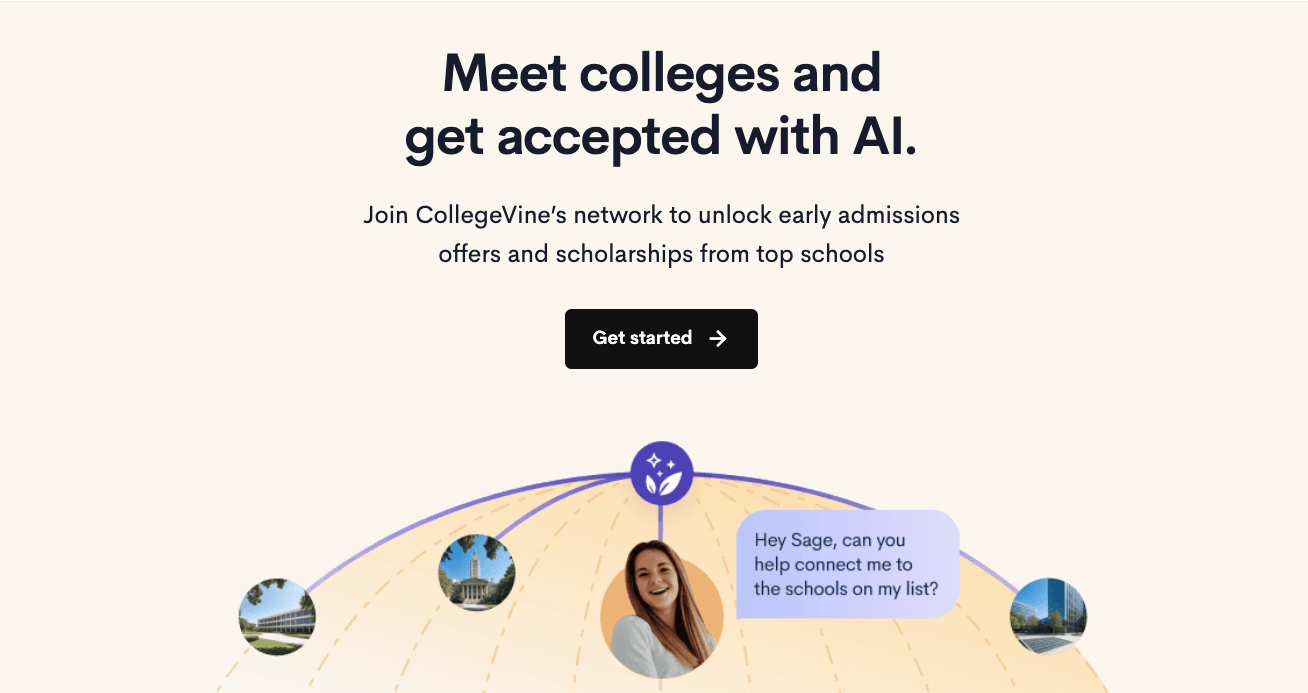
CollegeVine appears as an advanced solution for the search, focusing on personalized prediction and using advanced filters, algorithms, and an AI tool. CollegeVine is quite intuitive and can provide recommendations based on your info, but it offers an inconvenient college-by-college comparison.
Considering the array of different features, this tool can be great for targeting elite colleges.
Features
Advanced filters. You can search for a college based on numerous filters, from admissions factors and application requirements to sports, life, and students’ stats.
College list. One can add colleges to the list and compare them on a separate page.
Chance calculator. Based on your data and the data from colleges, this tool allows you to calculate the chances of entering certain colleges.
AI helper. It has an AI tool to offer guidance in creating lists of colleges for admission.
Pricing
CollegeVine’s college comparison tool is free. This website can charge for the services regarding students’ preparation and guidance during admission.
Pros And Cons
Pros
Cons
Allows for predictive comparison
Inconvenient comparison, no classic tables
Great for top colleges
Using broad research may be too much
Free core and exciting tools
May lack crucial or accurate information
U.S. News And World Report Website
Best for: deep research-based comparison
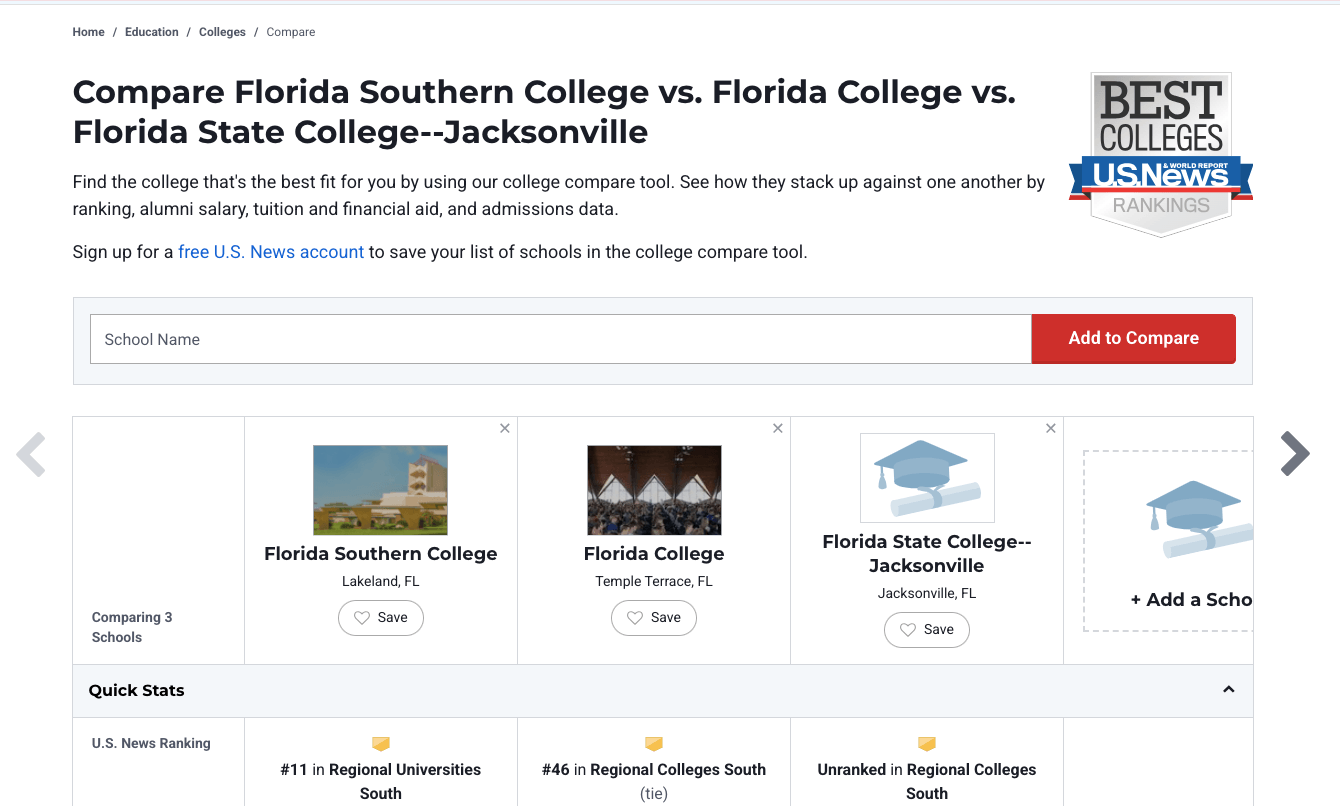
U.S. News and World Report is among the most authoritative college comparison websites, with a classic approach to comparison and massive datasets. Notably, it offers its own ranking and a great variety of factors for students and parents to navigate the college choice and admission process.
So, yes, it’s very popular among the parents and students, especially those who prefer research-based comparison. Nevertheless, it’s not very intuitive and can be hard to navigate.
Features
Side-by-side comparison. Offers a convenient table to compare and stack up schools by general factors like ranking, tuition, admission rates, SAT scores, and graduation data.
Deep dataset and analytics. Provides multiple types of metrics and filters that help to narrow schools by location, programs, majors, ratios, tuition and financial aid, reviews, and student first-year salary.
Rankings and quizzes. For searching and matching universities, it offers diverse rankings and a general quiz to help find the right college.
College Compass. It’s an advanced feature that allows personalized “MyFit” custom ranking, access to deeper analytics, and additional guidance.
Pricing
The core features are free. However, the deeper analytics, custom-fit features, and personalization require the College Compass Premium Plan, which costs $59.95/year.
Pros And Cons
Pros
Cons
Convenient college-by-college comparison
Deeper analytics are not free for premium functions
Trusted and reputable rankings
It’s quite hard to navigate
Decent reputation
Rankings are not independent
Big Future By College Board
Best for: beginners and preliminary comparison
One more trustworthy tool for comparison is Big Future by College Board, combining career planning, college and scholarship search, and application tools. It’s a common choice for parents and students, and is trusted due to the College Board’s involvement in the development and provision of SAT tests.
Besides, it offers different resources to help students apply for college, connect with them, or find a scholarship.
Features
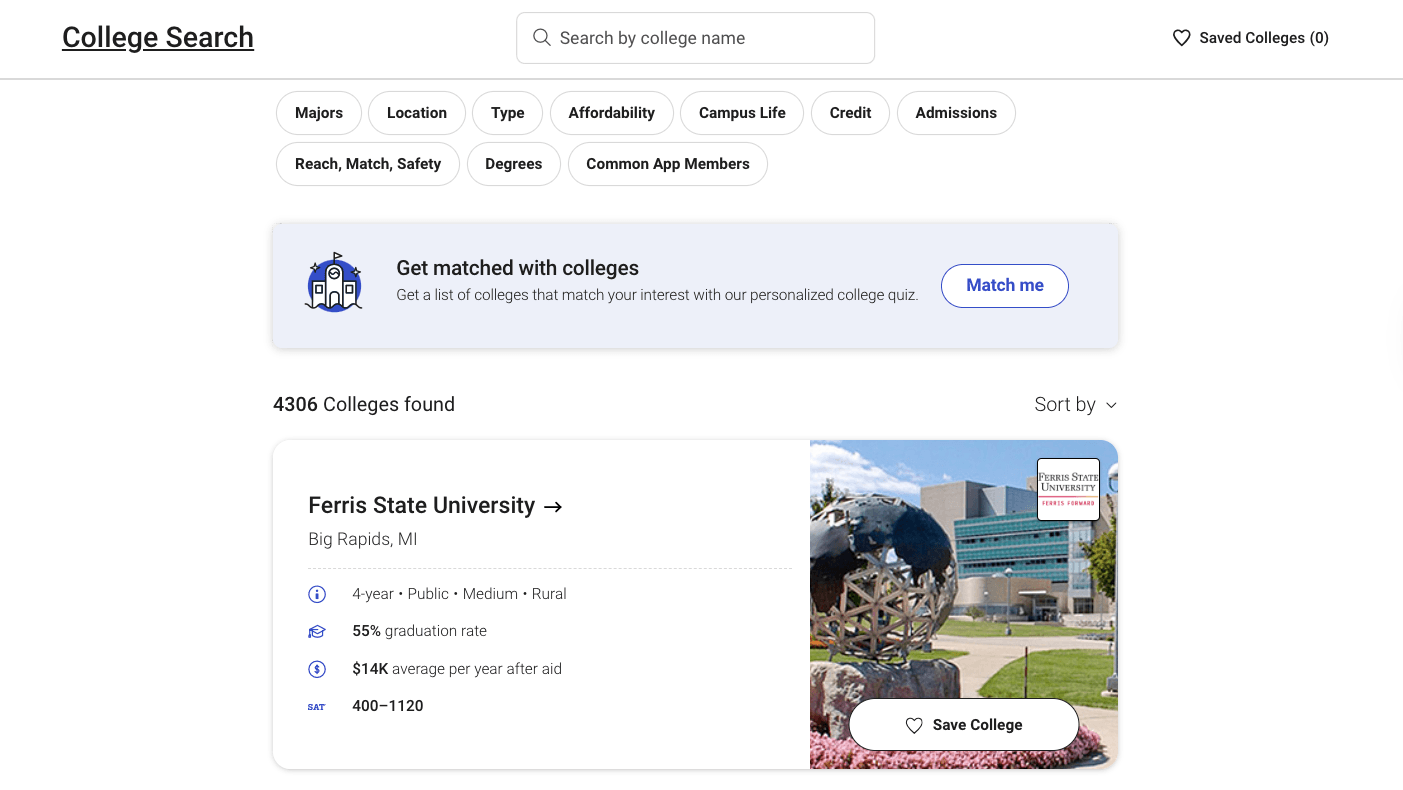
Basic comparison tool. Upon registration, it allows adding colleges into a “My list” from where you can compare them via a table, but only on 9 parameters.
Search tool and “Match me” quiz. You can either look for colleges by main parameters or share info and preferences so that the comparing college website provides you a match.
Scholarship search. Except for college search, it also offers tools to look for financial aid.
Pricing
BigFuture is free to use, including all of the features it provides.
Pros And Cons
Pros
Cons
Free, straightforward, and reliable
Limited customization
Offers trusted data
Basic comparison; lack of depth
Great for initial research and understanding the process
Registration takes time
College Navigator
Best for: raw data research and fact-based comparison
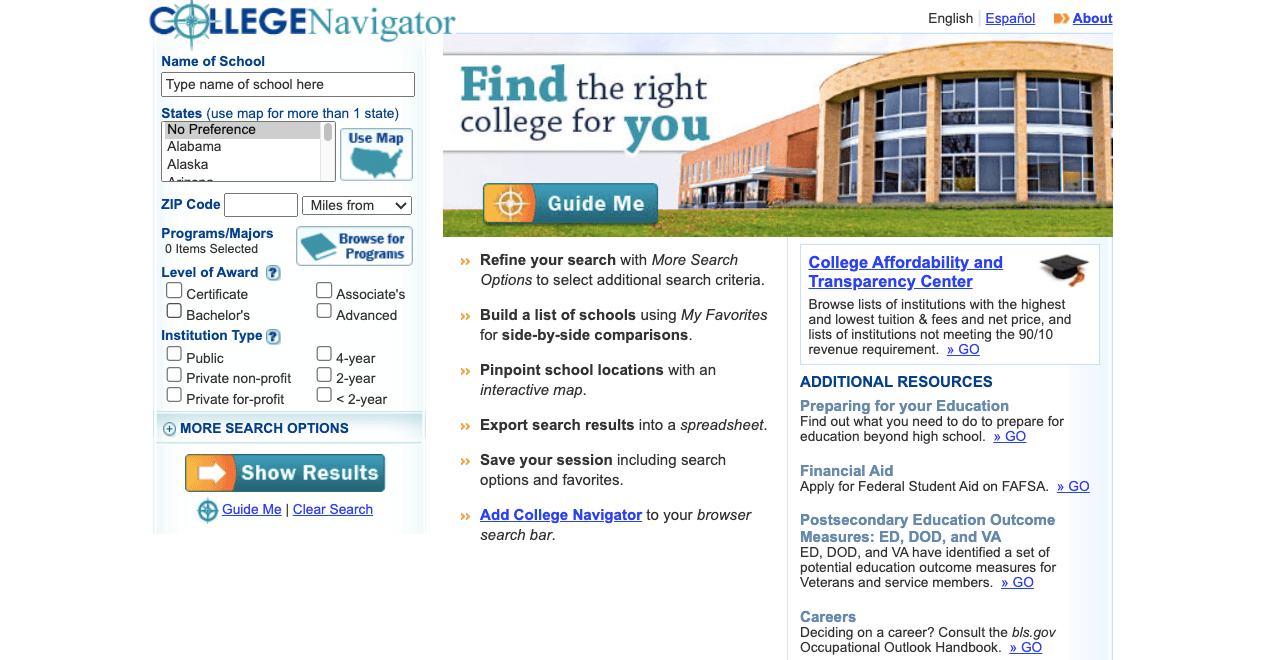
College Navigator appears to be an official U.S. college comparison site run by the National Center for Education Statistics. That way, the data can be raw but seems to be the most to-the-point compared to other websites. In terms of use, it’s very simple, while the design is very outdated and ineffective for quick visual comparison.
Features
Simple search tool. It allows for basic and advanced search, using general data like location and majors or details like campus setting, test scores, or religious affiliation.
Table comparison. With College Navigator, you can add colleges to a list and then compare them in a detailed table, covering various data like financial aid, enrollment data, student expenses, and outcome measures.
Tuition calculator. College Navigator also brings a calculator that offers an estimation of total fees charged at a specific school based on previous data.
Pricing
College Navigator is free, as it’s a government-funded tool.
Pros And Cons
Pros
Cons
Highly accurate data and detailed metrics
Design is outdated, making it hard to navigate
The comparison table is rich and downloadable
Not beginner-friendly
Official source and free access
No personalization
Niche
Best for: engaging and straightforward comparison
Niche is a college compare tool offering rankings, insights into campus life, and student reviews. Besides, it provides an appealing design and straightforward navigation. Student reviews and their own grading system seem to be distinct features of this platform, making comparison quite engaging.
Features
Search tool and overview. One can look for and review colleges based on filters like location, cost, major, academics, and reviews.
Niche grading system. The website has its own grading approach (A-F) towards college reviews; it simplifies complex data and eases comparison of learning and campus life experiences.
College comparison. It’s quite simple and seems like a secondary tool backed by an AI summary; yet it may be effective for a student when contrasting multiple colleges based on 9 common measures.
Pricing
Just like any other compare colleges tool, it’s free. It’s mainly because their revenue comes from advertising.
Pros And Cons
Pros
Cons
Quite engaging and intuitive
Oversimplified data
The grading system simplifies the system of review
The subjective nature of reviews can bring bias
Insights from students
Less depth of data
Unigo
Best for: researching college reviews from students
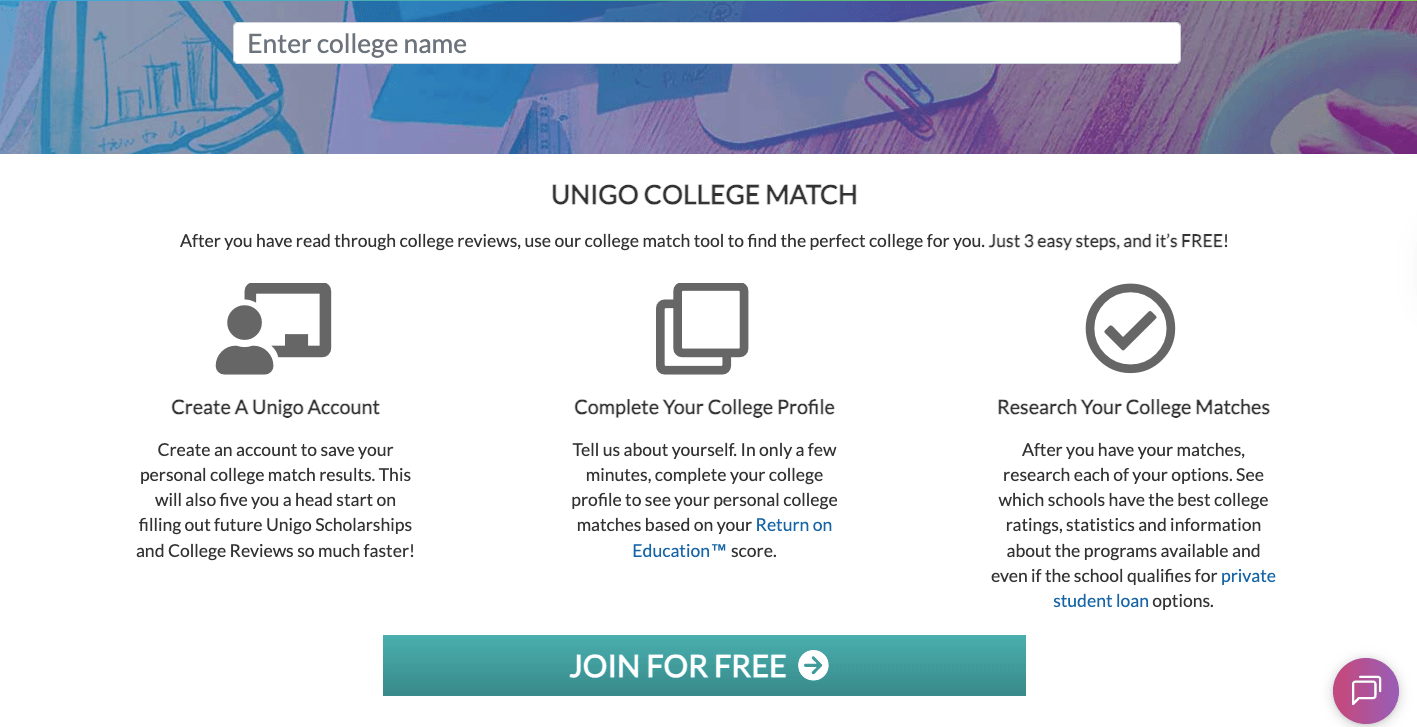
Another website to compare colleges is Unigo. Unigo prioritizes finding scholarships but also allows searching for colleges and browsing reviews from students. Compared to other tools, it is much less developed, offering a basic search tool and lacking side-by-side comparisons.
Unigo is still an option as its descriptive approach brings necessary insights and reviews, even though some may find it insufficient for comparison.
Features
College search by name. You can search for a specific college by name and get information on a separate page, including quick and general facts, student body stats, tuition, student life reviews, and college reviews.
College search by state. Besides, you can get the same info by searching for colleges by state.
Matching Quiz. Unigo allows you to narrow the search via algorithm, offering a list of colleges upon completing questions relating to major, location, and fit that include school structure, acceptance info, and personality traits.
Pricing
Unigo is free to use; you need no subscription.
Pros And Cons
Pros
Cons
Real insights from college and university students
Very limited comparison tools
Focus on scholarship
Lack of data depth
Distinct approach and insights
The interface is basic
College Scorecard
Best for: college ROI comparison
Here’s one more government-led website that can help you compare colleges online before admission: College Scorecard. Just like College Navigator, it is backed by the U.S. Department of Education. College Scorecard focuses on student outcomes and such financial data as costs, aid, salary, and debt. Besides, it’s far more intuitive and easier to read. It helps to compare the return on investment (ROI) of a college degree based on the federal data.
Features
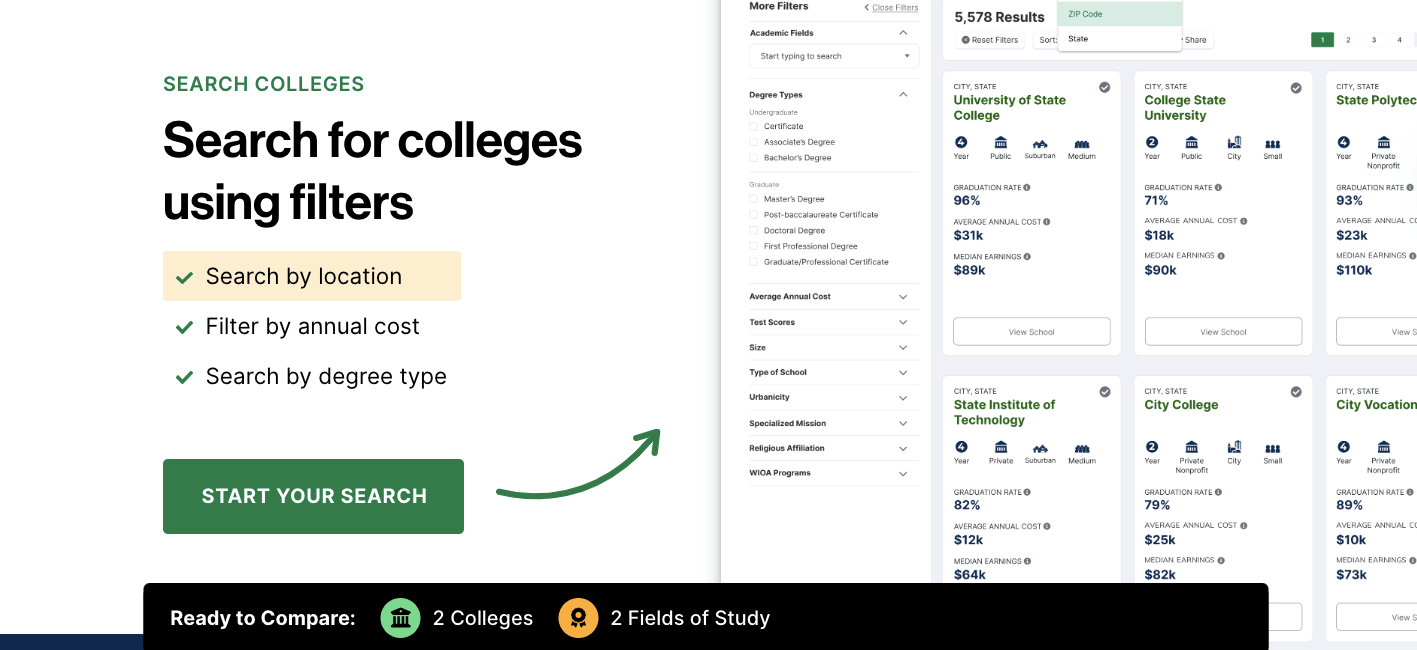
Search (Colleges and Field of Study). With it, you can search for a specific college or major, for instance, a STEM field, and explore general info, together with median earnings, debts, and average costs, having a midpoint for a specific college or for all.
Compare colleges feature. You can compare schools by switching between tabs and contrasting the information on graduation rates, average annual cost, and the number of student paying their debt.
Compare fields of study. The same goes for comparing major-outcome data, where you can analyze median salary after completing education, the number of graduates, and financial aid data.
Pricing
College Scorecard is completely free whether you’re exploring or comparing colleges.
Pros And Cons
Pros
Cons
Focus on ROI and financial information
Despite comparison options, you need to switch inner tabs
Data is reliable
Lack of campus info
Light and fresh design
The comparison scope is rather narrow
Appily
Best for: exploring and managing college options
Appily, also referred to as Cappex, is such a college and scholarship search tool that allows managing the discovery and application from one place.
In terms of a search, finding a match is very user-friendly. Yet, it has no explicit comparison features. Without built-in comparison, the best option is to go to the “My favourite list” and open a new tab for each college.
Nevertheless, as an app for admission, it’s a quite balanced suite with exploration, scholarship search, checklist, college planner, and targeted search.
Features
Exploration options. It allows searching for a college by advanced filters and analyzing it with the help of on-point infographics.
A tool to predict admission chances. Upon adding GPA and SATs, you can get an estimate of whether you’ll be admitted to a certain college.
Dedicated web app. If you register, you can use its app, with such features as exploration, personalization, scholarship search, my list, college planner, or checklist.
Pricing
The platform is free.
Pros And Cons
Pros
Cons
Great matching tools
Very limited comparison
Easy to use and engaging
Colleges seem to use it to market themselves
Can work as a tool to manage admission
Data can be inaccurate
CampusReel
Best for: comparing student life and experiences
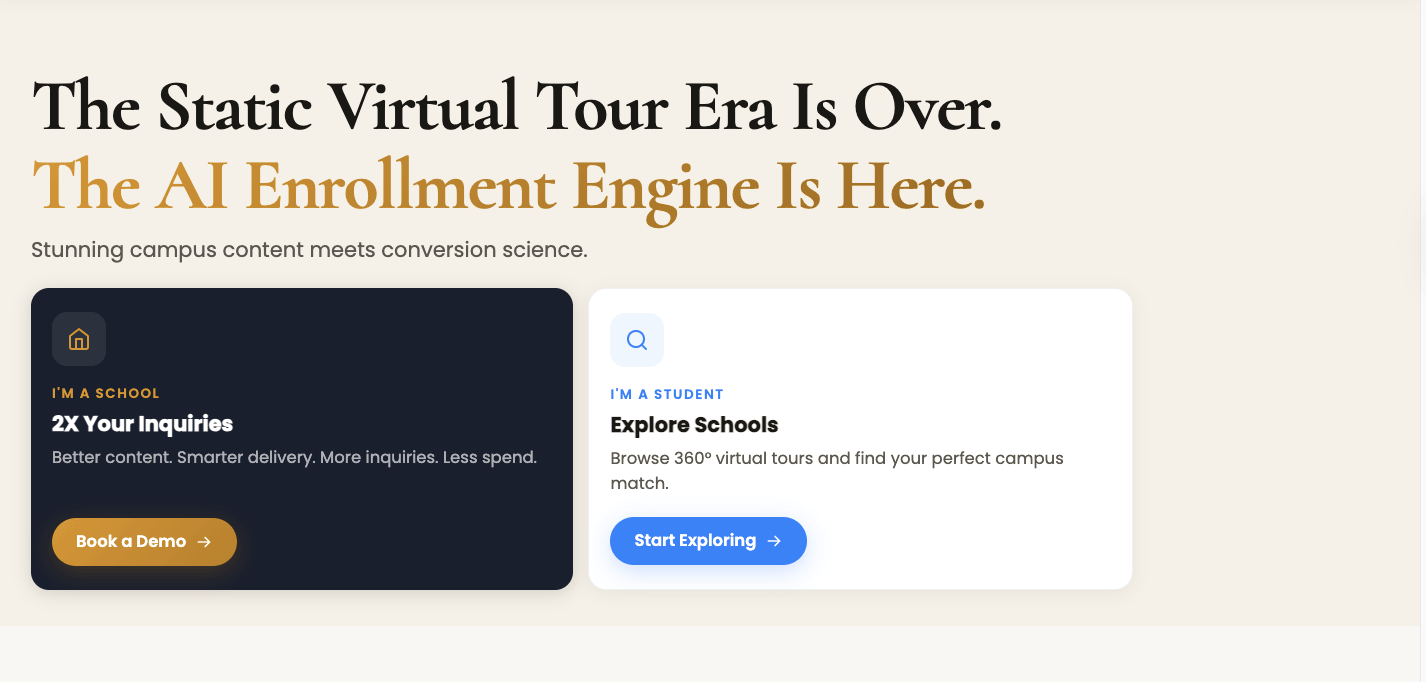
CampusReel is a platform where you can explore and compare colleges based on the tours and interviews from students. They share tours on the platform and dedicate them to different questions, whether it is campus or student life. That way, you can compare real interviews and understand how a college feels. But in terms of comparing colleges, it’s rather a complementary tool.
Features
Reels and tours. CampusReel offers exploration via video tours, vlogs, interviews, and campus experiences.
Inside notes. You can leave notes on the research inside your profile.
Content request. If a certain college interests you, you can request info via the form.
Pricing
CampusReel is free for students and parents.
Pros And Cons
Pros
Cons
Real campus experience
No comparison and no analytics
Engaging content
Rankings seem to be biased
You can add notes in the profile
Can work as a secondary comparison tool
Sallie Mae
Best for: simple side-by-side comparison
Lastly, here’s another practical tool you can use, Sallie. Sallie is the platform that allows exploring affordable colleges and comparing them side-by-side. It’s very simple and rich in visuals. Yet, it doesn’t have a rich data set compared to other tools, so it can be good for preliminary research.
Notably, Sallie Mae is a private student loan provider, while college planning tools and resources about college finances are only secondary products of the website.
Features
College search. It’s not as advanced as the first tools in this list. However, it’s quite engaging.
Side-by-side comparison. Sallie has a simple but pleasing tool to compare up to 3 colleges by three main categories: overview, costs, and outcomes. You can download a table in PDF.
Financial aid resources. Being the loan provider, it offers lots of materials and offers on how to get financial aid.
Pricing
Exploring and comparison tools are free.
Pros And Cons
Pros
Cons
Decent financial data
Limited non-financial data
Clean side-by-side comparison
You can compare only 3 colleges at once
Big scholarship database
No deep comparison features
Conclusion
How To Compare Colleges Smartly? Choosing the right comparison tool depends on your goal and stage of research.
If you want to do deep research, look toward U.S. News or College Navigator; if you want to focus on the financial aspect, resort to College Scorecard.
For quick and intuitive analysis, try BigFuture or Niche, while Appily and College Vine will give you decent guidance and support.
To combine scholarship and college search, you can use Unigo or Sallie Mae, while CampusReel is great for comparing college atmosphere.
At the same time, if you consider improving your skills before admission, think of Brighterly. Try a free session to know how it can help you prepare.
Frequently Asked Questions
What Is The Best College Comparison Website?
The best college comparison website is the one that offers accurate information and provides solid comparison tools for a student to make a decision. Yet, it all depends on your goal and whether you look for a specific college or just start an admission journey. In each case, the best tool may be different. However, a U.S. News and World Report website seems like the most balanced and data-rich, compared to others.
Is Forbes College Ranking Accurate?
Forbes college ranking is quite accurate in terms of the data related to post-graduate success, retention, and graduation rate, as well as academic success. However, it ignores data related to student experiences or majors.
Where Do The Top 1% Send Kids To College?
In general, the top 1% send kids to Ivy League or private colleges. In particular, kids go to Stanford, MIT, Duke, and UChicago. Besides, New York University, Columbia University, and Georgetown University are also popular destinations for kids of the top 1%.
Which Ranking System Is Most Respected?
It’s hard to say which is most respected, as ranking depends on the methodology and factors. For U.S. parents and students, the U.S. News and World Report ranking system may seem like one of the most authoritative. The rationale is that it’s quite long in the business.
Rachelle Bencio Yu is a qualified tutor with more than 15 years of experience teaching math to children from Pre-K to 12th grade. Currently, she is one of the best teachers at Brighterly educational platform and an author of educational content on the Brighterly blog.
Previous article
AllIEP Vs 504 Plan: Key Differences Every Parent Should Know
What if you know your kids need extra support, or if they’ve recently received a disability diagnosis? In such a case, analyzing an IEP vs 504 plan may look scary. This guide is the way to bring you some clarity and show the key differences between plans in a less confusing way. Key points An […]
If your child tends to take things very literally and struggles to see the full picture, they may need support developing abstract thinking. Abstract thinking is a crucial mental skill for understanding ideas, patterns, and concepts that go beyond what they can see or touch. In this guide, we’ll go over what abstract thinking is […]
Laila A. Lico
Apr 15, 2026
Table of Contents
Math & reading from 1st to 12th grade
Exploring alternatives? Take a short quiz!
Choose kid's grade
Grade 1
Grade 2
Grade 3
Grade 4
Grade 5
Grade 6
Grade 7
Grade 8
Grade 9
Math & reading from 1st to 12th grade Looking for homework support for your child?
How to Raise Confident Kids Without Pressure or Perfection
How to boost kids confidence? Is confidence genetic, or does it grow at home? Is self-esteem luck or personality, or is it shaped by everyday parenting? I’ll try to answer all these vital parents’ questions in this article and provide some practical tips on how to raise a confident child. Key points Confidence is not […]
Writing Apps for Kids: Top 15 Choices to Boost Learning in 2026
Did you know that more than 50% of US high school graduates struggle to write essays? For many, expressing thoughts in writing feels challenging. To ensure your little one masters the art of writing in the future, help them start now. As a teacher, I’ve prepared 15 interactive writing apps for kids to make learning […]
Udemy operates as a massive, paid marketplace where individual instructors set their own course prices, covering everything from practical career skills to personal hobbies for adult learners. Khan Academy takes a completely different approach as a free, non-profit platform built around structured academic subjects, aimed primarily at school-aged students and early college learners. Khan Academy […]
Mary Grace Carlos
Dec 04, 2025
We use cookies to help give you the best service possible. If you continue to use the website we will understand that you consent to the Terms and Conditions. These cookies are safe and secure. We will not share your history logs with third parties.
Learn More