18 Kahoot Alternatives That Help Kids Learn (Not Just Play)
reviewed by Jessica Kaminski
Updated on April 27, 2026
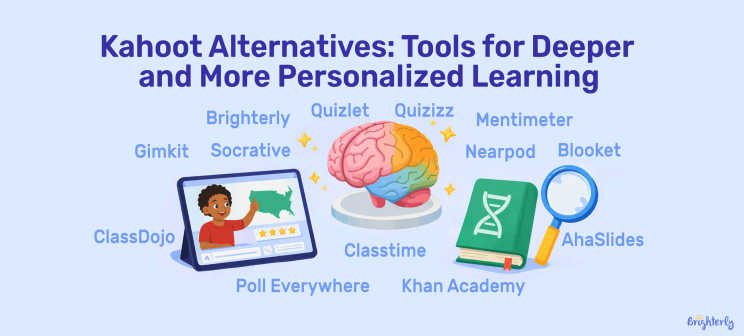
Finding the right Kahoot alternatives helps you and your child move beyond quick quizzes toward deeper subject mastery. While gamified tests keep energy high, children often need more personalized support to build lasting academic confidence. This guide explores the most effective interactive tools available in 2026 to help your child excel in math and reading.
Key points
- Quizizz (Wayground), Gimkit, Blooket, and Bamboozle make repetition fun and motivating with game elements, strategy, competition, and rewards.
- Mentimeter, Poll Everywhere, AhaSlides, and Wooclap are perfect for live polls, open-ended discussions, and visualizing group thinking and participation.
- Nearpod, Socrative, Formative, and Classtime are great for seeing understanding in real time and quickly spotting learning gaps.
- Quizlet, Khan Academy, and ClassDojo are the ideal Kahoot alternatives free for self-paced review, individual study, reinforcing facts and vocabulary, and tracking positive habits at home.
- CodaKid and Jotform AI Quiz Generator offer structured learning beyond quizzes — from coding courses to AI-generated custom tests.
- For parents who want personalized academic progress over quick engagement, Brighterly stands out with 1:1 live math and reading lessons with tutors, starting at $17.70 per lesson (as of April 2026).
Exploring alternatives?

What Are the Reasons to Choose Platforms Like Kahoot in 2026?
Parents turn to sites like Kahoot when traditional study methods stop working: a child loses focus, stresses, dreads homework, or needs more repetition. Similar to Kahoot platforms make practice feel less like boring learning. Quick quiz rounds, instant feedback, and learning games help kids cover more material without losing interest.
Due to a 2024 study which was published in an Education Sciences and conducted by the Georgios Lampropoulos and Antonis Sidiropoulos, gamified learning outperformed both online and traditional learning in success rate, excellence rate, average grade, and retention.
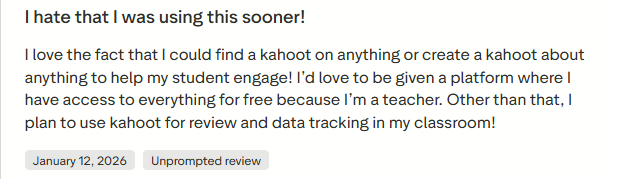
Before websites similar to Kahoot appeared, Kahoot was a very progressive tool. Teachers used the interactive game, and students loved taking part in it. Among all these benefits, one teacher is especially excited. She shares thoughts in this Trustpilot review about Kahoot’s impact on student motivation (as of January 2026):
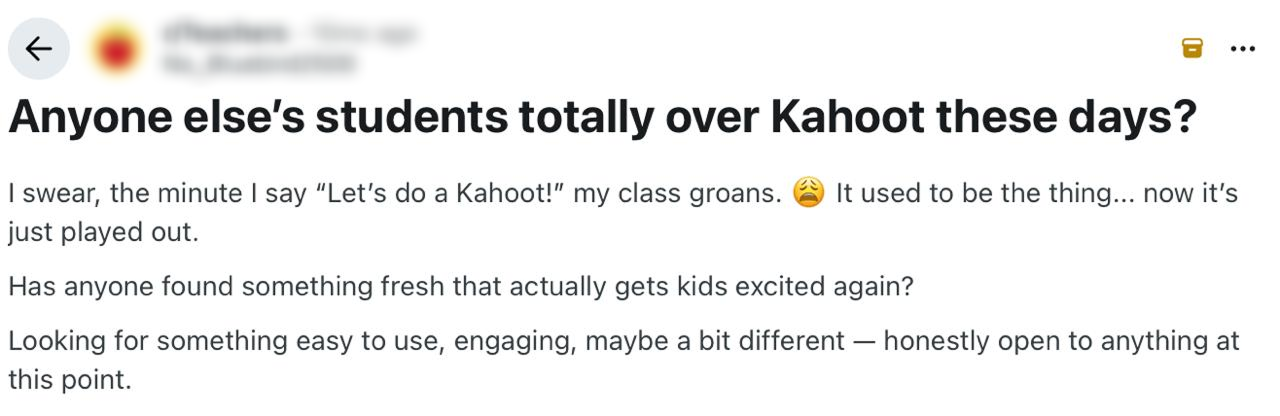
A Reddit thread as of April 2025 shows a common pattern many parents recognize: kids stop engaging with Kahoot after a few sessions. A teacher shares her frustration that the novelty wears off, and without peer-group energy, Kahoot loses its appeal at home entirely.
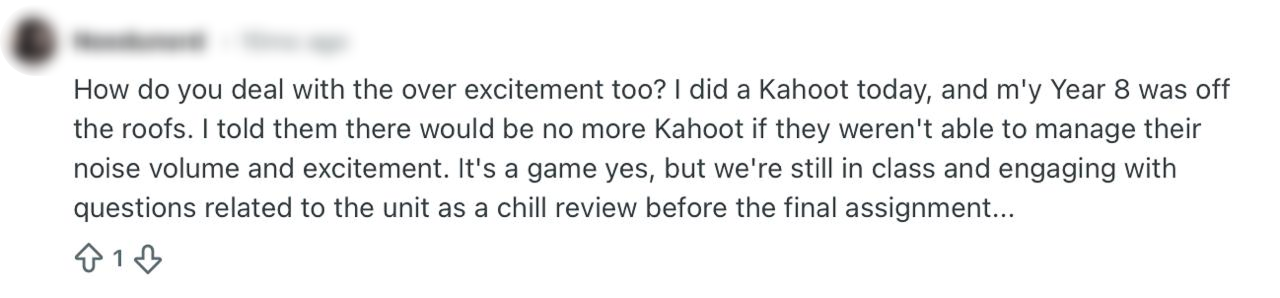
Other educators notice the same problem. Kids get so caught up in winning that they stop paying attention to what they’re actually learning — as this Reddit comment (as of April 2025) shows.
If price is also a factor in your decision, check the full in-depth review of Kahoot pricing 2026 to discover what’s free and whether the paid plans are worth it.
Explore Brighterly Learning Experience
Learn exactly how Brighterly helps students thrive through expert sessions, online tools, and proven feedback from thousands of satisfied parents
Top 18 Websites Like Kahoot: Quick Comparison
- Brighterly
- CodaKid
- Quizizz
- Jotform AI Quiz Generator
- Quizlet
- Nearpod
- Socrative
- Mentimeter
- AhaSlides
- Blooket
- Gimkit
- Classtime
- Poll Everywhere
- ClassDojo
- Khan Academy
- Formative
- Wooclap
- Bamboozle
Here is a table to compare Kahoot type games for your best fit, pricing, and what they offer:
| Platform | Best for | Subjects | Pricing* |
| Brighterly | Personalized 1:1 lessons with tutors | Math, Reading | From $17.70/lesson |
| CodaKid | Self-paced and 1:1 lessons with tutors | Coding, AI, STEM | From $29/month |
| Quizizz (Wayground) | Homework review, self-paced quizzes | All subjects | Free + $18/month |
| Jotform AI Quiz Generator | Custom quiz creation | All subjects | Free + $34/month |
| Gimkit | Game-based practice with quizzes | All subjects | Free + $14.99/month |
| Blooket | Game mode learning and quizzes | All subjects | Free + $4.99/month |
| Quizlet | Vocabulary learning and memorization with flashcards, games | All subjects | Free + $2.99/month |
| Nearpod | Interactive lessons in live and with self-paced slides | All subjects | Free + $159/year |
| Socrative | Quick checks with real-time quizzes | All subjects | Free + $120/year |
| Mentimeter | Live polls and word clouds with interactive slides | All subjects | Free + $15/month |
| AhaSlides | Live participation with interactive slides | All subjects | Free + $7.95/month |
| Classtime | Formative checks via branching questions | All subjects | Free + $9/month |
| Poll Everywhere | Live polls, discussion | All subjects | Free + $120/year |
| ClassDojo | Behavior tracking | All subjects | Free |
| Khan Academy | Self-paced skill building with videos | Math, Science, ELA+ | Free |
| Formative | Real-time responses and live assessment | All subjects | Free + $20.75/month |
| Wooclap | Live quizzes and polls | All subjects | Free + $9.99/month |
| Bamboozle | Fast-paced competitive quiz games | All subjects | Free + $4.99/month |
* Pricing is relevant as of April 2026 and may change for different plans and regions.
If you’re looking for a math learning platform, you can opt for these 10 interactive math websites for kids.
Brighterly
Best for: Personalized 1:1 math and reading lessons with tutors
Brighterly educational platform isn’t a quiz-based website like Kahoot. We offer a more structured, well-rounded academic approach that goes beyond games. The platform provides live 1:1 tutoring where kids learn math and reading through personalized lessons that are fully aligned with U.S. state standards.
Whether your child needs structured homeschool math or reading and writing tutoring, our tutors build a learning plan around their goals and learning preferences.
Who Is It For?
Kids in grades K-12 who need more than quiz games
Brighterly Top Features
- Our certified tutors make each lesson feel friendly and encouraging. They know how to spot where your child struggles and help step by step.
- Learning starts with a simple check to see where your child actually is. From there, our tutors build a personalized plan that fills gaps in the right order.
- We also offer a free diagnostic reading test and math tests before committing, plus themed math worksheets and reading worksheets — free Kahoot alternatives.
How Much Is Brighterly?
We offer mid-range lesson pricing, with a flexible loyalty system in place and constant discounts. The prices to expect for 2 weekly lessons and more range from $17.70 to $20.70 per lesson on the 12-month plan (the current discount is 20%).
Brighterly Pros and Cons
Brighterly reading and math program pros |
Brighterly сons |
| ✅ Personalized 1:1 lessons that match each child’s reading and math level | ❌ No group classes – only one-on-one sessions |
| ✅ Step-by-step learning paths | ❌ Available only for grades 1-9 |
| ✅ Gamified interactive lessons |


Real learning beyond quiz games
Give your child structured lessons with clear explanations to make homework less stressful.
CodaKid
Best for: learning coding and AI
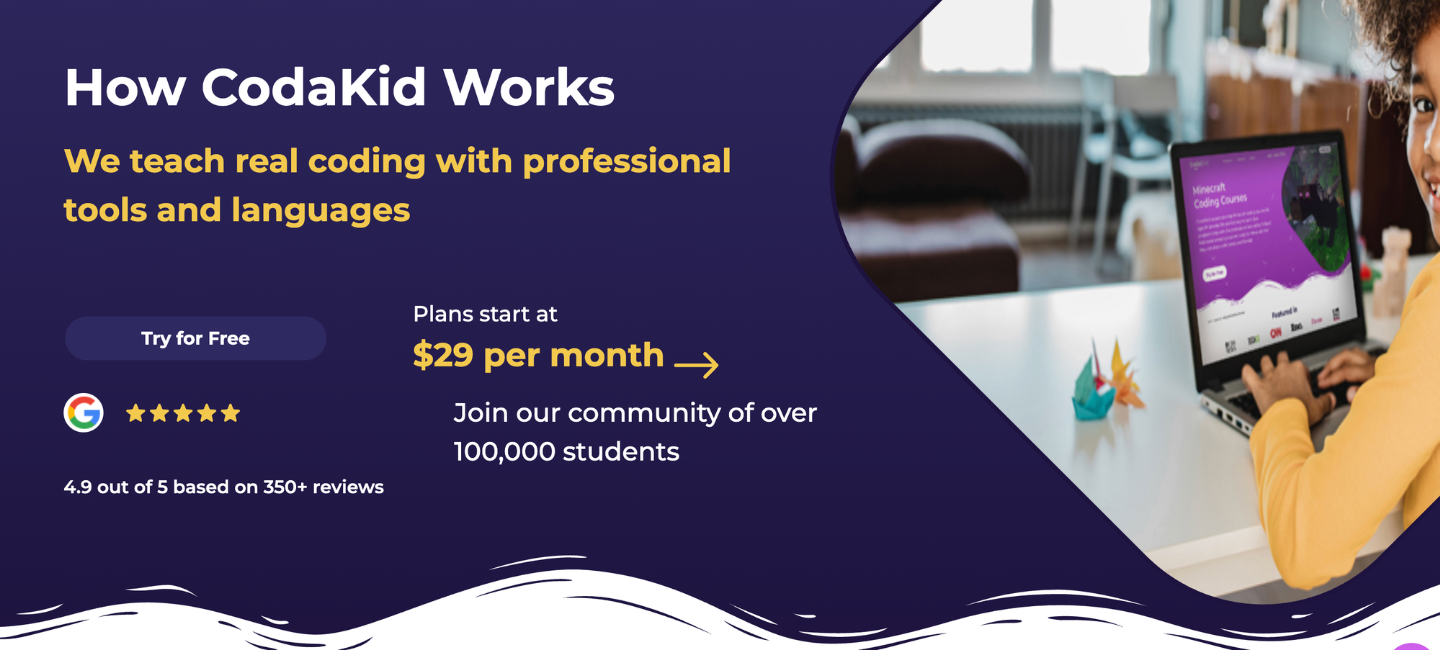
CodaKid is an online coding and AI academy. The platform introduces young learners to real programming languages using professional-grade tools, giving them hands-on experience with the same platforms used by tech industry professionals.
Who Is It For?
Kids aged 6 and up
CodaKid Top Features
- Over 85 courses, each carefully designed to align with different age groups and skill levels.
- Provides private 1:1 lessons where students work live with expert instructors.
- Focus on teaching industry-standard programming languages and tools.
How Much Is CodaKid?
Self paced courses start at $29/month, while private 1:1 lessons are $249/month. Additionally, seasonal virtual camps offer interactive group learning experiences, providing families with options to suit their schedules and learning preferences.
CodaKid Pros and Cons
Pros |
Cons |
| ✅ Structured, in-depth coding education with real programming languages | ❌ Less suited for whole-class live competition or quick knowledge checks during lessons |
| ✅ Self-paced learning with flexible scheduling for busy families | ❌ Requires parental involvement for younger students |
Quizizz (Wayground)
Best for: practice in the classroom and homework revision
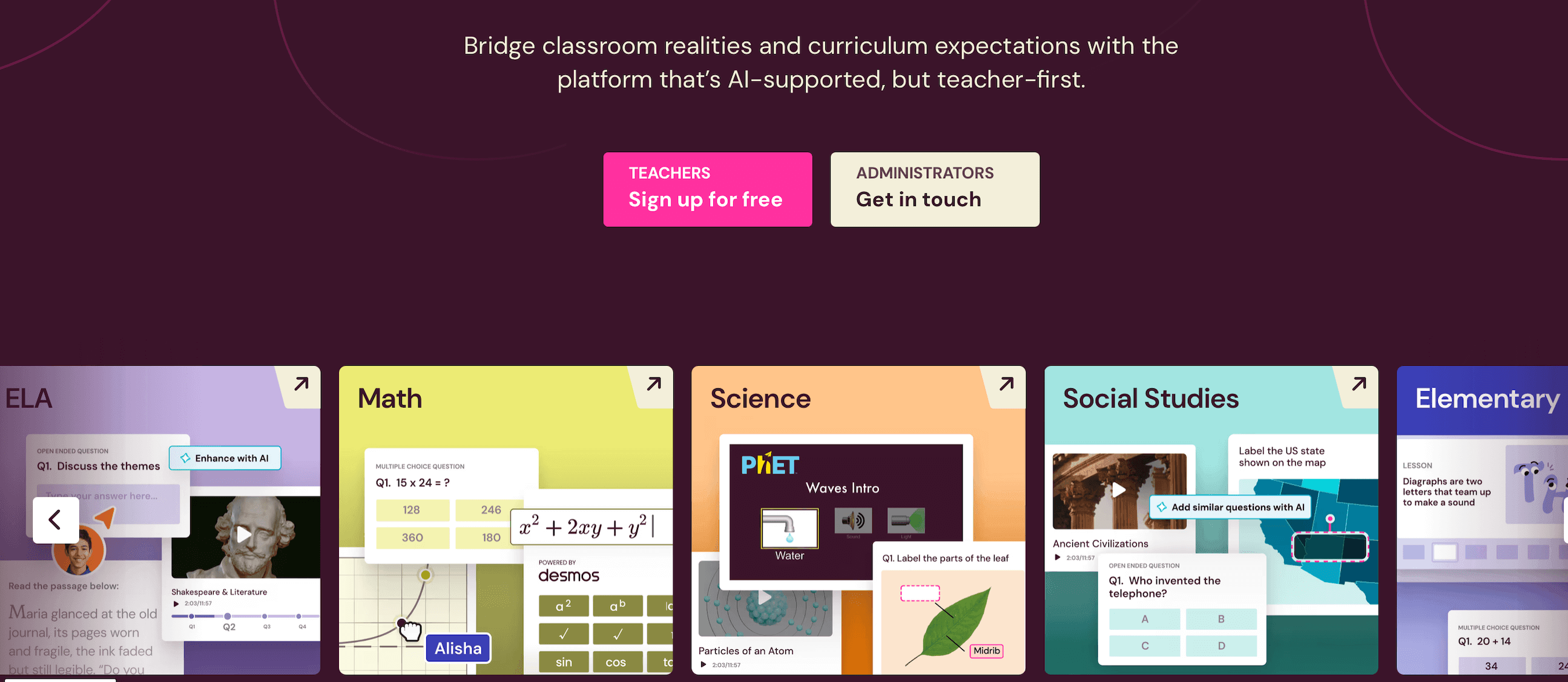
The name Quizizz (is now Wayground) hints at what the app does best — interactive quizzing. The platform works similarly to Kahoot, but without time pressure. Memes and game elements make the tool interactive and effective. Quizizz helps students understand the material rather than just guessing.
Who Is It For?
Kids and teens, roughly 6-18 years old
Wayground Top Features
- You can see detailed reports to track the kid’s progress.
- Add a content library: thousands of ready-made quizzes across different subjects.
How Much Is Wayground?
Wayground (formerly Quizizz) offers a free plan that provides access to core quiz and interactive learning features. For expanded tools, paid subscriptions are available — typically ranging from $18 per month (or $216/year) for an individual user.
Wayground Pros and Cons
|
Pros |
Cons |
| ✅ Website similar to Kahoot, but with a low-stress learning environment | ❌ Mostly quiz-based activities |
| ✅ Engaging, game-like interface | ❌ Limited deep personalization |
Jotform AI Quiz Generator
Best for: Quick quizzes and studying
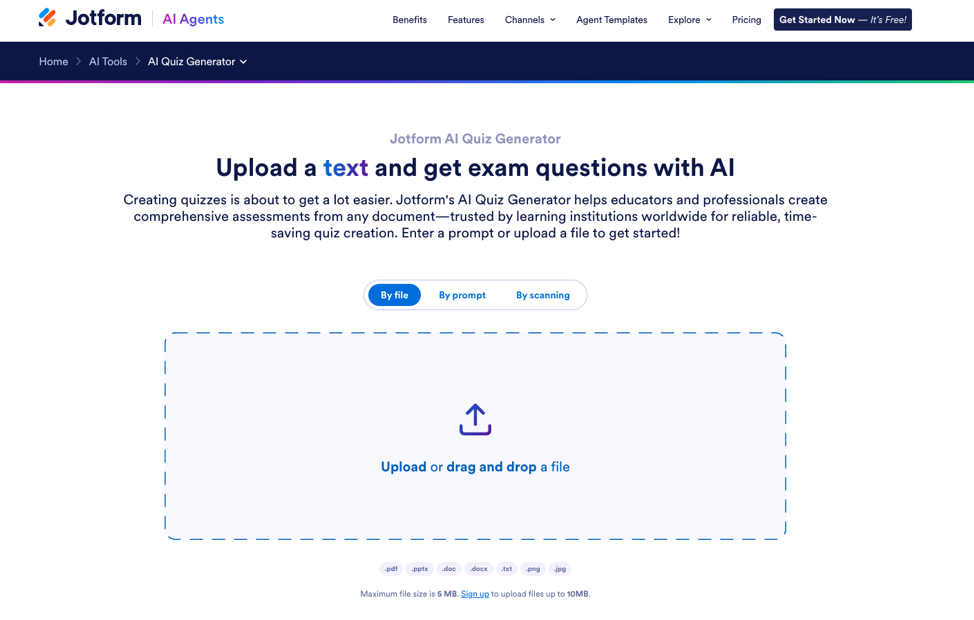
Jotform AI Quiz generator is a great way to put all your lesson material to use by letting AI create quizzes based on it, which you can easily share with your students using a link or QR code for them to solve.
Who Is It For?
All ages
Jotform AI Quiz Generator Top Features
Jotform is a quiz maker that lets AI create quizzes from your own material.
- You can either prompt your way to a quiz or upload your lesson documents for it to automatically generate questions.
- Their huge array of customization options is great for when you need to add a little pop to your quizzes.
How Much Is Jotform AI Quiz Generator?
Jotform has a free plan that allows 5 active quizzes and full access to all its other productivity and workflow tools. The paid plans start from $34/month and go up to $99/month. They offer higher form limits, special features like HIPAA compliance and more. Their Enterprise plan has custom pricing and gives unlimited use and features for bigger organizations.
Jotform AI Quiz Generator Pros and Cons
|
Pros |
Cons |
| ✅ Multiple input methods, such as prompting and document uploading. | ❌ Question quality depends on the material and accurate prompting. |
| ✅ Auto-grading and quiz analytics features | ❌ The free plan has some restrictions and has Jotform branding. |
Gimkit
Best for: knowledge reinforcement and interactive practice across subjects.
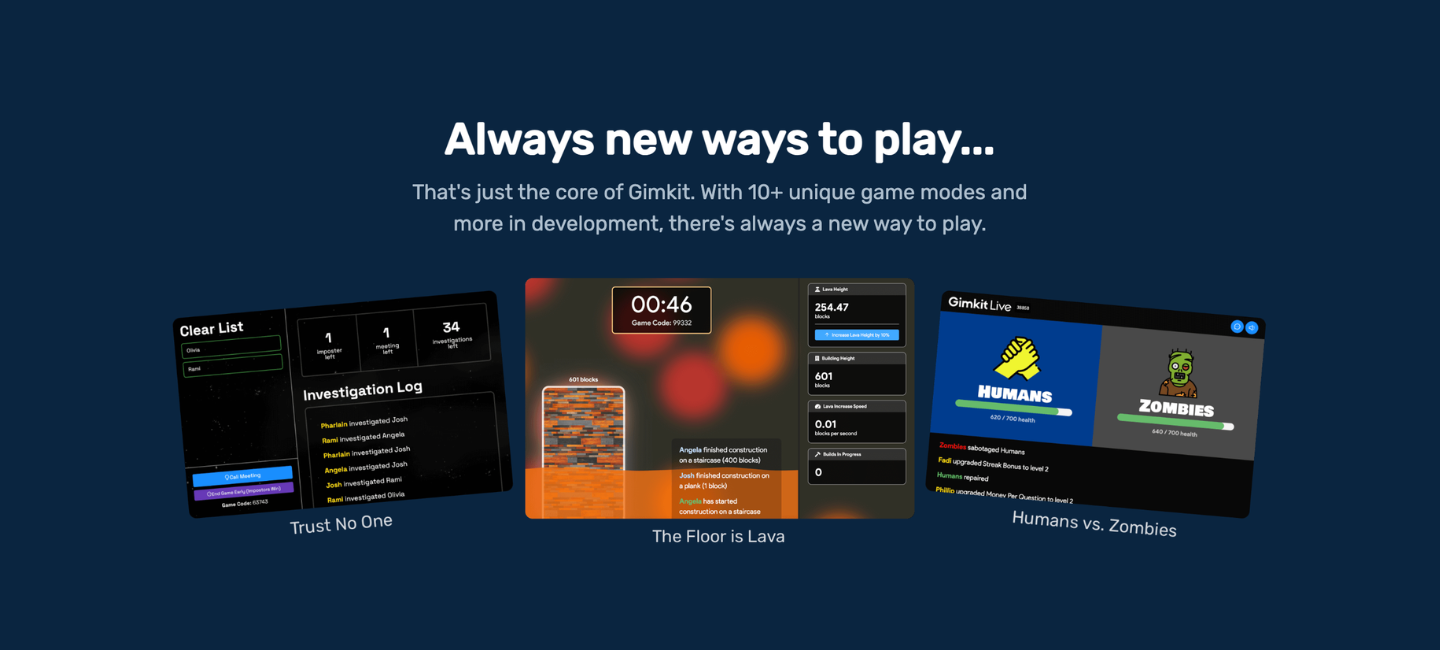
Gimkit is a game‑based learning platform that energizes traditional quizzes with strategy and playful competition. Students don’t just answer questions — they earn virtual money for correct answers and use it to buy upgrades.
Who Is It For?
K-12
Gimkit Top Features
- Strategic gameplay — students earn virtual currency and decide how to use it for power‑ups and upgrades.
- A child can contribute their own questions to the set, which reinforces understanding by making them think from the other side.
How Much Is Gimkit?
Gimkit offers a free trial with basic game modes and limited features. For full access, the Gimkit Pro plan costs $14.99/month.
Gimkit Pros and Cons
|
Pros |
Cons |
| ✅ Engaging quiz‑based strategy gameplay | ❌ Centered around quiz‑style learning |
| ✅ Real-time competitive activities | ❌ Feels more like a game rather than a learning practice |
Blooket
Best for: classroom review and mixed‑age group engagement
Blooket is a game-based learning platform where kids answer questions to earn points, unlock characters, and compete in different game modes. The platform turns simple quizzes into interactive challenges to help keep students engaged during practice. You can create your own question sets or use ready-made ones, making it easy to use for at-home learning.
Who Is Ot For?
Elementary and middle school students
Blooket Top Features
- Different game modes, so that answering questions never feels boring.
- Similar to the Kahoot like websites, here you can write your own questions or use the library.
How Much Is Blooket?
Blooket offers a free plan with the ability to create games and quizzes. A Blooket Plus typically costs under $4.99/month or $9.99 for more features and brings you access to extra play modes.
Blooket Pros and Cons
|
Pros |
Cons |
| ✅ Varied and fun game formats | ❌ Game‑style review primarily |
| ✅ Free version with solid core features | ❌ Many features need premium access |
Quizlet
Best for: vocabulary learning and memorization of facts
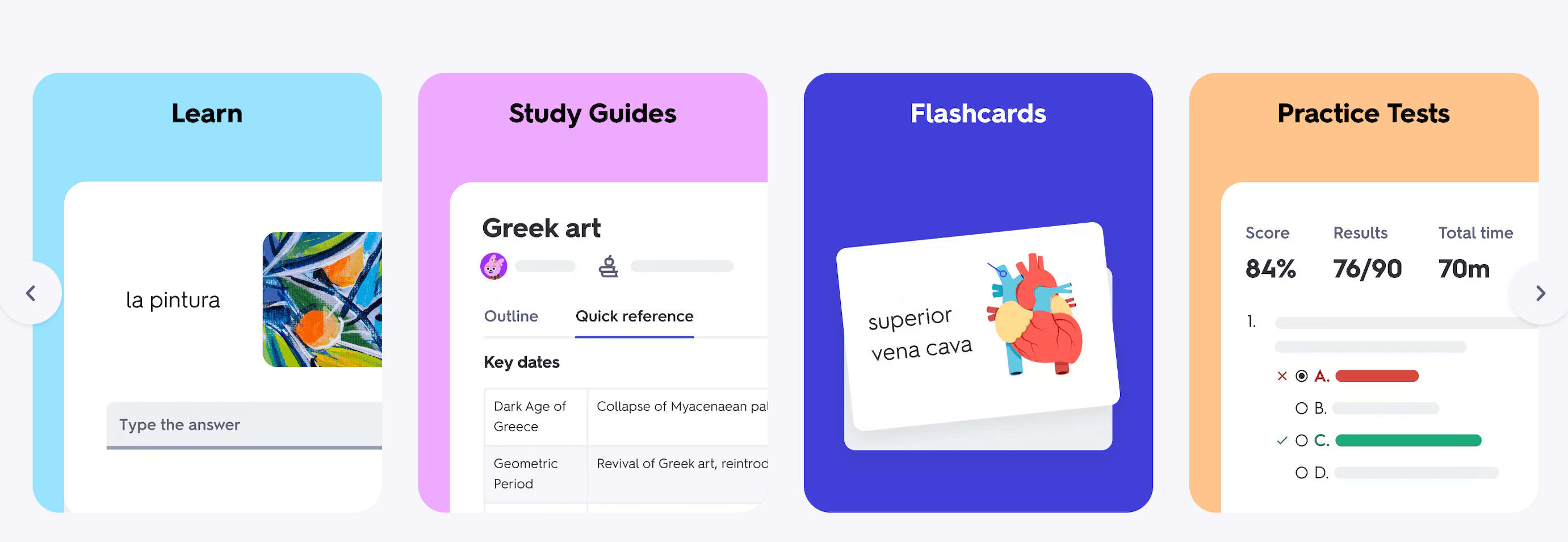
Quizlet incorporates a variety of flashcards, games, and practice tests. With its rich set of features, it makes sense to turn the most trivial text into an interactive experience.
Who Is It For?
All ages
Quizlet Top Features
Unlike games like Kahoot, the Quizlet alternative is more about rush-free learning and memorization.
- It relies mainly on flashcards — either from their library or created individually by each user.
- Personalized learning that adapts to the individual student’s needs.
How Much Is Quizlet?
Quizlet has a free plan with flashcards, games, and most study modes. Quizlet Plus adds offline access and extra study tools, starting at $2.99/month or $35.99/year.
Quizlet Pros and Cons
|
Pros |
Cons |
| ✅ Great for memorization and vocabulary practice | ❌ Less suited for thorough concept teaching |
| ✅ Library of user-created study sets across all subjects and grade levels | ❌ Not designed for structured lesson plans |
Nearpod
Best for: interactive classroom lessons
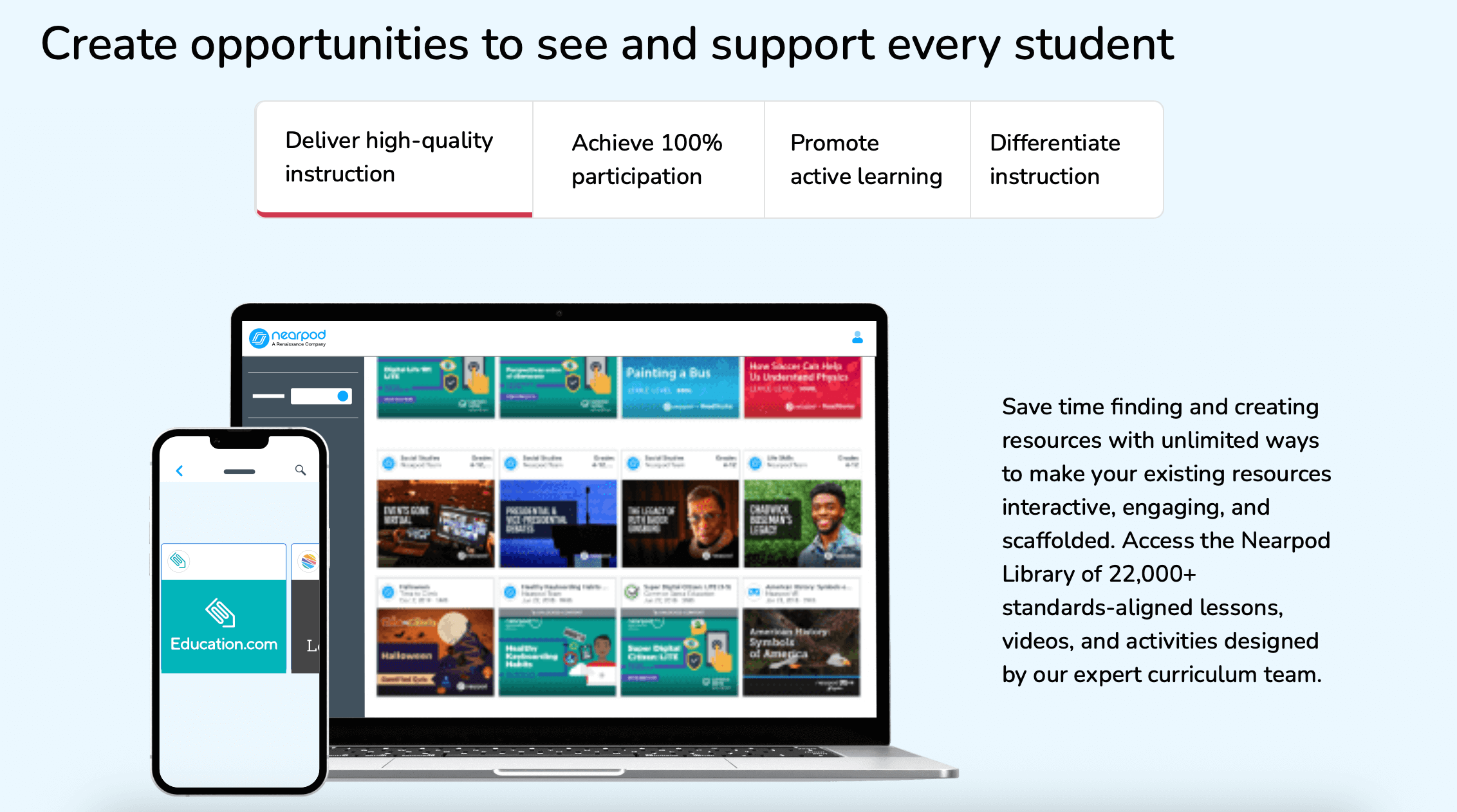
Nearpod is an interactive lesson platform that turns traditional presentations into live or self‑paced activities with polls, quizzes, videos, social media clips, and collaborative tasks. During the lesson, the platform collects student responses and shows what they’ve understood and where they might need extra help.
Who Is It For?
Elementary to high school
Nearpod Top Features
- Children can explore concepts visually via virtual field trips and embedded videos.
- Instant feedback shows exactly which questions stumped your child, so the next session starts from the right place.
How Much Is Nearpod?
Nearpod has a free basic plan, still with limited features. Paid plans start at $159/year, while the Platinum plan costs $397/year.
Nearpod Pros and Cons
|
Pros |
Cons |
| ✅ Proves effective in engaging students | ❌ The free plan comes with limited functions |
| ✅ Built-in assessment tools for instant feedback and detailed learning insights | ❌ More classroom‑oriented |
Socrative
Best for: real‑time classroom checks and quick skill reviews
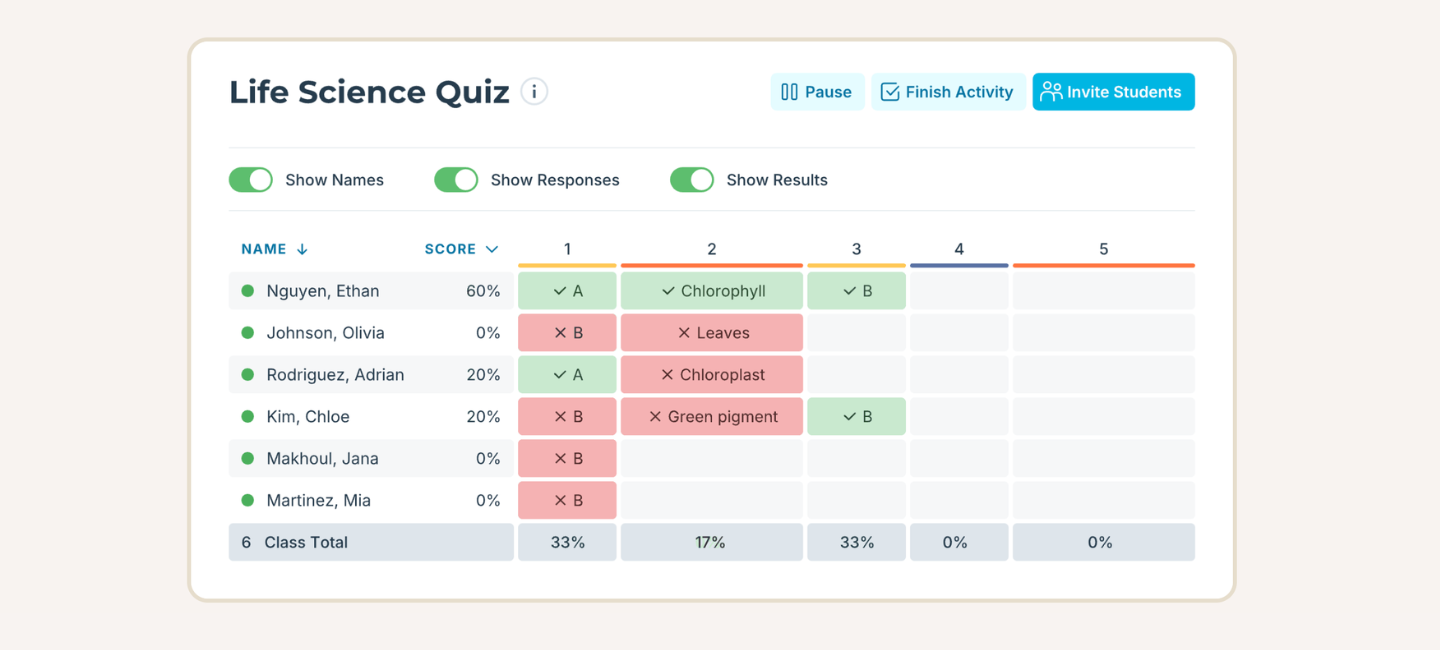
Socrative is a quick and simple assessment tool that helps check students’ understanding in real time. Its clean interface makes it simple and fast for classroom quizzes and checks.
Who Is It For?
Learners (elementary to high school) who want fast, no‑fuss quizzes and instant feedback
Socrative Top Features
- Quick quizzes and exit tickets to check what your child retained at the end of any study session.
- No account needed — kids join with a room code on any device.
How Much Is Socrative?
Free basic plan available. Pro plan with more features starts at $120/year.
Socrative Pros and Cons
|
Pros |
Cons |
| ✅ Fast setup | ❌ Limited advanced features |
| ✅ Intuitive, user-friendly interface | ❌ Simple design |
Mentimeter
Best for: live feedback and idea sharing
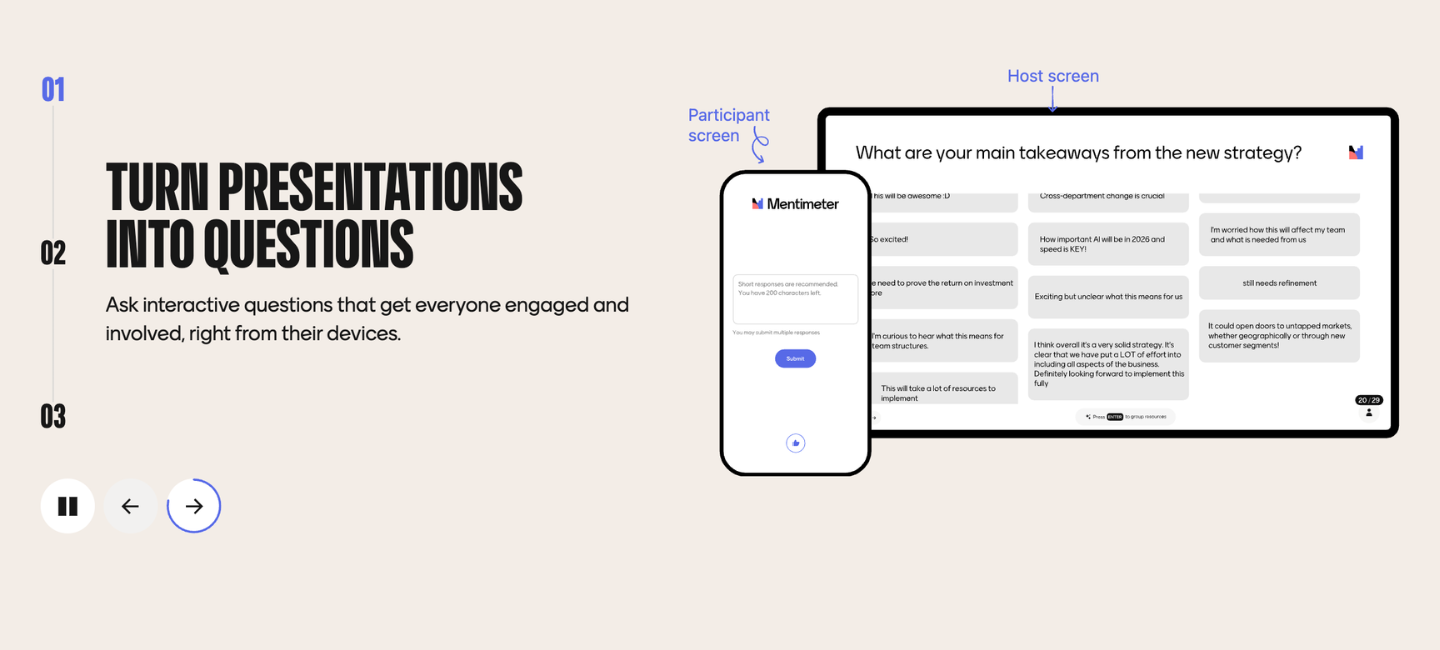
Mentimeter makes lessons feel alive. Instead of showing slides, you can turn them into interactive questions, polls, and word clouds that kids will answer on their own devices.
Who Is it For?
Elementary to high school
Mentimeter Top Features
- Live polls for instant responses.
- Word clouds and open ended questions to visualize ideas.
How Much Is Mentimeter?
A free plan is available with basic features and a limited number of responses. Paid plans with unlimited questions and analytics start at $15.
Mentimeter Pros and Cons
|
Pros |
Cons |
| ✅ Session setup takes minutes | ❌ Not for thorough skill-building |
| ✅ Responses appear live on screen | ❌ Advanced features require a paid option |
AhaSlides
Best for: live lesson participation, discussions
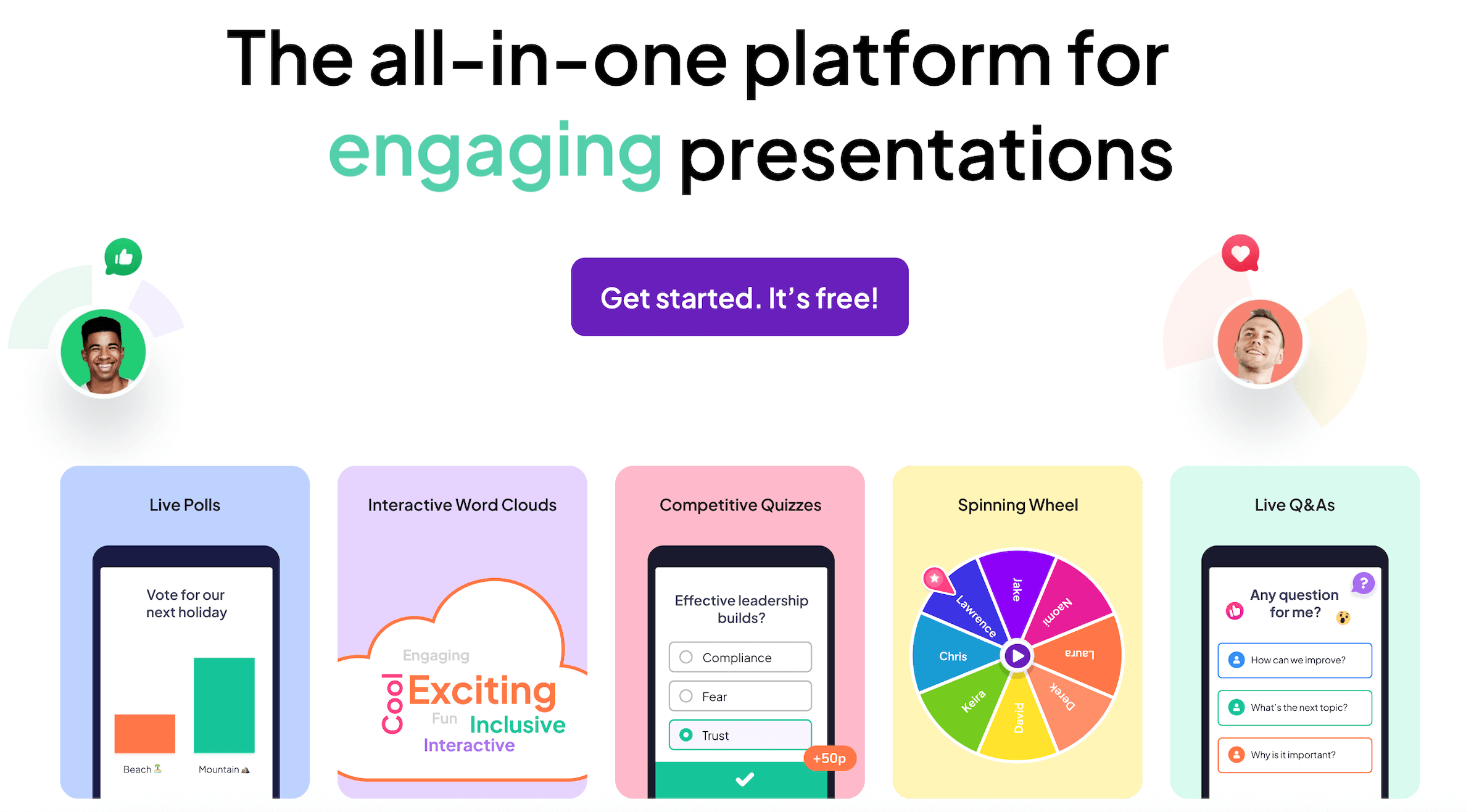
AhaSlides isn’t a free Kahoot alternative, but it turns slides into true interaction hubs. With this platform, kids can vote, share ideas, or brainstorm with word clouds.
Who Is It For?
Elementary to high school
AhaSlides Top Features
- Interactivity beyond quizzes with polls, open text, word clouds, and Q&A.
- Presentation flexibility to create interactive slides.
How Much Is AhaSlides?
AhaSlides offers a free plan that covers its basic features. For the maximum functionality, you’ll have to pay $7.95/month.
AhaSlides Pros and Cons
|
Pros |
Cons |
| ✅ Live interaction features | ❌ Won’t significantly improve one’s skills |
| ✅ Design with customizable templates | ❌ Is less game-based |
Classtime
Best for: progress estimation and checking past topics
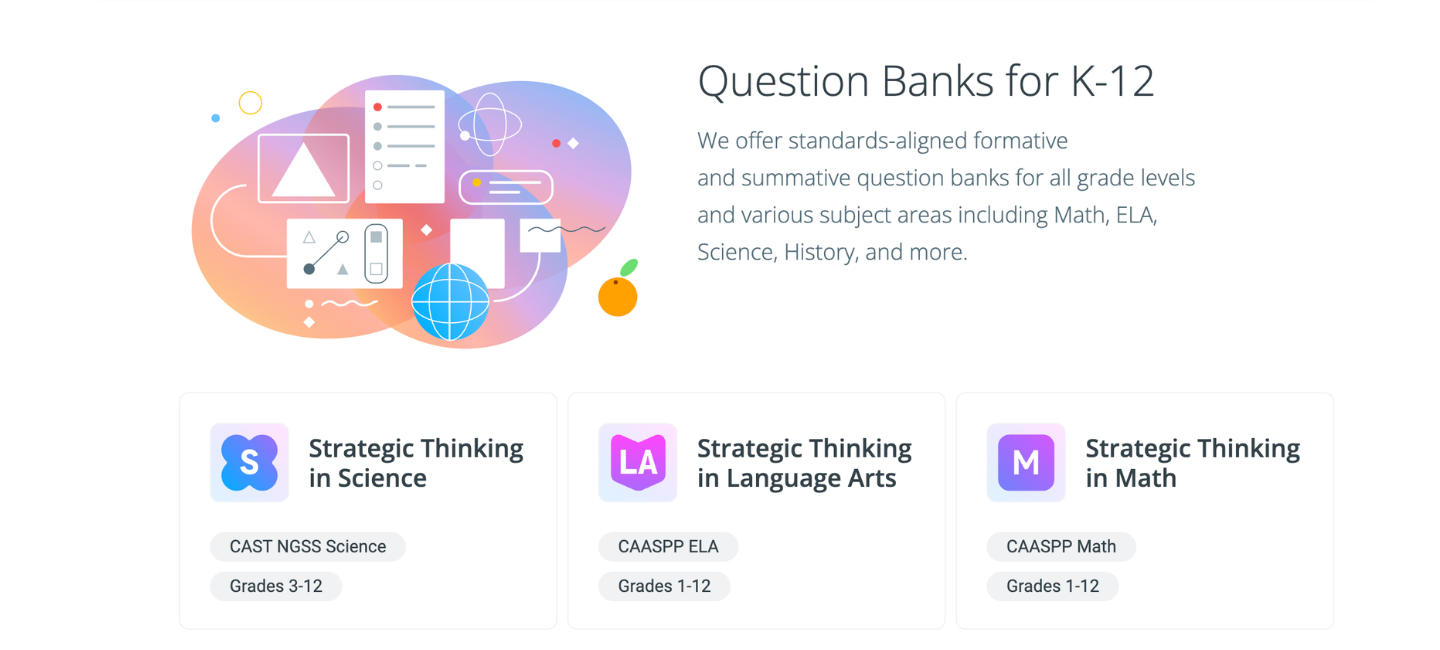
Classtime turns lesson checks into classroom conversations. The platform is a great way to see how students really think and understand, as it allows them to create quick tests, branching tasks, and reflection prompts that help them think more deeply.
Who Is It For?
Elementary to high school.
Classtime Top Features
- Quick checks and reflection tasks let kids show how they actually think.
- Branching questions adapt based on each student’s answers, so the next question always matches where they are right now.
How Much Is Classtime?
Classtime offers a free plan with core tasks and insights. Paid plans with advanced analytics and larger class support start at $9/month.
Classtime Pros and Cons
|
Pros |
Cons |
| ✅ Detailed diagnostic assessments and real-time insights | ❌ Less game-like than Kahoot |
| ✅ Actionable data on individual student misconceptions and learning gaps | ❌ Not a full curriculum replacement |
Poll Everywhere
Best for: class discussion and immediate feedback
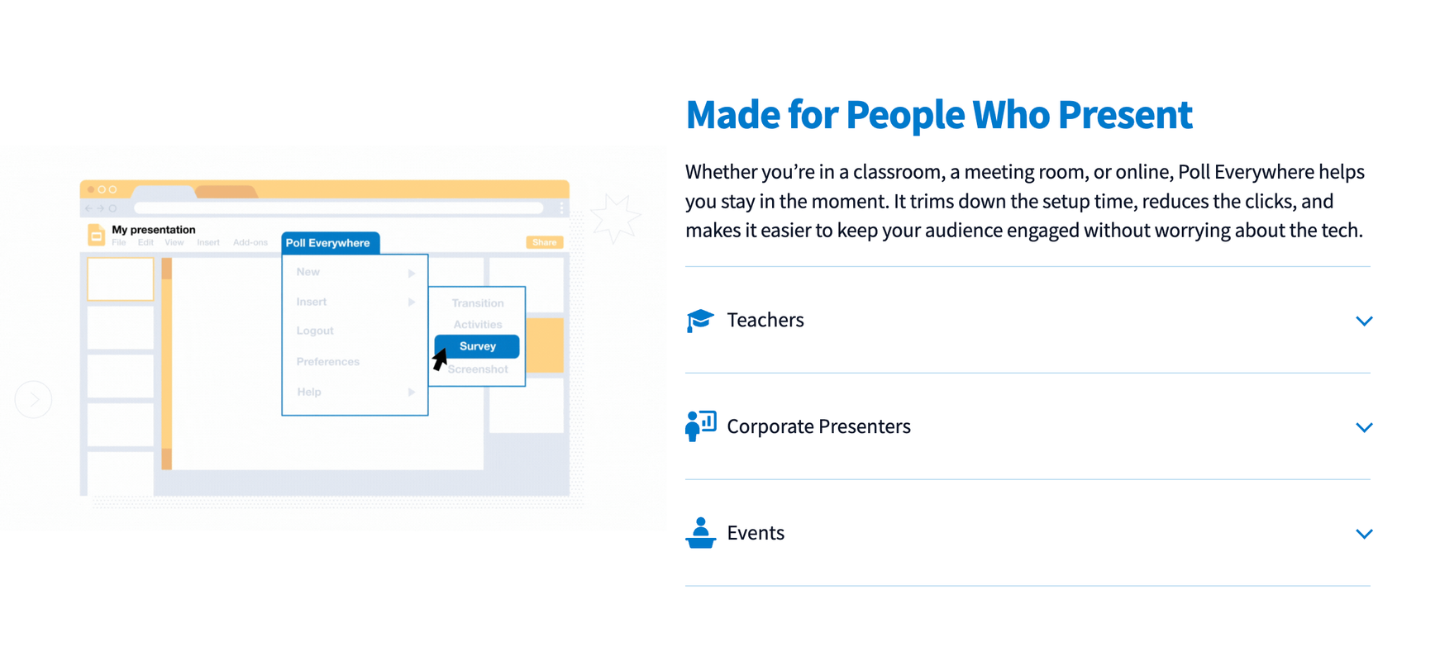
Poll Everywhere takes participation beyond quizzes and turns every pupil’s voice in the room into part of the lesson. Instead of waiting for hands to go up, kids respond live on their phones using polls, word clouds, open text, and multiple‑choice.
Who Is It For?
Presenters across all levels
Poll Everywhere Top Features
- Live polling collects real-time responses from learners.
- Native integration with PowerPoint, Keynote, and Google Slides to embed live polls directly into an existing presentation.
How Much Is Poll Everywhere?
Poll Everywhere has a free plan with basic polling and live responses. Paid plans with full features cost from $120 to $999/year.
Poll Everywhere Pros and Cons
|
Pros |
Cons |
| ✅ Everyone can answer anonymously | ❌ Free plan limits participants and options |
| ✅ Flexible question formats | ❌ Advanced analytics are behind paid plans |
ClassDojo
Best for: classroom culture, behavior tracking
ClassDojo changes classroom management into something fun and motivating. You can set simple behavior goals and give points during lessons with one click. The platform works especially well for everyday routines, encouraging focus, kindness, and teamwork. ClassDojo is a completely free alternative to Kahoot.
Who Is It For?
Students of elementary and middle school
ClassDojo Top Features
- Kids can see their points grow in real time, which keeps them motivated.
- With customizable avatars, kids can create a personal character to represent them.
How Much Is ClassDojo?
ClassDojo is completely free.
ClassDojo Pros and Cons
|
Pros |
Cons |
| ✅ Rewards, points, and visual feedback to encourage positive behavior and participation | ❌ Focused on behavior, not academic skills |
| ✅ Student achievements and effort celebrating | ❌ Limited depth for senior students |
Khan Academy
Best for: self-paced learning, skill strengthening, and independent practice
Khan Academy is a free learning platform that features pre-recorded lessons on a huge range of topics. The platform isn’t a direct Kahoot alternative, but it’s still a good option for knowledge building and practice.
Who Is It For?
Kids aged 6 and up
Khan Academy Top Features
- Completely Free Kahoot alternative for children.
- Structured courses for subjects like math, science, reading comprehension, history, and more.
How Much Is Khan Academy?
Сompletely free.
Khan Academy Pros and Cons
|
Pros |
Cons |
| ✅ Free comprehensive library of lessons and practice across all subjects and grade levels | ❌ No live interaction |
| ✅ Self-paced learning | ❌ Less engaging for kids who need play-based motivation |
Build strong skills that last
1:1 lessons help your child understand math instead of guessing in games
Formative
Best for: real-time student responses and live formative assessment
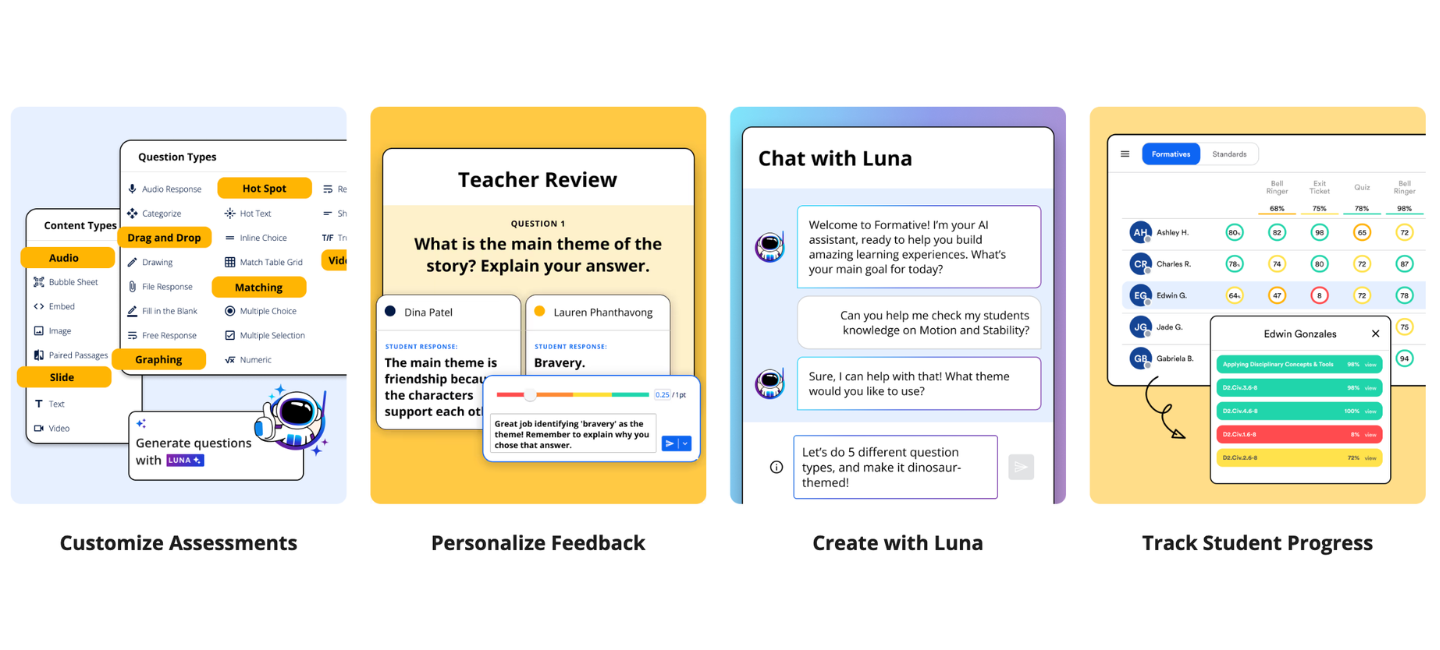
Formative is a live assessment tool that shows responses as your child answers — so you can spot confusion right away, not after the fact. Unlike a typical game like Kahoot, it’s built for real feedback, making it one of the most useful check-in tools for parents running structured home sessions.
Who Is It For?
Grades K–12
Formative Top Features
- Live response view — see answers appear in real time as your child completes them.
- Multiple question types: multiple choice, short answer, drawing, and more.
How Much Is Formative?
Formative offers a free plan for core features. Paid plans start from $20.75/month, paid annually.
Formative Pros and Cons
| Pros | Cons |
| ✅ Real-time response view gives instant insight | ❌ Less game-lik |
| ✅ Diverse question types beyond multiple choice | ❌ Best features require a paid plan |
Wooclap
Best for: interactive live lessons and audience engagement
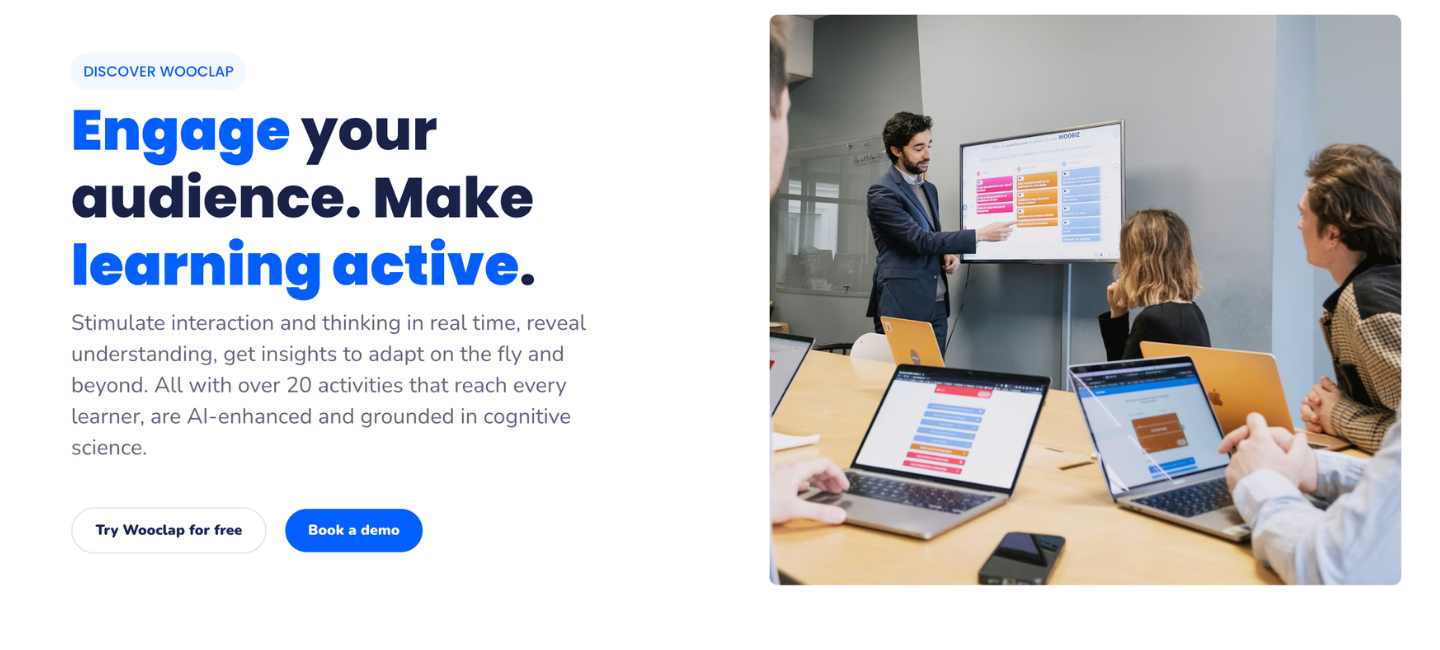
Wooclap combines quiz-based interactive questions with live polling and open-ended activities — making it one of the more versatile things like Kahoot for parents doing structured lessons at home. The platform offers more variety in questions than Kahoot, so sessions feel different every time.
Who Is It For?
K–12 and higher education
Wooclap Top Features
- Live quizzes, polls, word clouds, matching questions, and open text.
- Works across all devices — no app download required.
How Much Is Wooclap?
Free plan for basic use. Paid plans from $9.99/month.
Wooclap Pros and Cons
| Pros | Cons |
| ✅ More question variety than Kahoot | ❌ Less game-like than Blooket or Gimkit |
| ✅ Works on any device with no friction |
❌ Free plan limits participant count |
Bamboozle
Best for: fast-paced quiz games for younger kids
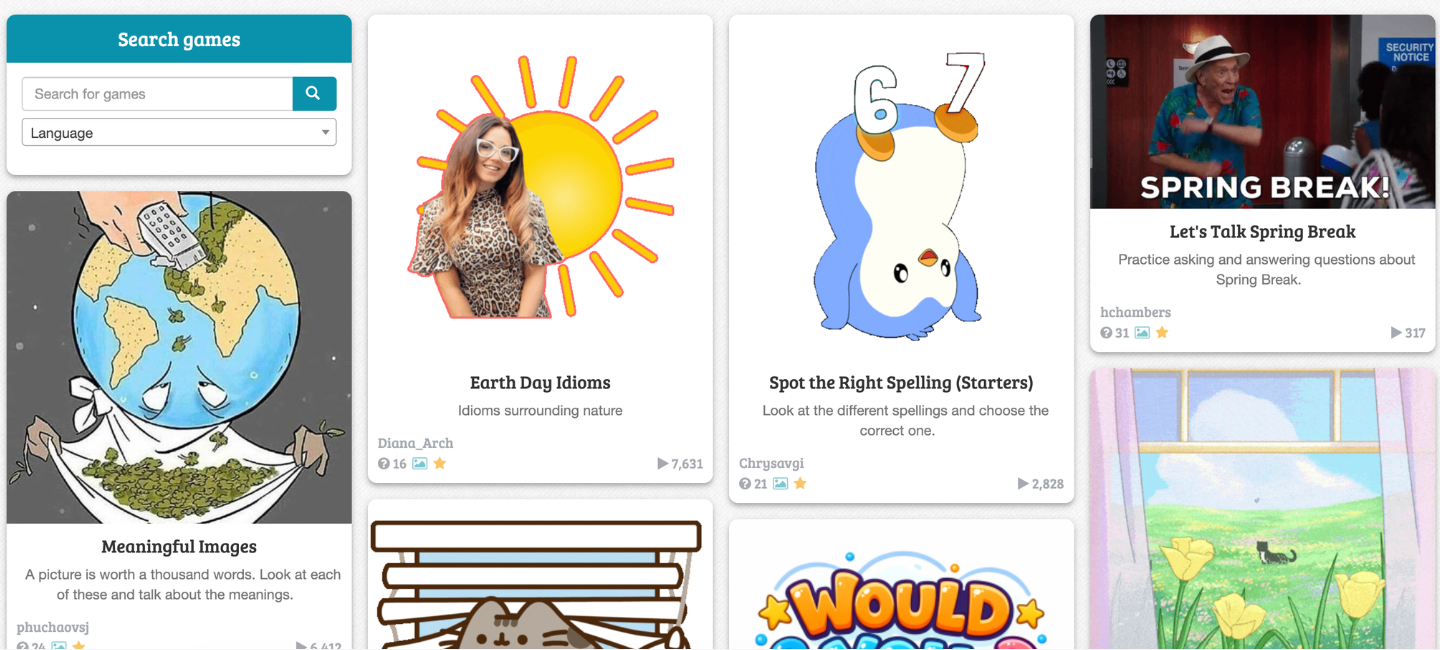
Bamboozle is one of the closest game like Kahoot, with fast-paced quiz rounds, team competition, and unique, colorful visuals that keep younger kids engaged. The platform is simpler than Blooket or Gimkit but works well for quick at-home review sessions.
Who Is It For?
Kids aged 5–12
Bamboozle Top Features
- Fast-paced quiz rounds with bright, kid-friendly visuals.
- Team and individual play modes with thousands of pre-made quizzes.
How Much Is Bamboozle?
Free plan with full quiz access. Bamboozle Pro at $4.99/month.
Bamboozle Pros and Cons
| Pros | Cons |
| ✅ Simple and fast — perfect for younger kids | ❌ Limited analytics and progress tracking |
| ✅ Free plan covers most home use | ❌ Smaller content library than larger platforms |
What’s Next: How to Choose the Best Kahoot Alternative?
The right Kahoot alternative depends on what your child actually needs:
- For engagement and quick checks: Blooket, Gimkit, Bamboozle, or Quizizz (Wayground). These come closest to Kahoot’s format with more game variety.
- For self-paced study at home: Quizlet and Khan Academy. Both are free and cover core subjects well.
- For live interaction beyond quizzes: Mentimeter, AhaSlides, Wooclap, and Poll Everywhere support discussions, polls, and collaborative thinking.
- For real-time feedback: Nearpod, Socrative, Formative, and Classtime show exactly what your child understood — and where they got stuck.
- For coding and custom quizzes: CodaKid and Jotform AI Quiz Generator offer structured learning beyond the quiz format.
- For positive habits at home: ClassDojo tracks focus and behavior — completely free.
- For structured 1:1 learning: Brighterly connects your child with a personal tutor who builds a customized learning experience.
Frequently Asked Questions
Is There Anything Similar to Kahoot But Free?
Blooket, Gimkit (basic), Bamboozle, and Quizizz (Wayground) offer Kahoot free alternatives with full quiz-game features. Khan Academy and ClassDojo are also completely free, though they serve different purposes. For live quizzes closest to Kahoot’s format, Blooket and Bamboozle are the strongest free options.
Is There Not a Free Version of Kahoot Anymore?
Kahoot still offers a free plan for individual use, but the free tier has become more limited over time. Detailed reports, question import, and team modes now require a paid plan. Parents looking for a fully functional Kahoot free alternative without those restrictions often prefer Blooket, Quizizz (Wayground), or Bamboozle.
Which Is More Fun, Kahoot or Blooket?
In the Blooket vs Kahoot debate, most kids find Blooket more engaging over time. Kahoot’s timed format gets repetitive fast. Blooket adds game modes, collectible characters, and strategy, so every session feels different.



Learning informational writing for kids helps children explain real-world topics. They can practice factual writing and improve reading skills. Most importantly, kids can already express their knowledge! How exactly? These five simple strategies make teaching and practicing informational writing engaging and stress-free for both parents and children. Key points Informational writing teaches kids to share […]

Jan 27, 2026

Ever seen a kid trying to retell their favorite two-hour movie but refusing to leave out a single line? Every detail spills out, and pretty soon, the whole story just turns into noise. That is why knowing how to teach summarizing is essential. As a tutor, I’m ready to share several strategies that can be […]

Jan 28, 2026
Math & reading from 1st to 12th grade
Exploring alternatives?
Take a short quiz!
Choose kid's grade