10+ Best Reading Comprehension Apps
reviewed by Laila A. Lico
Updated on October 15, 2026
Key points
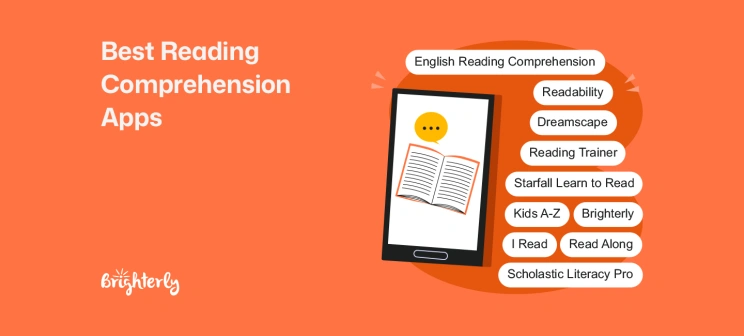
- Best overall: Brighterly is a web-based platform offering 1:1 math and reading tutoring support for K–12 students with AI Lesson Summaries and homework help, turning idle screen time into focused, personalized learning sessions.
- Best for early learners: Read Along by Google for early fluency, Starfall Learn to Read for phonics and basic comprehension, English Reading Comprehension for beginner passages and MCQs, and I Read for leveled stories.
- Best for middle school: Dreamscape for game-based reading practice, Kids A-Z for leveled eBooks and eQuizzes, Scholastic Literacy Pro for leveled books and quizzes, and Reading Comprehension Games for playful checks.
- Best for focus, fluency, and strategy practice: Readability for AI listening and Q&A, and Reading Trainer for focus and retention.
Best reading comprehension apps include Brighterly for personalized, gamified learning, Read Along by Google for free fluency development, and I Read for engaging stories. This guide walks parents through the 10+ best reading comprehension apps that help children practice focus, vocabulary, fluency, and critical thinking.
Exploring alternatives?

Paid Reading Comprehension Apps: Comparison
|
|
Features (summary) |
Price (as of October 2026) |
Ages |
Pros / Cons summary |
|
Brighterly |
✅Web-based learning platform with 1:1 reading support in vocabulary, spelling, and phonics ✅Gamified approach ✅AI Lesson Summaries ✅Tutoring for dyslexia and special needs ✅Free learning resources like reading worksheets and math worksheets |
Plan-based tutoring; 1st free lesson with an elementary tutor or a middle school tutor available |
5-17 y.o. |
Personalized reading programs for kids + AI support / not a standalone mobile game app |
|
Readability |
✅AI listens ✅After-reading Q&A ✅Weekly reports |
After a free trial, the subscription is approximately $19.99/month for up to 3 readers. |
5-12 y.o. |
Fluency + comprehension in one / paid |
|
Scholastic Literacy Pro |
✅Level-matched books ✅Post-reading quizzes |
Pricing is typically handled via school or district subscriptions; exact per-student pricing varies (schools must contact Scholastic for a custom quote). |
5-14 y.o. |
Strong analytics / school-gated |
|
Reading Trainer |
✅Drills for comprehension & retention ✅Timed tasks |
Purchase from $2.99. |
10–17 y.o. |
Focus & recall gains / austere UI |
Explore Brighterly Learning Experience
Learn exactly how Brighterly helps students thrive through expert sessions, online tools, and proven feedback from thousands of satisfied parents
Reading Comprehension Apps Free: Comparison
|
|
Features (summary) |
Ages |
Pros / Cons summary |
|
Read Along by Google |
✅Guided oral reading ✅Offline ✅Badges |
3–9 y.o. |
Very friendly/ for younger kids |
|
Dreamscape |
✅Game-quests with Q&A on passages |
9–14 y.o. |
Highly motivating / can distract |
|
Kids A-Z |
✅Leveled readers + eQuizzes |
6-11 y.o. |
Classroom continuity / setup required |
|
I Read |
✅Short stories with leveled questions |
5–9 y.o. |
Quick practice / limited analytics |
|
English Reading Comprehension |
✅Beginner passages + MCQs |
6-9 y.o. |
Good reps / lighter depth |
|
Reading Comprehension Games |
✅Mini-games exercises ✅Instant feedback |
5-9 y.o. |
Fun, low-pressure / ads, poor analytics |
|
Starfall Learn to Read |
✅Controlled stories + activities |
4-7 y.o. |
Early confidence / not for teens |
Brighterly Reading Comprehension App
Age group: K–12
Best for: Personalized reading support with 1:1 teaching and AI-powered reinforcement
Brighterly is a web-based learning app and school-supplemental K–12 learning platform for math and reading where kids build real skills through personalized, tutor-led instruction. It combines personalized 1:1 teaching with U.S. standards-aligned lessons, AI Lesson Summaries, homework support, and free learning resources.
For reading comprehension, Brighterly is a good fit for students who need more than short passages or multiple-choice practice. With tutor-led lessons and AI-supported follow-up, children can work on fluency, vocabulary, comprehension strategies, and explaining their answers clearly.
Brighterly: Features
- Live 1:1 Tutoring in reading comprehension
- Reading Practice for building reading fluency and pronunciation skills
- Assessments for completing tutor-created reading assignments directly on the platform
- Personalized 1:1 reading support
- AI Lesson Summaries
- Homework support
- Engaging, game-inspired lesson formats using the best reading apps, adapted to your child’s needs
- U.S. standards-aligned lessons
- Reading Worksheets and practice materials
Brighterly: Pricing
- Plan-based tutoring starting from $17.70/lesson (12-month plan, 20% discount); free lesson available.
Brighterly: Pros and Cons
✅Pros: personalized support, real tutor feedback, AI reinforcement, free practice resources
❌Cons: not a standalone mobile game app
Give Your Child a Real Reading Advantage
Brighterly reading tutors create lessons based on your child's exact level
Read Along by Google Reading Comprehension App
Age group: 3–9 y.o.
Best for: Early fluency with immediate help
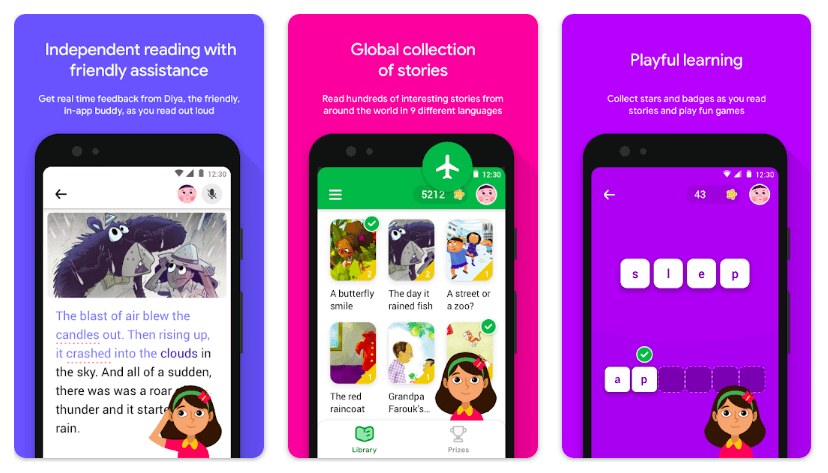
Read Along by Google is a gently guided reading comprehension app for early readers. This free reading website allows сhildren to read engaging, short stories while Diya, their in-app buddy, listens, helps them with accuracy, pacing, and tricky words in real-time. It supports kids with quick prompts, earning badges for goals, while keeping things motivating but not overwhelming for the beginner reader. And because it works offline, it gives families the chance to establish a dependable reading routine: car rides, waiting rooms, bedtime, etc.
Read Along: Features
- Guided oral reading with real-time feedback from Diya (accuracy, pacing, tricky words)
- Bite-sized stories with prompts that nudge retell and basic inference
- Built-in motivation: stars, badges, and gentle progress celebrations
- Offline mode for consistent daily practice anywhere
Read Along: Pricing
Free
Read Along: Pros and Cons
✅Pros: gentle coaching, no ads, quick wins
❌Cons: limited depth for older readers
Dreamscape Reading Comprehension App for Kids
Age group: 9–14 y.o.
Best for: Game-based practice using passages and questions
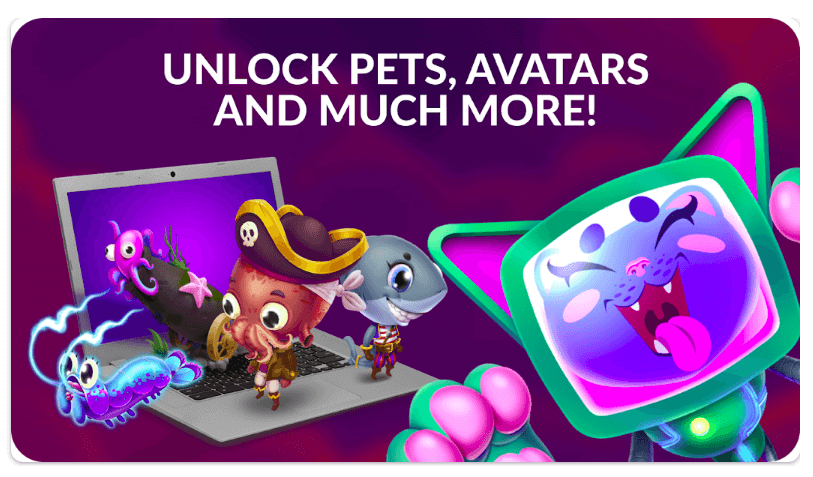
Dreamscape blends gaming and literacy so practice doesn’t feel like homework. Players build and defend a base, but every upgrade requires reading short passages and answering comprehension questions. Because gameplay depends on understanding, not just speed, kids practice the main idea, details, and inference repeatedly in small bursts. Missions can be aligned to skills or levels, and the narrative hooks reluctant readers who love a challenge.
Families appreciate that it turns “one more level” of energy into reading minutes. It’s the best app for reading comprehension for students who need sustained engagement and a structured way to apply reading strategies under pressure, without losing the fun.
Dreamscape: Features
- Reading missions powered by short passages + comprehension questions
- In-game quizzes and boss challenges to keep practice high-energy
- Assignable skills/levels to target the main idea, details, and inference
Dreamscape: Pricing
Free; offers in-app purchases.
Dreamscape: Pros and Cons
✅Pros: very motivating for gamers
❌Cons: some kids chase game rewards more than learning
Readability App for Reading Comprehension
Age group: 5-12 y.o
Best for: Guided oral reading plus comprehension Q&A
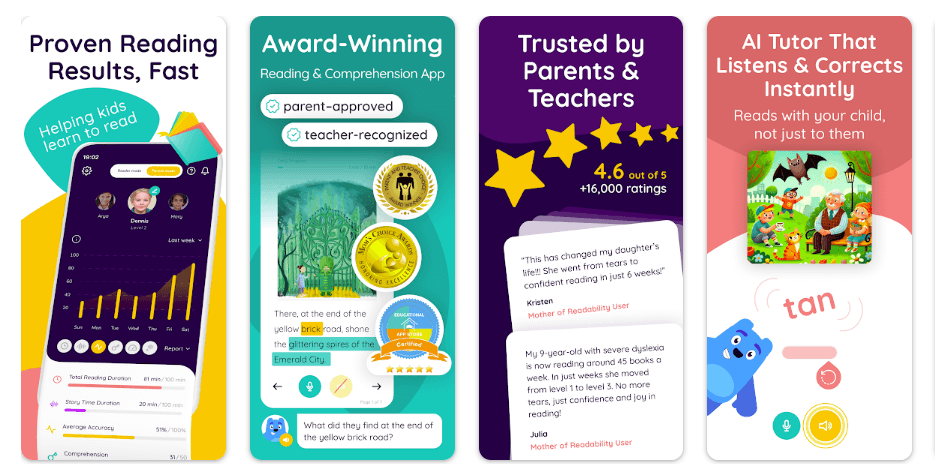
Readability combines oral reading practice with comprehension checks in a single flow. As children read aloud, the app’s AI listens, flags miscues, and offers immediate help in real time, so decoding and understanding develop together. After every selection, kids answer spoken or written questions that require them to explain and not guess. This is a good app to support K–6 learners who need a kids’ reading comprehension app that develops fluency and meaning while building stamina and confidence.
Readability: Features
- AI listens while kids read aloud and gives immediate corrections
- After-reading Q&A (spoken or typed) to confirm understanding
- Parent dashboard with weekly reports (accuracy, pace, comprehension)
Readability: Pricing
After a free trial, the subscription is approximately $19.99/month for up to 3 readers.
Readability: Pros and Cons
✅Pros: fluency + comprehension in one flow
❌Cons: paid plan vs. free alternatives
Kids A-Z (Raz-Kids) Reading Comprehension App
Age group: 6-11 y.o.
Best for: Leveled eBooks followed by eQuizzes
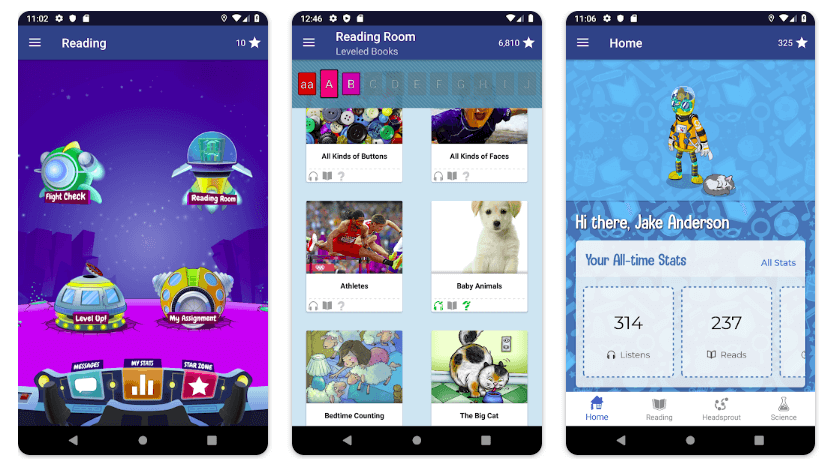
Kids A-Z (Raz-Kids/Raz-Plus) brings classroom-style structure home. Children select leveled eBooks, listen to modeled reading, record themselves, and then take an eQuiz that checks understanding. The vast library makes it easy to find just-right texts by level and topic, while badges and points provide light motivation. Parents can track progress and see which skills still need attention. It’s a dependable app for reading comprehension that supports day-to-day practice, especially when you want a clear sequence: read, reflect, quiz, repeat.
Kids A-Z: Features
- Thousands of leveled eBooks with read-to-me and self-record options
- Post-reading eQuizzes that check literal and inferential thinking
- Teacher/parent monitoring with skill-level insights and reports
Kids A-Z: Pricing
The app is free to download and grants mobile access to Learning A-Z products, but full access usually requires a paid subscription to those resources (exact pricing varies individually).
Kids A-Z: Pros and Cons
✅Pros: systematic leveling, clear progress
❌Cons: interface can feel “schooly” to some kids
Scholastic Literacy Pro Reading Comprehension App
Age group: 5-14 y.o
Best for: Level-matched books with post-reading quizzes
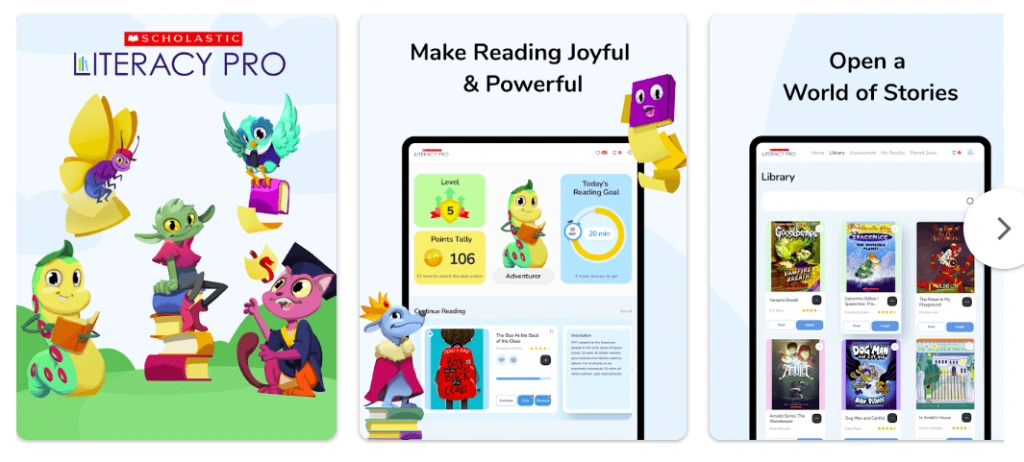
Scholastic Literacy Pro might be the best reading comprehension app for middle school students. It focuses on matching kids to books at a level they can independently read, and collecting evidence of comprehension after they read. Children pick books aligned to their interests from a curated list of titles, then complete a short quiz that checks for comprehension beyond recall after reading. It’s particularly helpful when you want a school-connected reading comprehension app for kids of older elementary and middle grades that turns choice reading into measurable improvement.
Scholastic Literacy Pro: Features
- Interest survey + level matching to personalize book choices
- Post-reading quizzes that go beyond recall to comprehension evidence
- School integration (home access via school login) to sync with class
Scholastic Literacy Pro: Pricing
Pricing is typically handled via school or district subscriptions; exact per-student pricing varies (schools must contact Scholastic for a custom quote).
Scholastic Literacy Pro: Pros and Cons
✅Pros: strong analytics, sustained growth
❌Cons: access typically gated by school
Build Comprehension With a Real Tutor
Brighterly reading tutors focus on understanding — not just decoding words
Reading Trainer App for Reading Comprehension
Age group: 10-17 y.o.
Best for: Comprehension and retention alongside speed and focus
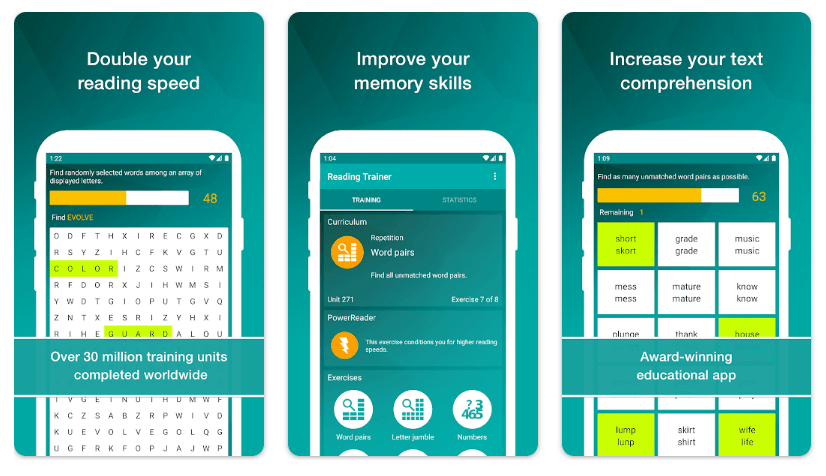
Reading Trainer is created for upper-elementary through teens who read a lot but do not retain enough. The best app for reading comprehension targets concentration, eye movement, pacing, and recall, areas that often limit comprehension on tests and longer texts. Short, timed practice is followed by immediate feedback, so learners see whether their new speed is supported by understanding, not undermined. This application is not a story library, rather it is a 10-minute daily add-on for study skills, exam prep, and sustained attention while reading textbooks or novels.
Reading Trainer: Features
- Structured drills for focus, eye movement, and sustained attention
- Timed tasks that pair speed with comprehension/retention checks
- Adjustable difficulty; one of the effective reading comprehension apps for students of high school
Reading Trainer: Pricing
Freemium with in-app purchases starting from $2.99 (as of October 2026).
Reading Trainer: Pros and Cons
✅Pros: targeted drills beyond basic Q&A
❌Cons: utilitarian design; less story variety
I Read: Reading Comprehension App for Kids
Age group: 5–9 y.o.
Best for: Short stories with leveled question sets
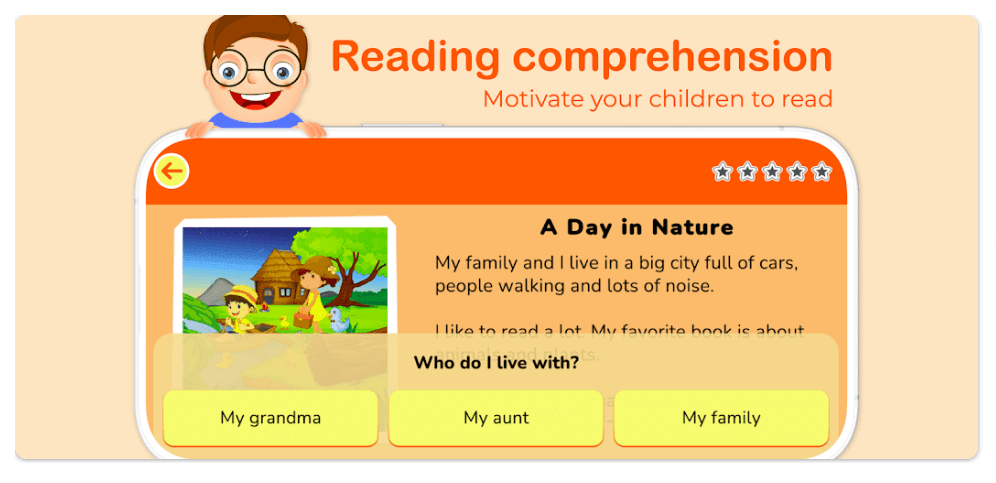
I Read is a friendly app for reading comprehension in the range of ages 5-9, especially for families who want an offline-friendly routine: read a story, answer questions, talk about one sentence that proves your answer, and be done in under ten minutes. I Read provides short stories with leveled question sets, so it’s great for quick daily reps. Each passage tests inferential and literal understanding and gives readers instant feedback, with no heavy setup or friction with sign-in. The app begins at level 1 and advances through 5 levels, allowing you to calibrate the challenge gently, which is helpful when establishing reader confidence.
Note: Research-backed reading support often includes explicit strategy instruction, scaffolding, guided practice, and immediate feedback. That is why the strongest tools in this list help children practice comprehension actively instead of only reading passively.
I Read: Features
- Five graduated difficulty levels covering literal to inferential questions
- Short stories designed for quick, daily comprehension reps
- Instant feedback with simple explanations to guide improvement
I Read: Pricing
The app is free to download but includes in-app purchases to unlock full content.
I Read: Pros and Cons
✅Pros: quick practice, easy routine
❌Cons: lighter analytics than classroom-oriented tools
English Reading Comprehension App (by The Learning Apps)
Age group: 6-9 y.o.
Best for: Kid-friendly passages with multiple-choice questions
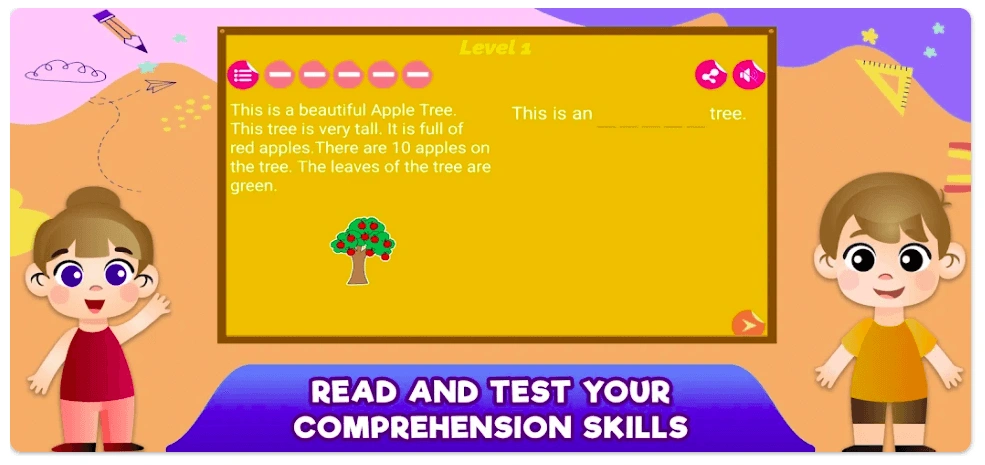
English Reading Comprehension is equipped with easy passages, multiple-choice questions, and simple tracking. The text’s length, font, and visuals are all tailored for early readers who are building their reading stamina. The questions are crafted to reinforce the main idea, details, and key vocabulary in a friendly format, making it easier for kids to engage with test-like prompts without feeling overwhelmed.
As a kids reading comprehension app for early elementary, it’s best used in short bursts; an easy on-ramp to “read, think, choose, explain” before moving to open-ended responses in later grades.
English Reading Comprehension: Features
- Beginner passages with multiple-choice questions for confidence building
- Topic-based organization (animals, daily life, etc.) to hook interest
- Immediate scoring and light progress tracking for parents
English Reading Comprehension: Pricing
Freemium with in-app purchases.
English Reading Comprehension: Pros and Cons
✅Pros: approachable for beginners
❌Cons: limited depth for older grades
Reading Comprehension Games App (by The Learning Apps)
Age group: 5-9 y.o.
Best for: Stories with interactive question games
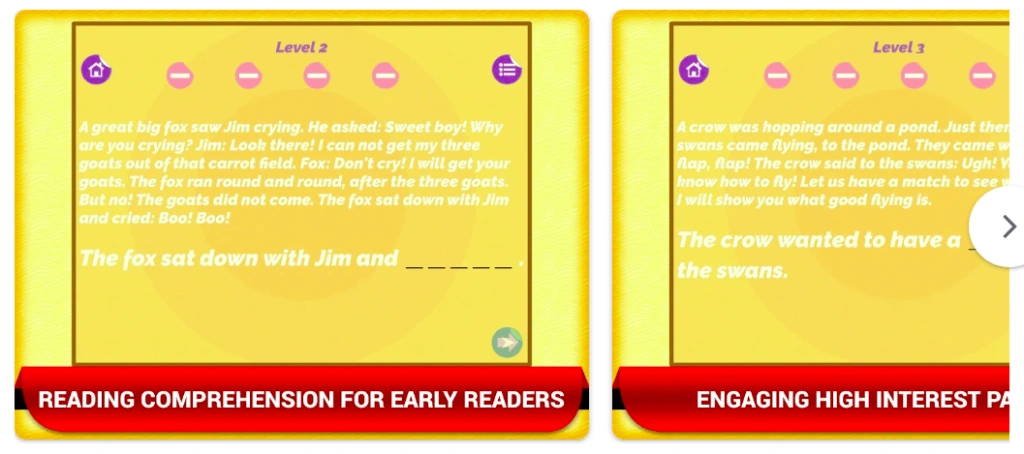
Reading Comprehension Games turns practice into play with mini-games wrapped around short stories. Children answer questions to earn stars and unlock simple challenges; the instant feedback encourages retries without frustration. Parents can use it after homework as a light, five-minute session that still builds comprehension habits. It’s a practical option for primary grades when you need a low-pressure reading comprehension app to reinforce the main idea, details, and basic inference while maintaining a fun, kid-centric experience.
Reading Comprehension Games: Features
- Mini-games wrapped around short stories to lower practice anxiety
- Evidence-seeking and best-answer choices to reinforce key skills
- Instant feedback with retries to encourage persistence
Reading Comprehension Games: Pricing
Freemium with optional upgrades.
Reading Comprehension Games: Pros and Cons
- Pros: fun and low-pressure
- Cons: shallower analytics, ads unless upgraded
Starfall Learn to Read app for Reading Comprehension
Age group: 4-7 y.o.
Best for: Controlled-vocabulary stories and activities (phonics + basic comp)
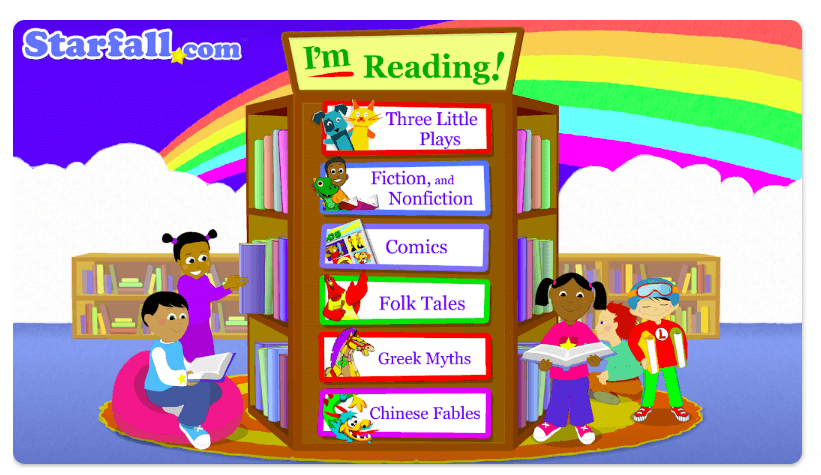
Starfall Learn to Read connects phonics with meaning for beginners. In contrast to alternative beginner apps, kids interact with stories that use controlled vocabulary, highlighting particular patterns (such as short vowels), and then they complete simple activities to verify if the sentences are logical (as highlighted in the Starfall vs ABCmouse review).
Starfall serves well as a daily warm-up: just a few minutes of patterned reading, one or two quick comprehension checks, followed by a parent reading aloud to model fluent storytelling and link word-level skills to genuine understanding.
Starfall Learn to Read: Features
- Controlled-vocabulary stories tied to phonics patterns (e.g., short vowels)
- Audio supports, modeling, and echo-reading for beginners
- Matching/sorting/meaning checks to link decoding with understanding
Starfall Learn to Read: Pricing
Freemium: full content via membership.
Starfall Learn to Read: Pros and Cons
✅Pros: excellent for beginners
❌Cons: not an ideal option among reading apps for older kids
Conclusion
Choosing the best reading comprehension app depends on the child’s age, reading level, and learning goal.
- For personalized reading support with a real tutor: Brighterly.
- For a fun, game-like experience: Dreamscape.
- For structured games: Kids A-Z or Scholastic Literacy Pro.
- For guided oral reading: Readability or Read Along by Google.
- For short, low-pressure practice: I Read or Reading Comprehension apps.
Don’t know where to start? Book our free reading lesson today to choose with confidence.
Frequently Asked Questions
What Is the Best Reading Comprehension App?
The best reading comprehension app depends on the user’s age and needs. Young readers often need audio support, simple stories, and visual cues to stay engaged, while older students will benefit more from strategy prompts, deeper questions, and short written responses. The right app will match your child’s level, build confidence, and encourage active thinking instead of passive reading.
Is Reading Eggs Better Than ABCmouse?
Between Reading Eggs vs ABCmouse, the learning focus is the major differentiator: Reading Eggs provides structured practice for learning phonics, while ABCmouse adopts a broad multisubject curriculum that can help your kid develop cross-disciplinary skills. Also, Reading Eggs can help older kids (up to 13 years old), while the age range for ABCmouse is limited to 2 to 8 y.o.
How Can I Improve My Child’s Reading Comprehension?
Consistent daily reading practice, using reading games, and finding real-life situations to read aloud are the key ways to improve reading skills. While reading practice and real-life scenarios mostly depend on parents, the best reading games are designed to entertain your child while making their screen time productive. Reading platforms like Brighterly let you find a reading tutor who will use a gamified approach to build your kid’s reading skills.
What Is the Highest Rated Learning App?
Based on Trustpilot reviews in October 2026, the highest-rated learning apps are Brighterly (4.4 out of 5) and Reading Eggs (3.5). Based on App Store reviews, I Read (4.6 out of 5) and Starfall (4.2) have the highest ratings. On Google Play, Read Aloud (4.4) and Dreamscape (4.4) are most highly rated.

If you’re curious about the differences between Gideon vs Kumon vs Brighterly, you’re in the right place. In this guide, I will rely on my math tutoring experience and help you explore the specifics of these platforms, showing their advantages and disadvantages so you can make an informed decision. Key points: Brighterly is a high-quality […]

Oct 29, 2025
Statistics about social media show that most teens use digital platforms, with YouTube being the most popular option, attracting as much as 92% of U.S. teenage users. See how much time teens usually spend online, which other apps they prefer, and how their digital habits vary by age and gender to understand how your kid […]

Oct 31, 2025
Math & reading from 1st to 12th grade
Exploring alternatives?
Take a short quiz!
Choose kid's grade