
How to Cancel Time4Learning in 2026
reviewed by Maila Caliao
Updated on August 26, 2026
Key points
- You can cancel your Time4Learning membership online, via email, or by phone, and it takes just a few minutes. All you have to do to cancel your Time4Learning subscription is to open your Parent Dashboard and follow the steps outlined there.
- Before you discontinue your Time4Learning membership, make sure to download and save all useful information from your child’s account, such as topics covered and progress reports, because it will be permanently deleted.
- Canceling your Time4Learning account doesn’t incur any fees, but make sure to do it ahead of the next renewal date to avoid an extra month/year billed.
- If you’re looking for real-time, gamified learning after your Time4Learning cancellation, you can check out Brighterly math and reading tutoring for grades K-12.
Exploring alternatives?

Can You Cancel Time4Learning Membership?
Yes, you can cancel your Time4Learning membership – whether monthly or annual – at any time. You can do this in one of three ways:
- Online, using your Parent Dashboard.
- By email, send a message to the Support team.
- By phone, call the national Time4Learning phone number.
In all cases, you will receive a confirmation email within 24-48 hours, and your subscription will not be automatically renewed at the end of the billing period.
If you’re asking, “Can you pause Time for Learning?”, the answer is that currently, there is no option to temporarily pause or put a hold on your account. This user confirms the discontinuation of this option in their review on Trustpilot:
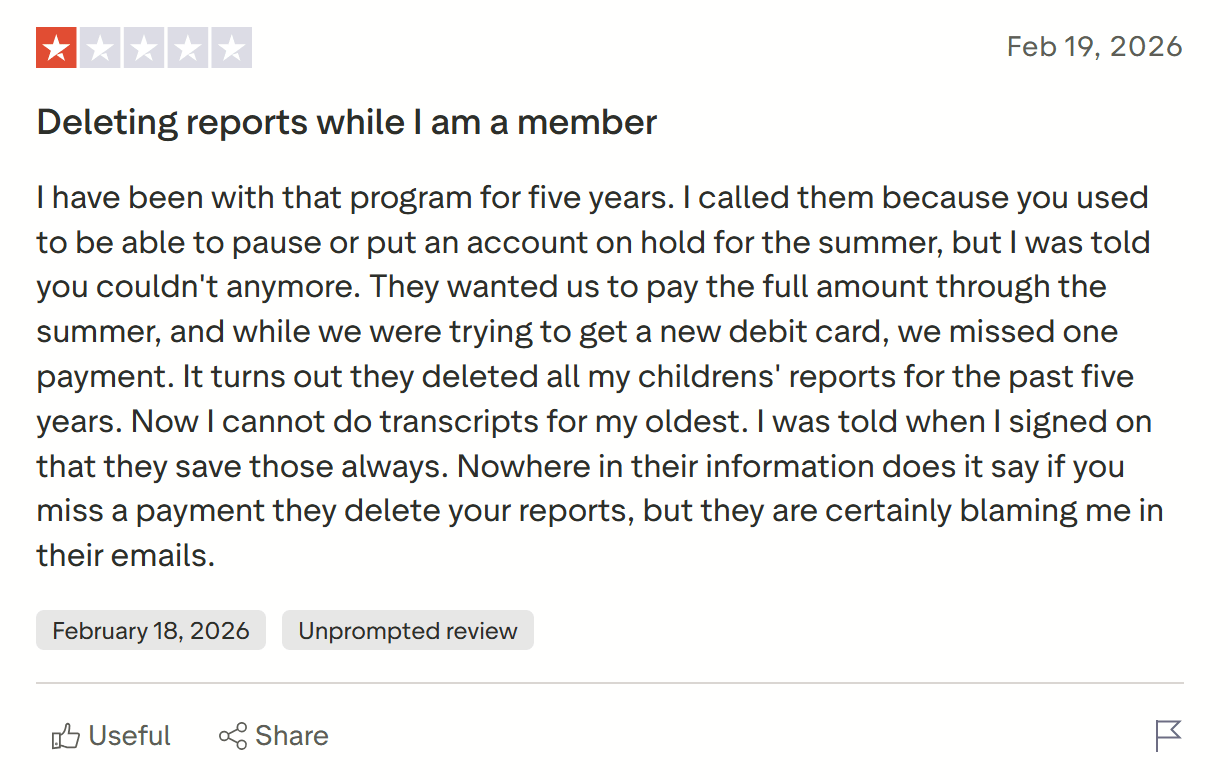
As of recently, your only options are continuation or full cancellation of your subscription.
Looking for a Time4Learning alternative?
Brighterly offers 1:1, personalized, live tutoring in math, reading & writing with quality teachers. 

Explore Brighterly Learning Experience
Learn exactly how Brighterly helps students thrive through expert sessions, online tools, and proven feedback from thousands of satisfied parents
How to Cancel Time4Learning Online: Step-by-Step Guide?
Save and Download All Your Important Data
Before you cancel your Time4Learning account, you should download all the important data from your child’s account. This includes your child’s progress, their grades, and any progress reports you have. As per the company’s privacy policy, once you cancel your account, they will delete all your information as of the effective date of the cancellation, with no option to retrieve it (even if you come back as a paid customer).
Log in to Your Parent Dashboard
Your first step in actually canceling your Time4Learning subscription is to log in to your Parent Dashboard. From there, you can find the exact instructions on how to cancel your Time4Learning membership. Make sure to complete each step diligently as outlined for a successful cancellation.
Note: Alternatively, you can directly email or call customer support without going through your Parent Dashboard. The email address and phone number are provided on the Time4Learning website.
Contact Time4Learning to Confirm Cancellation
Next, it’s recommended that you either get in touch via email or over the phone to confirm your cancellation. Otherwise, you might continue being billed for another month or even a year.
Wait for Account Verification
Once Time4Learning receives your cancellation, the company will verify your account to ensure it’s you making the request.
Receive Confirmation of Your Cancellation
Within 24 to 48 hours, the Time4Learning customer service team will send you an email confirmation of your cancellation. Then, you need to take no further action. Per the terms of service, Time4Learning will delete your activity plan and all your other data upon the end of the billing period. This means that you will lose access to your child’s grades and progress reports.
Note: You need to cancel before your auto-renewal date to avoid being charged for the following month or year.
Things to Know Before Canceling Time4Learning
Time4Learning Billing Cycle
Time4Learning offers monthly and annual subscription plans (with a 30% discount). Members get billed every 30 days for monthly subscriptions and 365 days for yearly plans. It’s important to ask for cancellation some time ahead of the next billing date to make sure that your request gets processed on time, and you don’t get charged with the Time4Learning cost one more time.
Time4Learning Data Access After Cancellation
Once TimeLearning cancels your subscription, you can no longer access your account and see your child’s data and information. That’s why it is key to download and save all achievements and progress reports before getting started with the cancellation procedure.
Time4Learning Cancellation Process Time
Another factor you should take into account if you’re considering stopping using Time4Learning is that it takes between 24 and 48 hours for their customer service team to review your cancellation request and make the necessary changes. This means that it is good to launch the process at least a few days before your next billing date so that you don’t end up paying an extra subscription fee.
Time4Learning Refund Policy
Time4Learning has a 100% satisfaction guarantee for new subscribers to the monthly plans. According to it, new users are entitled to a full Time4Learning refund within the first 14 days of purchase without any questions being asked. However, this option is not available for annual membership plans, so it might be a good idea to start with a monthly plan to confirm usability and fit with your kid’s learning needs.
Why Might You Want to Know How to Cancel a Time4Learning Membership?
Time4Learning reviews on Trustpilot and Reddit show these as the most common reasons why some customers decide to cancel their subscription:
- Overly simplistic videos
- Repetitive lessons
- Technical malfunctions
- Unexpected price increases
Overly Simplistic Videos
One reason why some parents decide to discontinue their use of the platform and look for Time4Learning alternatives is the basic content that is not always grade-appropriate, especially for middle and high school. This means that the curriculum could be a good fit for students at or below grade level, but not so much for those ahead of classmates. Here is what one user shares on Reddit:
“Time4learning recently changed their content to make it simpler / easier / shallower… Be wary and don’t rely on old reviews.”

Repetitive Lessons
Another factor mentioned in Time4Learning reviews complaints is the repetition of the same video lessons again. This is a common risk with online learning platforms that rely on pre-recorded videos rather than live classes and might make homeschooling boring and uncompelling, as this parent highlights on Reddit:
“It became clear that they reuse the same clips over and over, so it ends up being less engaging than just having a video of a human instructor.”

Technical Malfunctions
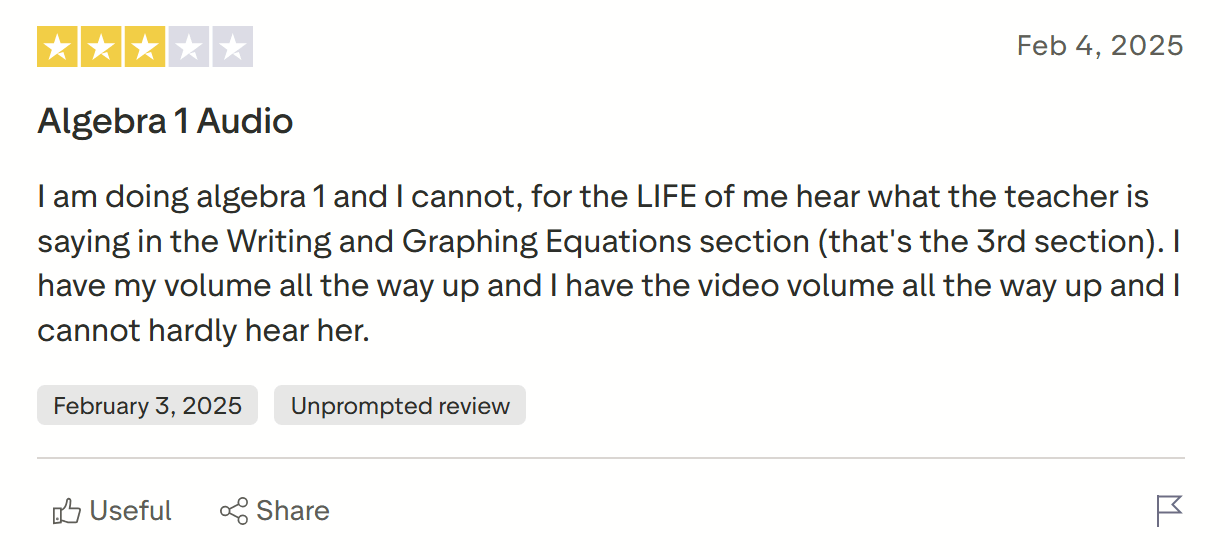
Another frequent reason why parents and students start looking for “How do I unenroll from Time4Learning?” is problems with the technical execution of the website. For instance, this student review on Trustpilot mentions an issue with the sound volume of the video lessons that is distractive and prevents effective learning:
“I cannot, for the LIFE of me hear what the teacher is saying… I have my volume all the way up and I have the video volume all the way up and I cannot hardly hear her.”
Unexpected Price Increases
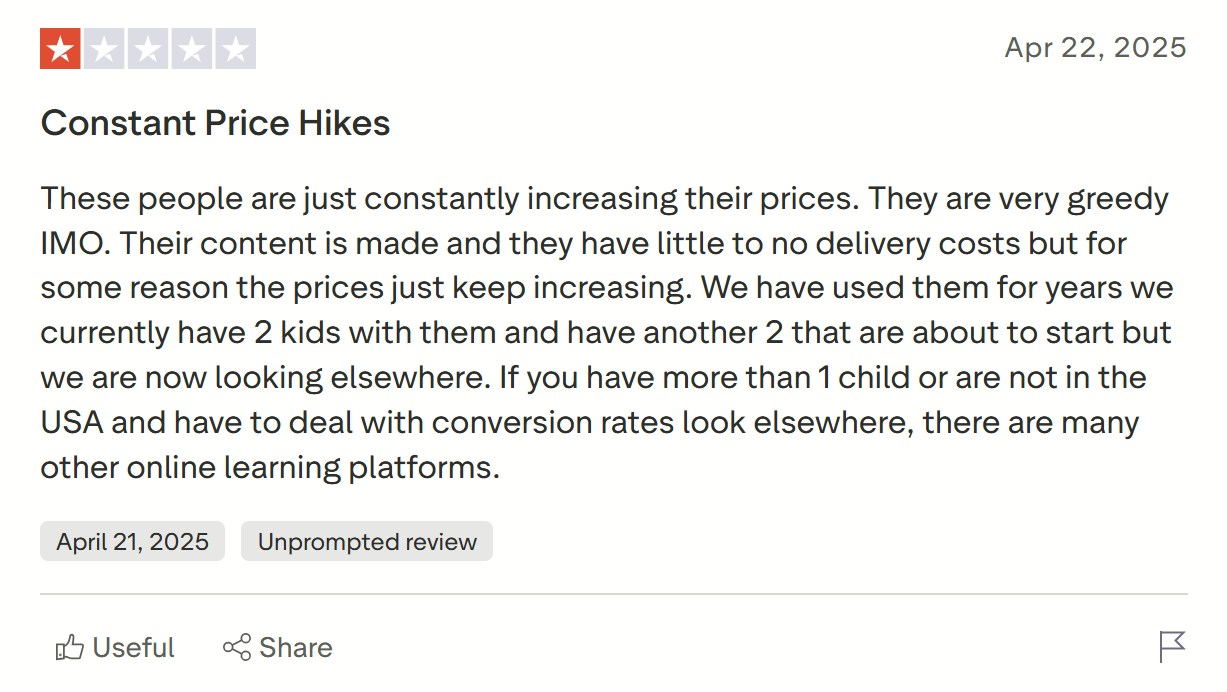
A final common cause for Time4Learning cancellations is the continuous increase in the platform fees. A number of parents complain on Trustpilot that the website has raised the price without updating the content or upgrading the app, which diminishes the value that families get for their money:
“These people are just constantly increasing their prices… Their content is made and they have little to no delivery costs but for some reason the prices just keep increasing.”
Note: The Brighterly educational platform offers math, reading, and writing tutoring appropriate for homeschooling or attending public school, which is based on real-time lessons and personalized content developed and delivered by professional teachers. The curriculum meets the US state standards for grades K-12.
Brighterly’s additional math practice and ELA extra support are built on the individual needs of each student after diligent assessment of current skills and learning gaps. They are assigned the most appropriate tutor who can adapt their teaching style to each child’s preferences.
Additionally, Brighterly provides affordable learning plans with prices starting at $17.70/lesson (with an annual membership and a 20% discount). On top of that, families can access free math and reading worksheets to work on skills independently. Finally, you get a first free session to test the platform and make sure it matches your kid’s needs.
1:1 math & reading tutoring by professional teachers!
Brighterly tutors customize learning to each student’s requirements – all this from $17.70/class.
What is Time4Learning Cancellation Policy?
Time4Learning’s cancellation policy states that users must directly contact the company through the Parent Dashboard, email, or phone to cancel their contracts. Your cancellation will come into effect within 24-48 hours, once Time4Learning has verified your account. You must cancel before your next billing cycle in order to avoid charges for the following month.
Meanwhile, if you’ve found your Time4Learning account suspended, this could be because you have failed to pay. Time4Learning states that it can suspend accounts if users don’t pay due to problems with their credit card or bank account, provide false information, or violate its terms of use.
Is Time4Learning Free to Cancel?
Yes, you can cancel Time4Learning for free, without any penalty fees. In other words, you will not be charged for canceling your account. However, you may be charged for the following month if you don’t cancel a couple of days before your next auto-renewal date.
What Is the Time4Learning Money Back Guarantee?
Time4Learning offers a money-back guarantee to new users who sign up for a subscription. This money-back guarantee states that, if you cancel your account within 14 days of starting your subscription, you will receive a full Time4Learning refund. This applies to users who are paying with a credit card, are enrolled in a monthly membership, and have not used free trials. Make sure you meet all three requirements if you plan to ask for a refund.
Conclusion
Now you know how to cancel Time4Learning step by step and what to look out for while doing so. Remember to start on time and respond to any customer support emails to avoid prolonged subscriptions and unnecessary charges.
And if you’re looking for an alternative that’s not too basic and monotonous, check out Brighterly.
With Brighterly math and reading tutoring, your child accesses:
✅ 1:1, tailored learning adopted to their needs
✅ Real-time lessons with professional tutors
✅ Free practice worksheets to master skills
Ready to test private tutoring? Book your first lesson for free with no long-term commitments.
Comparison articles to explore Time4Learning alternatives
After canceling Time4Learning, you might want to evaluate competitors that better meet your child’s needs and preferences. The comparison articles below analyze the features, costs, and pros and cons of some of the most popular digital learning platforms for K-12 students:
- Time4Learning vs Power Homeschool: Which Is Better?
- IXL vs Time4learning vs Brighterly: Which One Is Better? (2026)
- Miacademy vs Time4Learning vs Brighterly: Which One Is Better?
Frequently Asked Questions
Can you Cancel Time4Learning Anytime?
Yes. Users may cancel their membership at any time through their Parent Dashboard, by emailing support, or by calling customer support. Cancellation takes effect within 24-48 hours of your request, though you’ll keep access through the end of your current billing period rather than losing it immediately.
Can I Get a Refund for Time4Learning?
Only under specific conditions. Time4Learning offers a 14-day, no-questions-asked money-back guarantee for new subscribers on monthly plans, but this doesn’t apply to annual membership plans. Outside of that window, all membership payments are non-refundable, so starting with a monthly plan is safer if you’re unsure it’ll fit your child.
How Many Hours a Day Is Time4Learning?
It varies by age. Time4Learning estimates roughly 1 to 3 hours per day, depending on grade level, with younger children in K-2nd grade often needing 1-2 hours of parent-guided time, while middle schoolers typically need less direct involvement, around 30 minutes to an hour of parent support daily.
Does Time4Learning Count as Homeschool?
Yes, it can serve as your core homeschool curriculum. Since Time4Learning is a curriculum rather than a school, it doesn’t issue diplomas — parents act as the homeschool teacher of record, and all 50 U.S. states allow parents to issue a homeschool diploma once graduation guidelines are met.


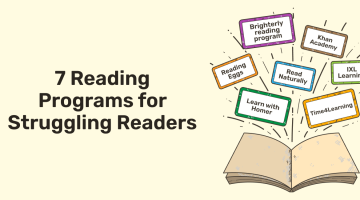
Around 4 in 10 kids in the US today struggle with reading comprehension, and increased screen time isn’t helping. Without support, it can impact their academic progress and, thus, confidence. As a certified reading tutor at Brighterly with over 10 years of experience, I’ve worked with hundreds of students to improve their reading confidence and […]

Aug 06, 2025

I’ve been teaching ELA for over 10 years now, and, to my pity, those early years weren’t all smooth. Only through countless tries and errors, I managed to clarify what works best for learners and what hinders progress. So, in this blog post, I’m going to discuss that burning question of “How to get better […]

Aug 10, 2025
Math & reading from 1st to 12th grade
Exploring alternatives?
Take a short quiz!

Choose kid's grade