How to Cancel Outschool Class in 2026
reviewed by Jessica Kaminski
Updated on October 23, 2026
Key points
- You can cancel Outschool classes directly from your online account, but make sure to do so within 24 hours of enrolling.
- You can stop your Outschool membership within 24 hours of purchase or within the 14-day money-back guarantee for a full refund.
- You qualify for a full or prorated refund if the teacher cancels a class or changes the timing.
- The main reasons parents decide to stop using Outschool include complicated pricing structure, little communication from teachers, slow technical support, and low value for money.
Can You Cancel Outschool Class and Subscription?
Yes, you can cancel both Outschool classes and your membership subscription. However, these are two different cancellation processes and depend on a few factors:
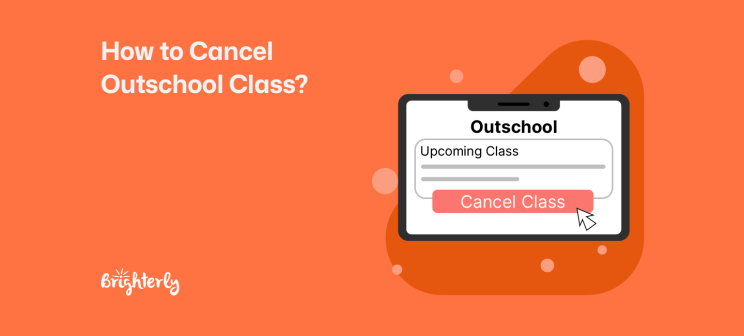
- To cancel a specific class, you need to visit the Enrolled tab on your Classes page and click on the Manage button next to the class.
- Cancelling a subscription is done in the Transactions section of your profile. Visit it to make changes to your plan via the Manage Plan tab.
Exploring alternatives?

Explore Brighterly Learning Experience
Learn exactly how Brighterly helps students thrive through expert sessions, online tools, and proven feedback from thousands of satisfied parents
How to Cancel Outschool Subscription?
- Log in to your Outschool account.
- Go to the Transactions page in the top-right corner of the page.
- Click on Manage Plan.
- Select Cancel Plan. You might need to show why you want to stop your subscription, but the reason will not affect your ability to proceed.
- Make sure you receive an instant or email confirmation of the cancellation to avoid more charges to your credit card.
Note: According to the cancellation policies, you’re eligible for a full refund only within 24 hours of your first month’s purchase or within a 14-day risk-free trial. You should not have used any credits to enroll in classes.
Once you cancel Outschool subscription, you still have access to unused credits until the current billing cycle ends. Afterwards, your credits will be inactivated but saved, and you can use them if you decide to rejoin.
Note: Your enrollments won’t expire when you cancel your membership. If you want to stop spending credits on classes, you’ll need to withdraw from them.
Outschool Pause Subscription: How It Works
The Outschool account management policies allow you to pause your subscription instead of cancelling it. This helps you avoid being charged for a few weeks without losing access to the membership benefits of this education website for kids and your credit balance.
To pause your subscription:
- Visit the Transactions section of your profile.
- In the Membership window, click on Manage Plan.
- Select Pause Plan in the dropdown menu.
Note: You can pause your plan for up to 12 weeks. The pause will start when your current billing cycle ends and will stop automatically after 12 weeks.
To resume your Outschool membership early, follow these steps:
- Go to the Transactions page on your account.
- Choose the option Manage Plan.
- Click on Resume.
Looking for an Outschool alternative?
Brighterly tutoring offers 1:1 personalized learning with gamified experiences. 

How to Cancel Recurring Weekly Classes on the Outschool Subscription?
- Visit the Learner Schedule to cancel your enrollment in recurring weekly classes.
- Click on the Stop subscription button next to your name.
- To resume your enrollment, select Resume subscription on the same page.
Please note that, according to the eligibility guidelines, whether you get a refund for the class depends on when you enrolled. You will get a full refund if you cancel within 24 hours of paying. A later cancellation will prevent further charges but will not result in a refund on submitted payments.
Alternatively, you can pause a recurring weekly class and resume it later. This has to happen within the 24-hour payment window.
How to Cancel a Class on Outschool: Guide for Teachers
- Access the classroom and post to notify families of the class cancellation and explain the reasons. Provide next steps.
- Go to the Edit section of the class.
- Click on Cancel & refund learners.
Before you cancel, double-check that you’re making changes to the class you really intend to.
Note: Instead of just cancelling, offer parents an alternative time or a substitute class to maintain good professional relationships.
How to Unenroll Outschool Class: Guide for Teachers Cancelling Multi-Date and Ongoing Classes
- Go to the Upcoming section on your profile page and select the section you need to cancel.
- Go to Edit, then press ❌next to the date and time you need to cancel.
Note: Make sure to complete these steps before Sunday of the week you need to cancel so that parents don’t need to pay for that class.
If you fail to cancel the class before Sunday, you need to refund the parents manually. Go to the Learners tab and use the Change enrollment button. If you’re not sure how to do this, you can click Help on the Outschool website for a chat, but there’s no Outschool customer service number to call.
How to Delete Outschool Account: Guide for Parents
To delete your Outschool account and data permanently, you need to complete a special Outschool Privacy Form online. There, you have to enter your country, name, email, role (learner, parent, etc.), select that you’d like your data to be deleted, and confirm that you’ve completed all required steps.
Note: Once your account gets deleted, it cannot be retrieved. That’s why you should request a copy of your account data beforehand. You can submit your request via the same Outschool Privacy Form. Just tick the relevant box.
Reasons Why Parents Cancel Outschool Subscription
Most frequently, families decide to cancel Outschool subscription due to confusing class pricing, poor communication practices, delayed customer support, and inadequate value for money. Outschool reviews by parents on Reddit and Trustpilot reveal why exactly they decide to part ways with the online learning platform.
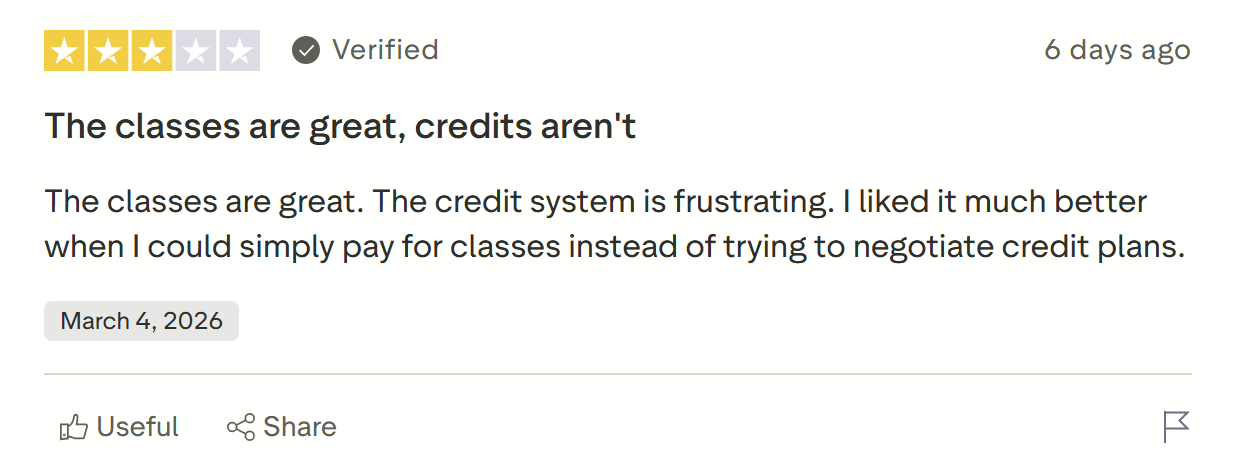
The most common complaint you can find in recent reviews of Outschool is related to the newly implemented credit-based payment system. On Trustpilot, parents state clearly that they liked it more when they used to pay per class rather than purchasing credits and using them to enroll. This has become a major driver of Outschool cancellations.
“The credit system is frustrating. I liked it much better when I could simply pay for classes instead of trying to negotiate credit plans.”
Insufficient communication on the part of teachers
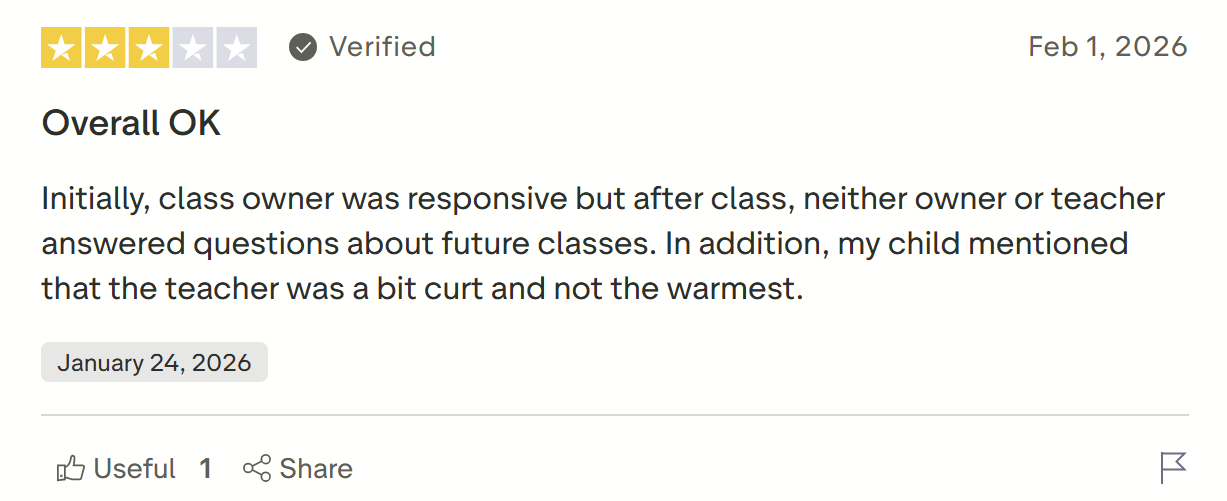
Some parents report on Trustpilot that their kid’s teachers don’t communicate enough inside and outside the virtual classroom. A number of class instructors lack the necessary interpersonal skills for teaching children and don’t follow up on students’ questions, making parents search for Outschool alternatives.
“After class, neither owner or teacher answered questions about future classes. In addition, my child mentioned that the teacher was a bit curt and not the warmest.”
Finally, a number of parents share on Reddit that they’ve mostly used Outschool for extracurricular and other entertaining activities, not pure academics. However, some of them don’t consider the value that their kids get to be worth the Outschool pricing.
“I’ve only done “fun” classes with my daughter like singing and ballet lessons, but I was never super impressed with those for the price.”
Note: The Brighterly educational platform offers an alternative to Outschool, built on 1:1 tutoring by professional teachers with strong soft skills that come with transparent pricing.
Our tutors specialize in math, reading, and writing, and customize the learning path and materials to the precise needs of your child. After an in-depth evaluation of your kid’s strengths and weaknesses, our teachers work out a personalized plan and adapt their methodology. In all cases, the curriculum complies with the US state standards and focuses on STEM for math classes.

You can check out parent reviews to see what families like the most about Brighterly. Parents often praise the qualified, friendly, and caring tutors who predispose kids to learning.
At Brighterly, we also offer affordable learning plans where you know exactly how much each lesson costs. Pricing starts at $17.70/lesson with a 12-month membership entailing 2 classes/week, with a 20% discount. Additionally, you can enjoy free math and reading worksheets (with or without a subscription) to help your child work on their skills. With the free tests, you can assess your little learner’s current level to decide if they need help.
Learn math & reading with professional tutors!
Brighterly delivers real-time lessons combining teacher instruction with fun-based practice.
How Do I Cancel a Class in Outschool with Customer Service?
Outschool cancellation customer service can help resolve issues via:
- Live chat
- FAQs section on the Outschool website
However, there is no Outschool contact number that you can call if you need assistance. You have to go through written communication.
Outschool Cancellation Policy: Terms and Fees
Based on the Outschool cancellation policy, you will be charged a fee equivalent to the class credit if you:
- Want to stop your subscription outside the first 24 hours or the 14-day money-back guarantee period.
- Cancel a class more than 24 hours after enrollment.
- Miss a class.
- Are 10 minutes late for a class.
- Cannot make it on time due to daylight saving time.
Meanwhile, free cancellation is possible in case it happens before the class meets within 24 hours of enrollment, or on weekly renewal on Sunday.
Outschool Refund Policy
According to the Outschool policy for refund, you are eligible for automatic and non-automatic, full and prorated refunds under different conditions. You have to know your rights to act accordingly in each situation.
When parents are eligible for a full refund
- Under the 24-hour rule: You get an automatic refund if you cancel an Outschool class 24 hours before it begins and if you cancel within 24 hours of the first month’s purchase (provided no credits were used).
- During the 14-day risk-free trial (even if credits were used).
- If the teacher cancels before the first meeting of a recurring class.
- If a teacher misses a one-time class meeting, you can either request a refund or wait for the tutor to reschedule.
- If a teacher changes the date and time of the class, you can get a full refund.
When parents are eligible for a prorated refund
- If part of a class is rescheduled.
- If a teacher fails to complete the number of meetings listed on the website.
- If a teacher cancels a class in progress.
Note: These are not automatic refunds, and you need to contact Outschool support to get them. The amount is prorated based on the percentage of classes your child misses.
Is Outschool Free to Cancel?
While Outschool doesn’t charge a specific fee to cancel a class or subscription, you will not always get a full or even prorated refund. This means that Outschool is not really free to unsubscribe from, and the penalty fee depends on the timing of the cancellation and how far into your plan you are.
Conclusion
Now you know how to cancel Outschool class or subscription, whether as a parent or a teacher. The process takes only a few steps that can be done online, but it’s important to act fast to be eligible for a refund. Remember to be courteous and let the other party know why you’re cancelling.
If you’re looking for an alternative that comes with strong tutor qualifications and skills and ongoing support, check out Brighterly.
With Brighterly tutoring, your kid benefits from:
✅ Fully individualized lessons in core academic subjects
✅ Professional teachers with proven interpersonal skills
✅ Free math and reading worksheets and tests
Ready to test 1:1 online tutoring? Book your first free lesson to see whether Brighterly is what your kid needs.
Related articles
To help you choose the right learning platform for your child after an Outschool cancellation, check out the following popular options:
- 12 Best Online Math Classes for Kids 2026
- The Best Homeschool Reading Curriculum: Tips to Choose Yours
- 10 Best Tools for Kids’ Creative Writing: Discover the Best Option
- Outschool vs Brighterly
Frequently Asked Questions
What Happens if I Miss an Outschool Class?
According to the Outschool no show policy, if you miss a class without prior cancellation, you are not eligible for a refund, and you lose the credits you have already paid. The same holds true if you are more than 10 minutes late based on the Outschool late policy – unless the teacher decides to wait for you.
How Do I Politely Cancel a Class?
To be polite with your Outschool teacher, cancel the class as soon as you know that you won’t be able to attend to free up their schedule. Also, send a message to explain the reason for the cancellation and ask for a reschedule if you want.
Can You Cancel Outschool at any Time?
According to the Outschool cancellation policy, you can cancel at any time, but you might not qualify for a refund. You will receive a refund only if you cancel your membership within 24 hours of purchase or within the 14-day money-back guarantee. Similarly, you can cancel class and be paid back if you do so 24 hours after enrollment.
Can You Get Refunds on Outschool?
You can get full refunds from Outschool if you cancel your subscription or class within a specified timeline. You become eligible for a prorated refund if there is a cancellation or a change in timing on the Outschool side.


If your kid is now in grades 6-8, chances are they might need fun and engaging, yet scientifically sound math websites for middle school to boost the effectiveness of learning. This guide features the top 16 math websites, both free and paid, and compares them in terms of features, learning formats, pricing, and verified user […]

Aug 26, 2025
The reason children with ADHD struggle with reading is not because they lack intelligence, but because inattention symptoms interfere with working memory, and processing speed — cognitive functions a kid needs for reading. To help a neurodivergent child improve reading skills, you can use strategies that range from reading aloud together to getting a reading […]

Aug 27, 2025
Math & reading from 1st to 12th grade
Exploring alternatives?
Take a short quiz!
Choose kid's grade